I was looking for a way to incorporate external SDKs/libraries for my Volt MX Iris project. Is there a way to do so?
Please provide elaborative steps to do so, that way anyone can refer this post to get this doubt cleared.
I was looking for a way to incorporate external SDKs/libraries for my Volt MX Iris project. Is there a way to do so?
Please provide elaborative steps to do so, that way anyone can refer this post to get this doubt cleared.
Hi @Vishal Vats ,
Please check the NFI functionality of IRIS. Using it, you can integrate third-party SDKs.
Doc link, Introducing the Native Function API - HCL Volt MX Documentation V9.2 (hcltechsw.com)
Thank you,
Anurag
I will have a look at it, and will inform you once I get any progress 👍
If we use a Native API in the application, do we have to run that on a device emulator via an APK? It doesn't work for the preview build, right?
Assume I have to use OkHttp, a widely used HTTP client for Android and Java applications. I have added it as a dependency in the Gradle section. Now, how can I write its Java code to use it as NFI? Where do I need to place this java code (inside the nativebindings folder)?
The Java code is as follows:
package com.mycompany.myapp;import okhttp3.OkHttpClient;
import okhttp3.Request;
import okhttp3.Response;public class OkHttpHelper {
private OkHttpClient client; public OkHttpHelper() { client = new OkHttpClient(); } public String makeRequest(String url) throws Exception { Request request = new Request.Builder().url(url).build(); try (Response response = client.newCall(request).execute()) { return response.body().string(); } }
}
If I am not wrong, then I can use the NFI like this in a form controller:
var OkHttpHelper = java.import("com.mycompany.myapp.OkHttpHelper");
var okHttpInstance = new OkHttpHelper();

var response = okHttpInstance.makeRequest(“https://example.com”);

alert(response);
@Suhas Bhat @Analyn Policarpio @Anurag Wanjari @Nina Brown @Murali Boddeda can you help please?
I have read the documentation, but could not find anything helpful
When I am trying to add the zipped folder for the okhttp folder, then it throws an error like this:
{"code":500,"message":"frameworkmetadata.properties has missing moduleName property"}}
After investigating a lot, I can see that all the native function APIs are defined in the nativeapi.json file. But I am unable to go further than this.
Let me mention my query in points so that someone can answer them (for instance, I am trying to include the okhttp library as NFI in my project):
1. As the first step, I have to include the implementation in the "build.gradle entries to suffix" section: implementation("com.squareup.okhttp3:okhttp:4.12.0")
2. There is a file named nativeapi.json in the project directory, do I need to manually add something to that file?
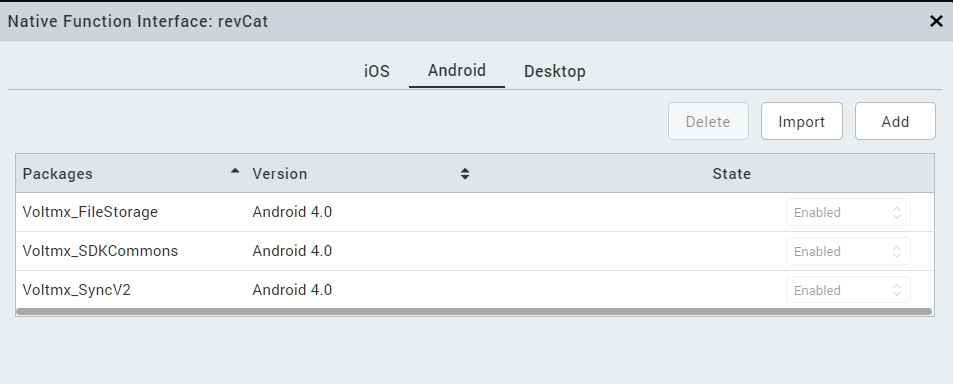
3. In the Iris app, I can see that there is an option (Edit -> Manage Native Function APIs) and it requires a zipped file to be uploaded. What exactly should be in the zipped file? Also, upon tinkering, I found that inside the project directory "nativebindings -> Android", there are 3 zipped folders already residing. So, if I need to use the "okhhtp" library inside my project, do I need to upload any sort of zipped folder or do it some other way?
4. After adding the library successfully, how can I call the same via NF API? In the documentation, there are only generalized examples provided like java.import('java.lang.Thread')
Please answer all of these questions, so that I can use the same in my project
Any update @Gunndarr Dotter @Suhas Bhat @Murali Boddeda @Anurag Wanjari ? I do not have the feature for creating a support ticket, so that is why I am relying on this forum only to get my queries resolved
@Murali Boddeda, if your team can quickly provide a solution for this, then it would be of great help. The rest of the stuff could be solved later on.
Will wait for a reply.
Is there any chance I will get some working prototype/guide for this external library stuff by tomorrow? @Murali Boddeda
@Vishal Vats Can you create an aar / jar file for custom implementation and follow the below link to convert to NFI
https://support.hcltechsw.com/csm?id=kb_article&sysparm_article=KB0101869
Please check below link for sample android NFI files.
https://opensource.hcltechsw.com/volt-mx-docs/docs/documentation/Iris/iris_nf_api_dev_guide/content/android_examples.html
Once I import the NFI into Volt MX iris, how can I use it inside Iris?
Examples do not include custom NFI usecase
https://support.hcltechsw.com/csm?id=kb_article&sysparm_article=KB0101869
And how to get the FFI aar/jar file for an external library? Does anyone provides these!!
You can create aar file from your android studio project
https://medium.com/@mirzahssn/create-aar-file-in-android-e1ff009ba899
As mentioned in my last comment, please check the below link for a sample android NFI.
https://opensource.hcltechsw.com/volt-mx-docs/docs/documentation/Iris/iris_nf_api_dev_guide/content/android_examples.html
Getting this error while importing the NFI package. Here is the metadata.properties file:
And have the aar file in the desired directory
@Vishal Vats Could you please prepare the NFI file outside the project?
https://support.hcltechsw.com/csm?id=kb_article&sysparm_article=KB0101869
Step -2 mentioned in this article - "Create a new folder" must be outside the project eg ; desktop.
Did that. But the same, NFI version error is coming
Have you deleted the "NFI ZIP files" folder from nativebindings >> android >> 4.0 ?
@Naveen Kumar Kuppili sir, can you please share a small example of using an external library as NFI in a Volt MX project because the articles and other stuff are not helping much?
Even if you can just provide me the aar/jar file for the simplest of external libraries, then it would be great. You can take okhttp as an example. Will wait for the same 😄