Regarding the example docs that you have shared (I already visited the page earlier, and saw the following flaws):
1. It is nowhere mentioned in the Battery Status example, from where one can download the sample application.
2. Speech example has a section:
Click here to download a sample Volt MX app for Speech.
But the link embedded in the text here, takes to a non-existing page: https://github.com/voltmx/KNF_Speech
Apart from the Speech app, no one's code repo is mentioned, so that one can refer to it and even import it to better understand the project. None of the apps are available on the VOLT MX app's marketplace. That is why, I was saying to add the last updated thing on the documentation pages, @Nina Brown
After doing things on my own, I found the HCL GitHub repo for sample apps and in there, only the Battery & Toast sample apps were provided.
And even these two, are using the native APIs that are available under the kony.os namespace @Naveen Kumar Kuppili sir. So, that's why I am unable to get the way of using an external library inside the project.
If you can provide an aar/jar file for any external library off your choice, then it would be great.
@Vishal Vats You can check the barcode scanner component for reference.
https://marketplace.hclvoltmx.com/items/mlkit-barcodeqr-scanner?search=Barcode%20scanner
I was trying to follow the barcode hike, and it works when we install the Barcode Scanner by the Zxing team (and it is deprecated for the latest Android versions). Despite this fact, I continued with the hike and was able to import the mlkitscanner zipped as a component into the library.
But the thing is when I try to import the same zipped folder as an NFI via the Edit -> Manage NFIs, then it throws the same error: Package NFI version 1.0 doesn't match with project NFI version 4.0
I guess something is fishy!!
Could you please create a new sample application and try to import this MLkit NFI zip file? Please let us know the behavior in a sample application.
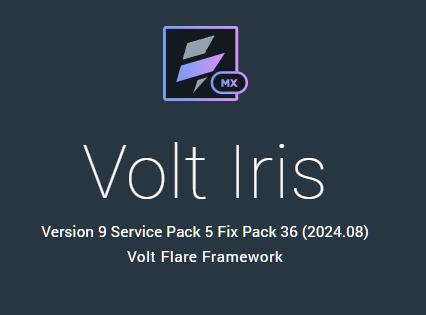
I am using this version of IRIS:
Do I need to import this as a component, or as a NFI?
@Naveen Kumar Kuppili, I tried adding the package once again as you said. Now it's being imported into the project. Even my package got uploaded.
But now, the question is how can I use the same in my project? Can you please help for a bit longer? I think we are very close to the solution.
Also, a small question. Why the zipped folder is throwing that nfi version error for an already-existing project? Any way to fix that, because in the end, I have to use the library in an already existing project?
Can you follow the below steps and share feedback?
1) Create a sample project with a dummy form and build.
2) Copy the nativebindings folder from the sample app.
3) Replace <existing project>/ nativebindings folder with <sampleapp>/nativebindings folder
I did that, but still, the older project is remembering the previous NFIs. So, I removed the nativeapi.json file also and then uploaded the okhttp library again. It is throwing the same error, regarding the NFI version.
We need to keep nativeapi.json. You can copy the nativeapi.json file as well from the sample/working app to your project.
Yup, I copied that also, but it's still giving the error.
Did a bit more brainstorming, and now I can get the NFIs into a pre-existing project. Now, I am just waiting for a working example for the okhttp thing, so that I can import other libraries into the project.
When I am previewing the app in the volt mx iris app, then it is even showing this prompt which verifies that the code of the external libraries is being tied to the project correctly
Now just need to know why it is not working in an already existing project, and how to use the external library that I just uploaded as NFI?
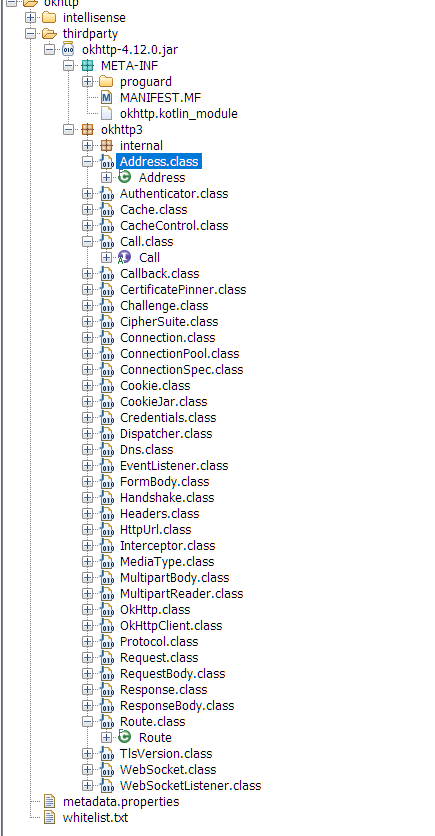
@Naveen Kumar Kuppili sir, you can see that the aar/jar files that I have provided for both of the external libraries have all of their classes and other stuff which is needed to use that particular library.
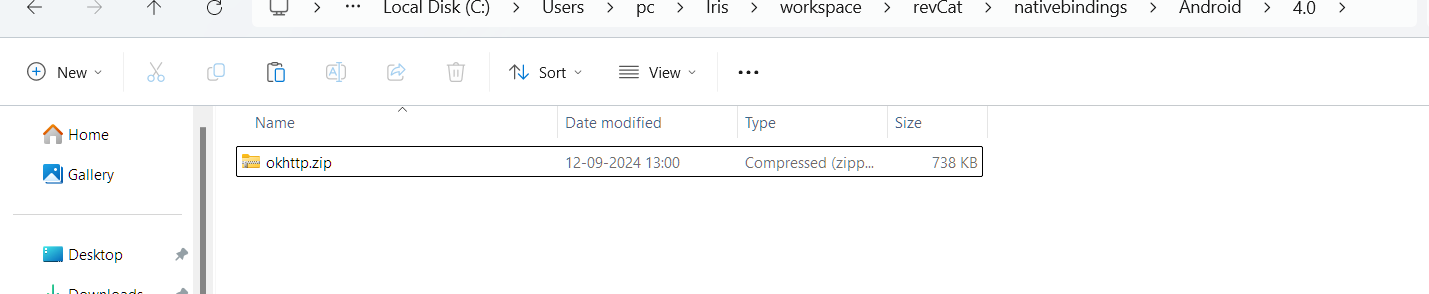
For your reference, I am attaching the okhtttp NFI zip folder. You can import it easily in your workspace. Please provide me with the steps to use the package in the Iris project.
Here is the official GitHub repo for the package: https://github.com/square/okhttp/tree/master
I will wait for your reply.
okhttp.zip
This is the code that I can write in Android to consume the okhttp service. But the thing is, in Iris, I can only use JS to write the code. So, how am I supposed to use the same thing inside a controller file?
Importing the NFI file is not enabling me anyhow.
@Murali Boddeda @Naveen Kumar Kuppili please get a small example using the okhttp library so that I can see how a custom library works with Volt MX. I am again attaching the NFI file that contains the jar file that has all of the stuff needed.
       import okhttp3.OkHttpClient;
       import okhttp3.Request;
       import okhttp3.Response;
       import java.io.IOException;
   OkHttpClient client = new OkHttpClient();

    // Creating a request
    Request request = new Request.Builder()
            .url("https://jsonplaceholder.typicode.com/posts/1")
            .build();

    // Making the request asynchronously
    client.newCall(request).enqueue(new okhttp3.Callback() {
        @Override
        public void onFailure(okhttp3.Call call, IOException e) {
            Log.e("Network Error", e.getMessage());
        }

        @Override
        public void onResponse(okhttp3.Call call, Response response) throws IOException {
            if (response.isSuccessful()) {
                String responseData = response.body().string();
                Log.d("Network Response", responseData);
            } else {
                Log.e("Network Response", "Failed to get response");
            }
        }
    });</code></pre>


Please clarify this thing ASAP as I have spent a lot of time just getting a small thing up and ready. Expecting a quick response. okhttp.zip
Please sort this stuff by today, because if it's not possible then do let me know.
The barcode component example doesn't happen anyhow because it is not what I am trying to do.
@Vishal Vats the okhttp.zip only have the jar file and it does not have the below class file. Please share the complete aar file which is generated from your Android Studio.
OkHttpHelper
Sir, I copied the jar file that was inside the .gradle/caches/modeules-2/files-2.1 directory, because I don't know how to get the aar/jar file for a dependency in java. I did these steps to generate that:
1. Add the implementation for the package in the gradle file: implementation("com.squareup.okhttp3:okhttp:4.12.0")
2. Synced the project, so that the gradle files can be fetched
3. Then moved to that directory and copied the aar file available there.
I am not sure where I can grab the helper file. Can you please replicate these steps to get the required files?
By the way, where did you get the thing that this helper file is needed?
@Naveen Kumar Kuppili @Murali Boddeda sir, it's been almost the end of the week, but we haven't yet started anything regarding this issue's resolution.
I request you to please get this resolved as quickly as possible so that I can get a clear picture of whether this is possible or not!
@Gunndarr Dotter if you can add something to this discussion, then it would be great