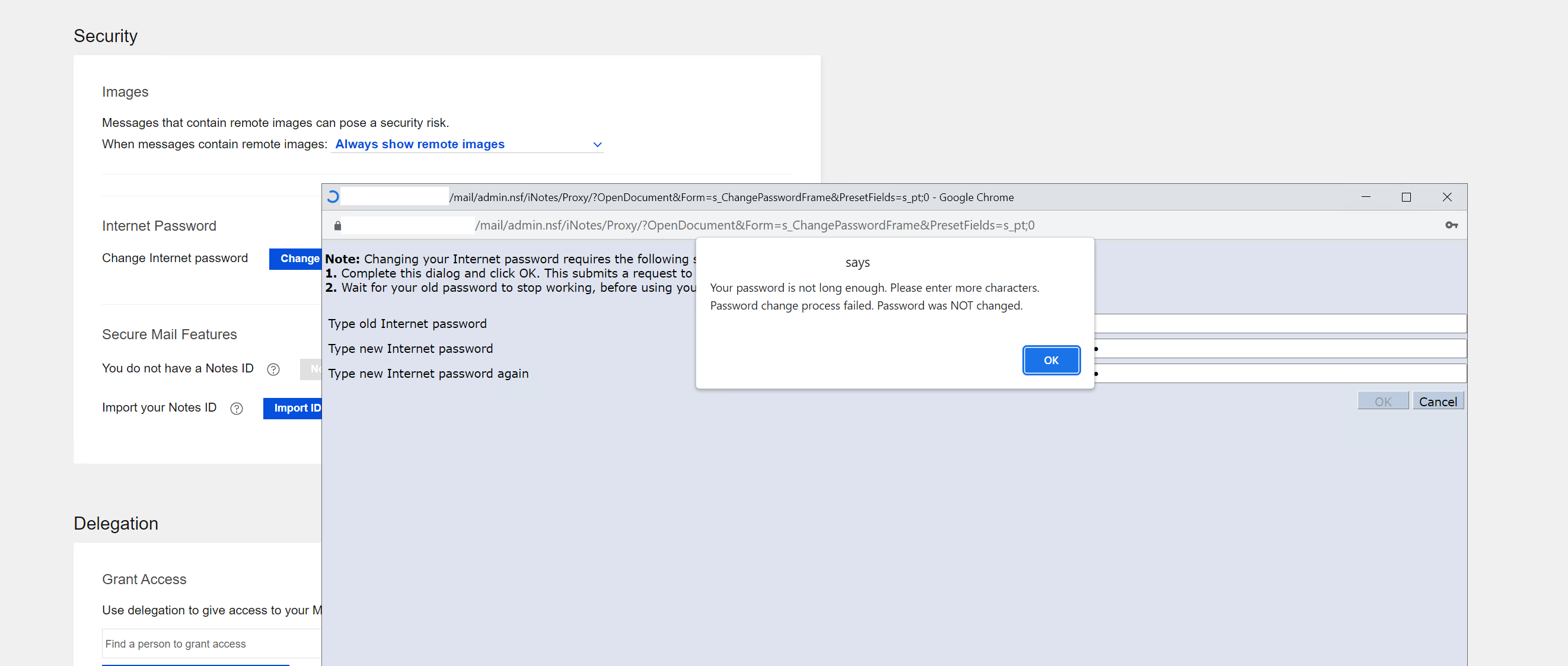
We have the following problem: a user changed their password once on the web with a password of 8 to 10 characters. When changing the password again, an error now appears:
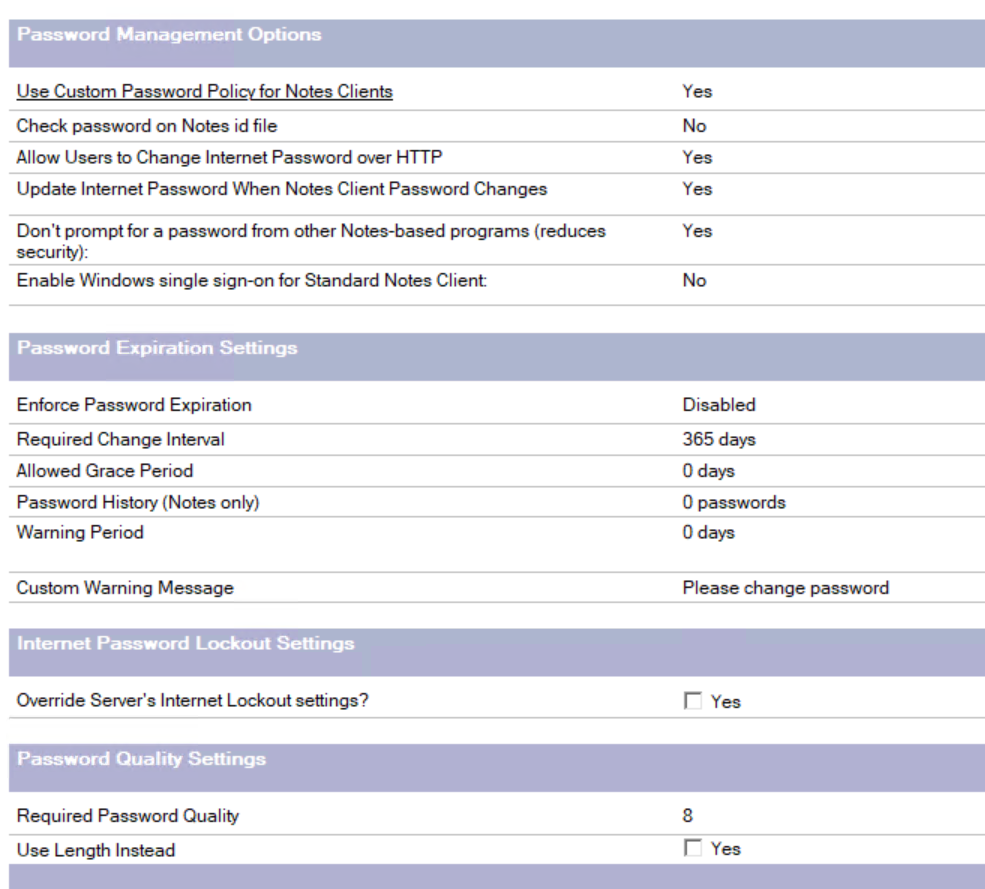
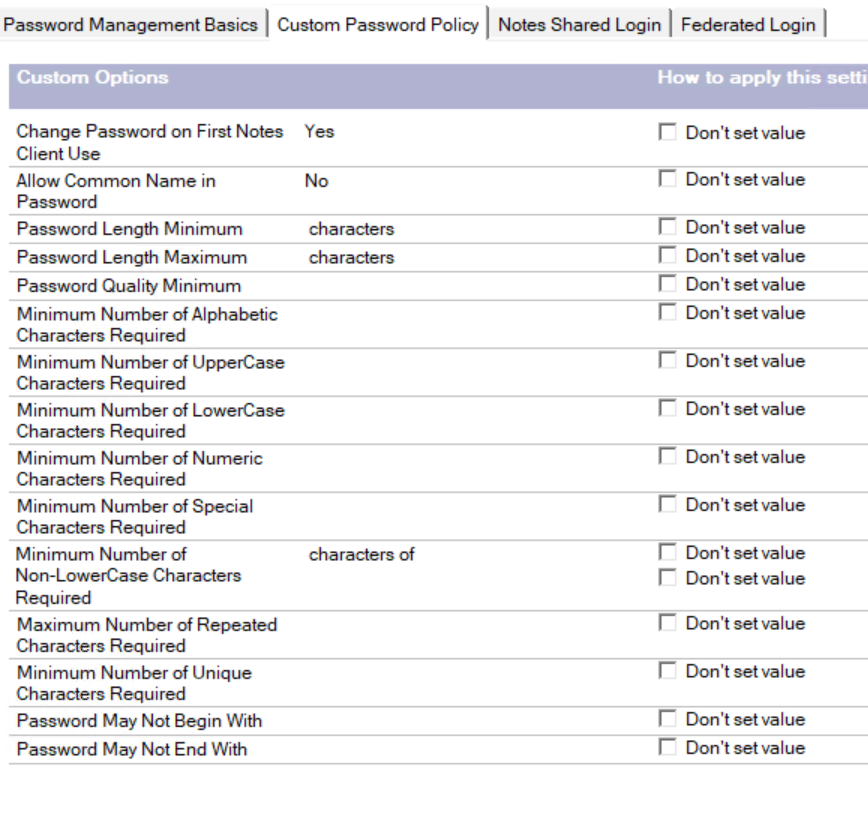
Based on screenshot we can see the "Required Password Quality " section on the "Password Management Basics " tab is set with password quality 8. Whereas the custom policy setting is blank.
"Required Password Quality " section under "Password Quality Settings " in the "Password Management Basics " tab is applicable to Internet password.
Due to this if user try to set the password lower than the value set in "Required Password Quality " section i.e. password quality 8, the Internet password (verse) change will not be successful.
Please refer the following HCL support link for more information about What takes precedence if policy settings configured with “Required Password Quality” and “Custom Password Policies”
Password Quality
Please guide user to use the password matches to value set in “Required Password Quality” option i.e. password quality 8. Based on your business requirement, you can adjust the “Required Password Quality” settings.
I hope the above information will help in answering your queries.
The issue is with your Required Password Quality, which is currently set to 8. You might need to check this password quality scale: The password quality scale
Thank you for your reply and assistance. Okay, if the Internet priority has the password “Required Password Quality,” then why was it possible to change the password the first time without an error with a password length of 8-10 characters? And with subsequent changes, an error occurs with the password length?
Thank you for your response and assistance. We are trying to understand why it was possible to change the password the first time without an error with a password length of 8-10 characters? But subsequent changes result in an error with the password length?
Is this related to Required Password Quality?
Based on information, we suspect that at the time of initial (First) password change the policy might not have assigned (effective) to user resulting during first time password change the password quality restriction might not have applied to user.
I hope the above information will help in answering your concerns.
We have applied the “Use length Instead” flag, so now 8 is the password length. But the problem remains. The user cannot change their password online (length error).
This is organizational policy; there are no others.
What else could be causing the problem with changing passwords online? What else should be checked to fix the error?
With “Use length instead” option, If you require users to choose passwords based on length, click Yes to this option. When you do, the Required Password Quality field changes to Required password length.
As per your update the user cannot change their password online (length error).
Please confirm if the changes in security policy is applied to user account.
Using the Policy Synopsis tool to determine the effective policy
Also please confirm upto what length the user is receiving error when they set password.
Additionally, in order to assist you and perform detailed investigation of the issue, I will suggest you to please raise an Ticket with detailed information about the issue you have observed along with the testing you have performed. Our concern team will happy to assist you for same.
When password quality is configured, Domino uses its internal algorithm to evaluate the strength of the password entered by the user. This evaluation does not depend solely on the number of characters in the password.
For a detailed understanding of the password quality scale algorithm, please refer to the product documentation: Password Quality Scale
The Notes Admin Help provides additional information about the algorithm:
Understanding the Algorithm:
A password’s strength is initially rated based on its length.
It receives a 25% bonus if it contains one of the following, or a 50% bonus if it contains two or more:
Mixed case
Numbers
Punctuation
Digits in the last position and uppercase letters in the first position do not qualify as bonus characters, as these are common modifications to bypass password-check mechanisms.
The rating decreases if the password contains predictable patterns, such as dictionary words or repeating characters.
Example of Acceptable Passwords for a Quality Scale of 8 (from older documentation):
6-character string containing at least two of the following: number, mixed case, punctuation. Example: r t7uj
7-character string containing one number and one uppercase letter. Example: rt7uJya
8-character string containing at least one of the following: number, mixed case, punctuation. Example: rt7ujyax
9-character string that does not contain dictionary words. Example: rtujyaxbz
Please check if the same message appears for the user even after following the above rules for a quality scale of 8.
I also noticed your latest reply mentioning that the password policy has been updated to use password length. In this case, ensure that the names.nsf is updated on the user’s home mail server and that the $Policies view is updated (automatic updates typically occur within 2 minutes by the update thread).
Kindly allow time for the changes to replicate across the Domino server and for the $Policies view to index on the server serving the user. After this, please try changing the password again and verify whether the error still occurs.