Hi,
Currenly the HCL Websphere Portal (DX Experience) docker images, as well as some other HCL Products (compass, accelerate, volt-mx, etc) are avaiable on the HCL Harbor (https://hclcr.io/) repository, so you can automatize the deployment of docker images on your docker or kubernetes install.
That is very useful. But I was unable to see that feature avaible for Domino, why ? Is this planned ?
Domino docker images are available from version 11.0.X. You can find more information from the below links.
https://help.hcl-software.com/domino/12.0.0/admin/inst_dock_domino_overview.html
https://support.hcl-software.com/csm?id=kb_article&sysparm_article=KB0091711
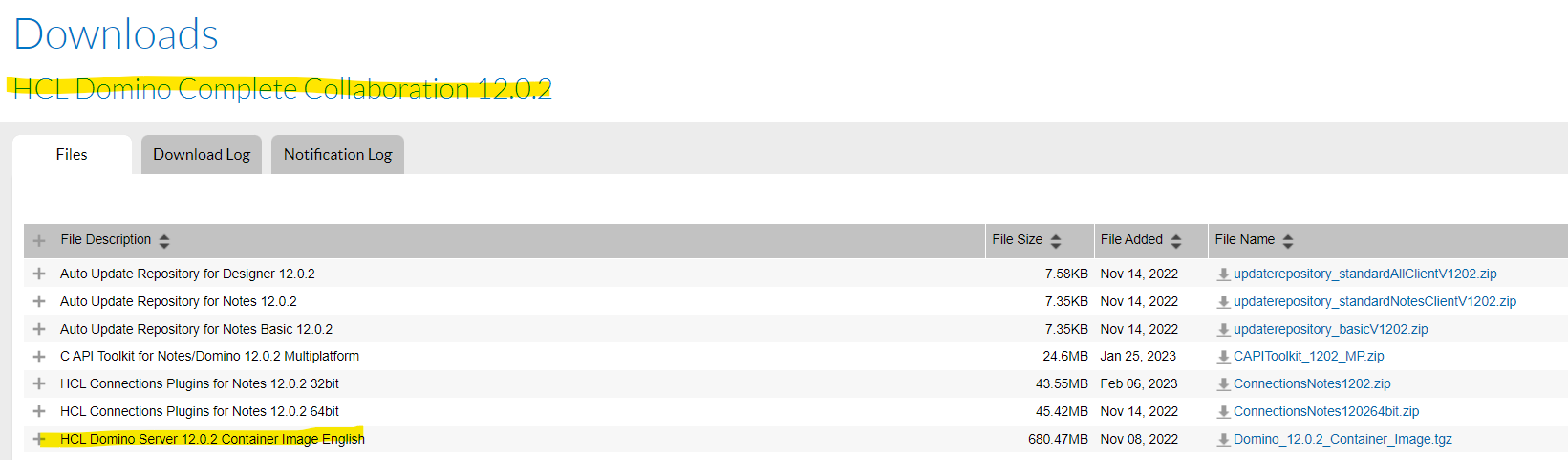
For the latest Domino release 12.0.2 you find the Domino container image in the HCL software download portal as below.
Thank you.
Regards
Shrikant J
Sorry, for HCL Harbor (https://hclcr.io/) repository. I would suggest if you can find a way to post your comment on the github repository to understand when the Domino container will be available.
Thank you
Regards
Shrikant.
Domino 12.0.2 container image is available on Harbor registry beginning 13 January 2023.
The instructions to pull Domino 12.0.2 container image from Harbor are:
1. Authenticate with Harbor registry using the command:
docker login hclcr.io -u <yourEmailAddress>
The password used for command line authentication is NOT your account password. To obtain the command line password, login to the web frontend https://hclcr.io/ and click on your profile picture (top right corner). The CLI secret is your command line password.
2. Once authenticated you can pull the image from the Harbor registry using the command:
docker pull hclcr.io/domino/domino-container:V1202_11032022prod
We are working to get our product documentation updated with these steps.
https://help.hcl-software.com/domino/12.0.2/admin/inst_dock_load_tar_archive.html
Thks Analyn, those are great news !!
However, I tryed to follow your instructions and althought I got a sucess login, I got an error when I tryed to pull the image.. Can you please let me known what I am doing wrong ?
See below:
docker login hclcr.io -u andres.gorostidi@dacartec.com
Password:
Login Succeeded
andres@DCT00175:~$ docker pull hclcr.io/domino/domino-container:V1202_11032022prod
Error response from daemon: unauthorized: unauthorized to access repository: domino/domino-container, action: pull: unauthorized to access repository: domino/domino-container, action: pull
By the way, from the Harbor Portal, if I log to the web site, I do not see any "domino" project (I do see a domino-volt project with no data).
(edited) UPDATE: I got it already working. I opened a case with HCL and I got my permissions updated (I had not the correct permissions). It works great !! Thks a lot !!
We've updated our product documentation to include instructions on how to obtain Domino 12.0.2 container image from Harbor. Please refer to https://help.hcl-software.com/domino/12.0.2/admin/inst_dock_load_tar_archive.html for details.