Dear community,
we are doing automatic silent installation/upgrade of a Notes Client. Sometimes it works, sometimes not. In order to tell the script what to do we need a way to check which Notes Client version is currently installed. Does any body know a reliable way to determine the installed version? This must be done programatically with a script. Affected versions are Notes 9.0.1 and 11.0.1. Thanks a lot for your feedback
(The manual way would be to open the splash screen from the menue "Help - About Notes")
You can check it in Notes.ini in entry "FaultRecovery_Build" or in names.nsf in Person entry
Hi Michael, you can check from the notes.ini file of the Notes Client. Look for the line:
FaultRecovery_Build=Release 11.0.1
Hope this helps!
FaultRecovery_Build=Release 9.0.1
if its Notes 9.0.1
notes.ini file is located in ~\HCL\Notes or ~\IBM\Notes directory.
In addition to refering notes.ini parameter FaultRecovery_Build=Release 11.0.1
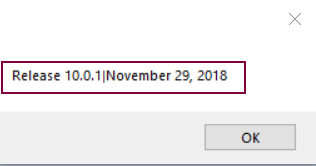
Below Lotusscript code will determine Notes version
Dim session As New NotesSession
Dim version As String
version = session.NotesVersion
MessageBox version
Output:
Hello Michael,
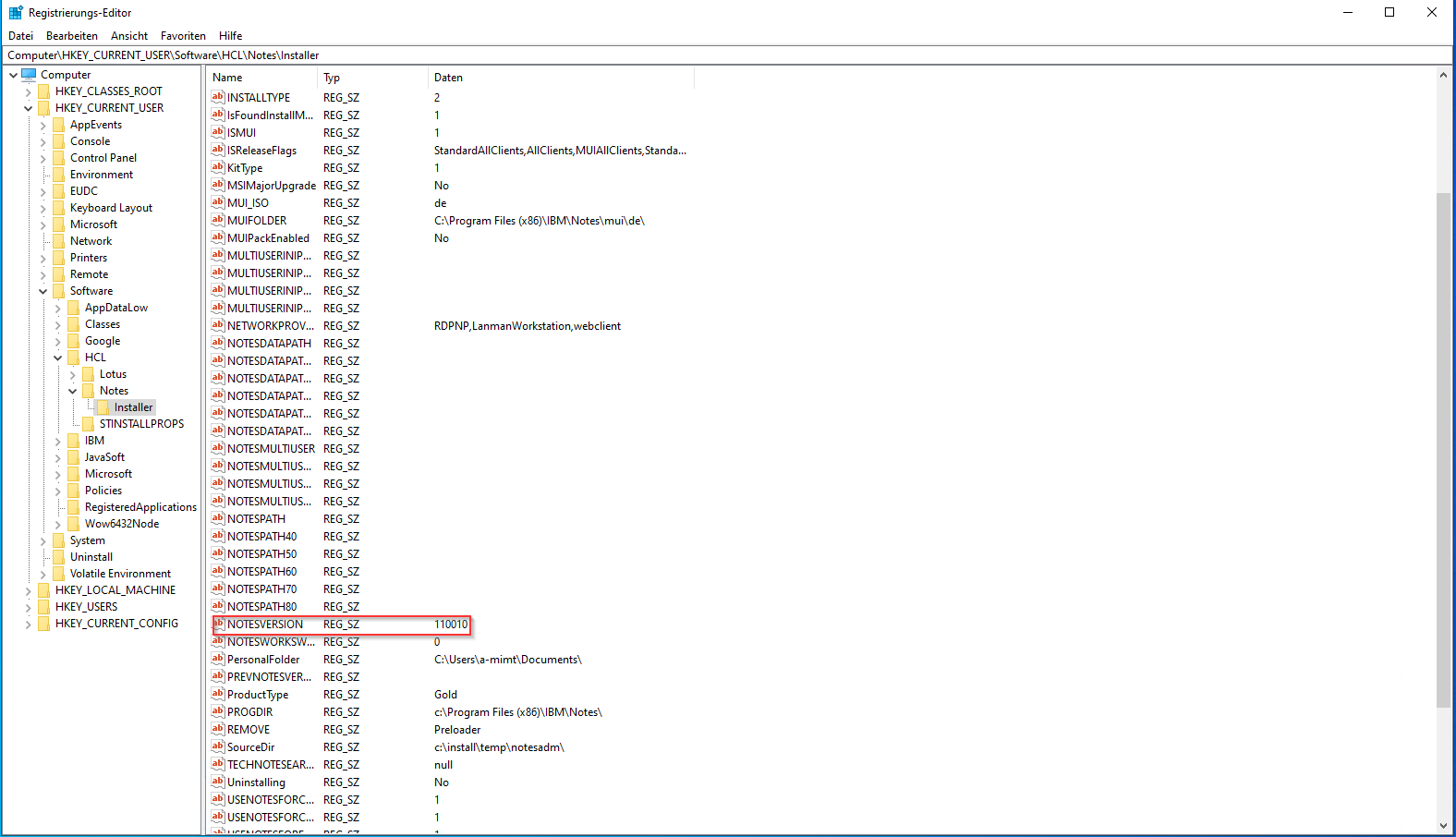
if you are installing on a Windows Platform, I found that for me the easiest way was to read the version from the windows registry. Some windows client management software can access it "natively" so this was usefull for me.
Take a look at the following Keys in registry:
HKEY_CURRENT_USER\Software\HCL\Notes\Installer\NOTESVERSION
Best regards,
Milan
A side-question to this: How can I read Registry Keys with Lotus Script?
To answer the original Question: In Lotus Script I would take the NotesSession.NotesVersion Property. In PowerShell or VB I would prefer the Registry Key.
Hi Ronald,
You can use Formula language to read registry keys.
@RegQueryValue( keyName ; subKeyName ; valueName )
Check the information below -->
https://help.hcltechsw.com/dom_designer/11.0.1/basic/H_REGQUERYVALUE_FUNCTION.html
I can see few external links which uses lotusscript to read registry keys. Sharing the same.
1) http://blog.texasswede.com/code-read-from-and-write-to-windows-registry-in-lotusscript/
2) https://www.keysolutions.com/notesfaq/canaccess.html
Hope this can help.
Regards,
Amit Sharma
Hi Michael
You can use below LotusScript code to get the Notes Client version from Registry.
Dim Ret As Variant
Ret = Evaluate({ @RegQueryValue("HKEY_CURRENT_USER"; "SOFTWARE\\HCL\\Notes\\Installer"; "NOTESVERSION") })
Msgbox Ret(0)
Thanks to all for your valuable responses. All of them are helpful and correct. In our case I believe we will use the solution with reading the notes.ini.