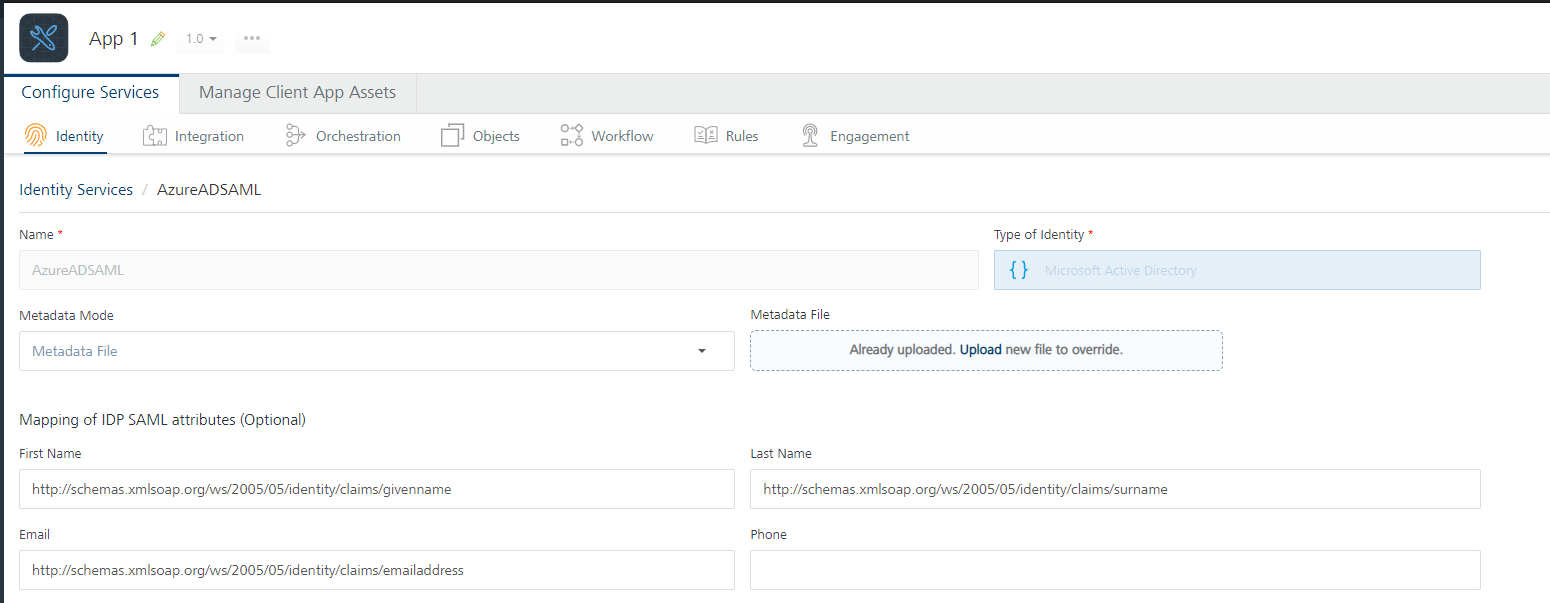
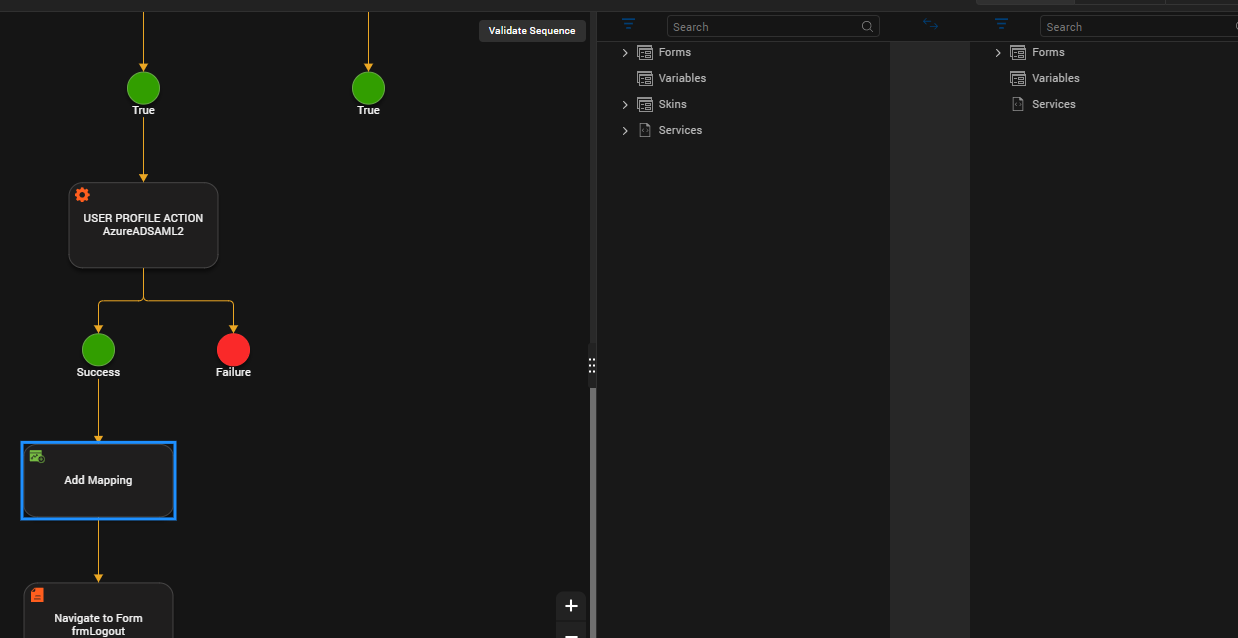
We have set up Azure AD SAML and the authentication works fine in an iris app.
What we did not yet find is the SAML claims that describe the current authenticated user. We would like to map those to field or variables - but where are they hidden?
Hi Bernd, I see the Save button is enabled, does that work at all? If you publish it, does the service work from the App Services console or from Postman?
I would also suggest filing a Support ticket to see if they have any information.
Cheers,
Gunndarr
Does this answer refer to this question?
https://support.hcl-software.com/community?id=community_question&sys_id=d6fa72b01b036950574121f7ec4bcb9d
Oh, odd, yes, that is correct. Apologies for the mixup!
Cheers,
Gunndarr
Hi Bernd,
Hope you are well. I think this "Informational Post" will have the information you seek:
https://support.hcl-software.com/csm?id=community_question&sys_id=932869a11bfc7410a67e9759bc4bcb02
Thank you! This is for extracting more claims than the default ones. How to get access to the default ones easily? They do not appear in a mapper from the idp service. Is there a simple way for the standard claims?
Hi @Dai Nguyen the servcice works for logging in and out. I would like to access the few standard claims that have been given in the service definition to identify the users name and email on fileds on the form after logging in successfully. How can I address these in Iris? There is no service output from the identity service nor from the getprofile node in the action of the login form.