Hi Christoph,
Like what Tony said, watermark only appears in the Viewer, not in the Docs editor, or the downloaded file.
For dynamic watermark, I think we'd already has it.
If set watermark properties like below, you would get dynamic watermark, the highlight part is the parameter that controls it:
=======================
"Watermark": {
"text_watermark": {
"color": "#D2D2D2",
"text": "CONFIDENTIAL CompanyName ${user} ${time}",
"font": "Arial",
"diagonal": "true",
"size": "72"
},
"enabled": "true"
},
========================
Below is how it looks like:
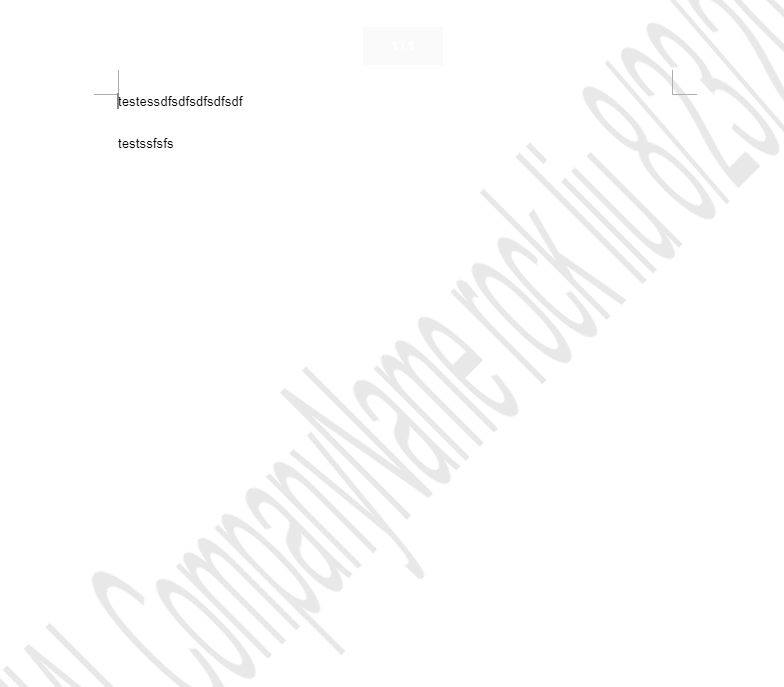
1. I used a test account Rock Liu create a document and preview it:
Here you can see the settings are applied in watermark, user name and timestamp as well. You can customize it with static character + <User> + <Time>
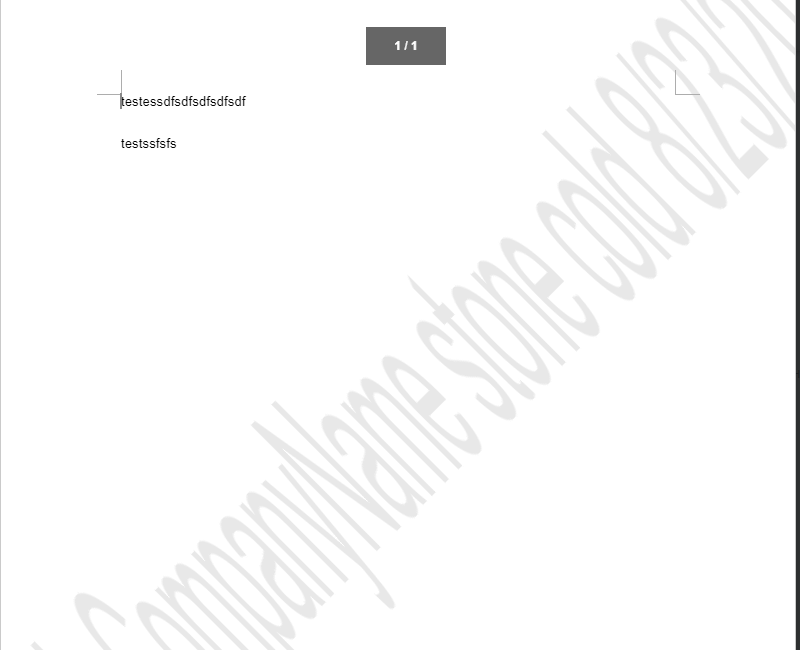
2. Then, I used Rock Liu to share this document with Stone Cold. When Stone cold open this document, you can see Stone Cold's name and time had been added to watermark:
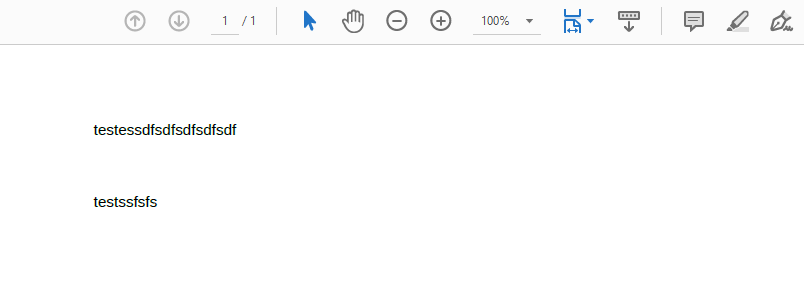
3. However, no matter Rock Liu or Stone cold downloaded this document, watermark is gone(Opened in MS Office) Download as PDF would have the same result.
4. If open the document in Docs Editor, watermark is not displayed. So, like Tony said, watermark only displays on Viewer.
5. Disable downloading may help prevent Files leaking.
5a. Disable downloading and print function in Docs:
https://help.hcltechsw.com/docs/v2.0.1/onprem/install_guide/guide/text/disable_download_print.html?hl=disabling%2Cdownloading%2Cprinting%2Cdocuments%2Cfrom%2Chcl%2Cdocs%2Cui
5b. For disable downloading from Files application, it would be better if you can open a case for it as it may need some more time to do deep research for it.
6. One more thing need to be highlighted here is, if you're using Docs 2.0.1, there is no need to add watermark parameters to viewer-config.json(It caused me several hours to find out why it didn't work), it is already existing in the json file, you only need to change its settings accordingly. Such as set "enable" to "true" and something else.
Or if you don't want to disable downloading and only want to see who download this file, the following documentation would help(download.stats.logging.enabled):
https://help.hcltechsw.com/connections/v7/admin/admin/r_admin_files_config_properties2.html
Hope my answer can help you a little bit.
Regards,
Rock