Hi all,
I just installed HCL DX 9.5 CF218. When I try to create a new virtual portal through the portal admin console I get the following error: EJPAH5002E: Unable to initialize virtual portal.
In the log I see the following exception:
com.ibm.wps.command.xml.XmlCommandException: EJPXA0240E: The resource [portlet Z3_00000000000000A0BR2B3000P5 name=Application Layout] was not found in the portal, either because it does not exist or because you have not specified an identifying attribute in the XML input.
How can we solve this?
Thanks in advance
Hi Luca,
is this a new installation or did you update an existing environment? Is this a on-premise installation or a cloud installation? The error indicates that a specific resource could not be found. There can be a lot of different root-causes. The ConfigTrace.log usually show more details about it. Feel free to open an HCL case to check it in detail. If you have updated a on-premise installation... Did you run the applyCF.sh script to make sure that the wp_profile was already updated correctly?
For details see URL:
Apply Combined Cumulative Fix
If this is a new environment and you can easily delete and recreate the environment, you can give it a try and download CF220 to test the same again.
Thanks, Thorsten
Hi Thorsten, thanks for your reply.
This is a new on-premise installation. Unfortunately I can't recreate the environment quickly.
The resource that cannot be found is this:
<tag action="update" domain="comm" locale="en" owner="xmlaccess scripting user" resourceref="Z3_0000000000000A0BR2B3000P5" objectid="ZCI_00000000000000A0BR2B300692">com.ibm.portal.addcontent.category.admin</tag>
If I go to the "Web content authoring" section I don't see the button to add new content.
Could the two be related?
Thanks in advance
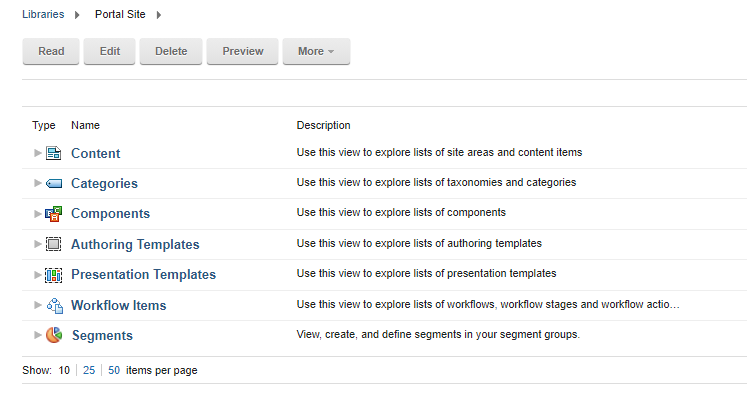
Hi Luca,
a week back I had a similar case on which that buttons were grayed out. For that customer we noticed that the "ConfigEngine.sh enable-v95-features" script for any reason did not completed correctly. Can you please give it a try and run that script to see if it helps to fix the problem? If not, then please open a HCL case to check it in detail. Please provide then the wp-collector to check it in detail. Collecting Data: General Data Collection for HCL Portal
Thanks, Thorsten
Perhaps you are missing a resource....please see link below for details....
https://support.hcltechsw.com/csm?id=kb_article&sysparm_article=KB0013035
Here is the overall reference for the process/requirements to create a VP.....
https://help.hcltechsw.com/digital-experience/9.5/admin-system/advp_tsk_create_vp.html