When trying to use the Video widget in a Volt MX Responsive Web app, it will cause the entire form it is used in to break. I.e. let's say we have a Form1 with a button that navigates to Form2, which contains a Video widget that links to some video. Pressing the button will break the application with the following error message in the console:
Uncaught Error: Invalid value passed to property <tracks> of widget <voltmx.ui.Video>.
    at voltmxvideo.js:371
    at Object.$KU_each (voltmxutils.js:1307)
    at new Video (voltmxvideo.js:350)
    at Form2.addWidgetsForm2 (Form2.js:5)
    at Form2.UI$_invokeAddWidgets (voltmxui.js:2629)
    at Form2.ContainerWidget$_postInitialization (voltmxui.js:2860)
    at Form2.ContainerWidget (voltmxui.js:6920)
    at new Form2 (voltmxform.js:1131)
    at new Form2 (voltmxmvc.js:11)
    at FormController.__initializeView (voltmxmvc_sdk.js:60)
After pressing the button, navigation no longer works.
I've also tried this with a webm and OGV video source. Neither make any difference. Additionally, I've seen the same basic error message with the property <source> instead of <tracks>.
Is there anything else that needs to be configured in order for this to work?
The native variant of the Video widget works as expected.
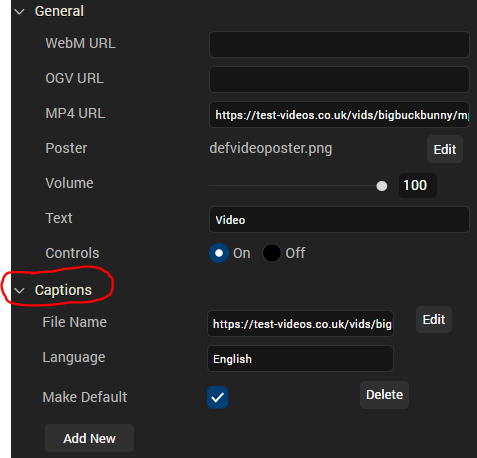
I was able to reproduce. I noticed however that if I add information to the Captions field of the Video tab, the issue no longer occurs. According to the documentation, it looks like the "<tracks>" part of the error message is referring to the "setTracks" method.
Can you see if adding the caption info resolves the issue for you?
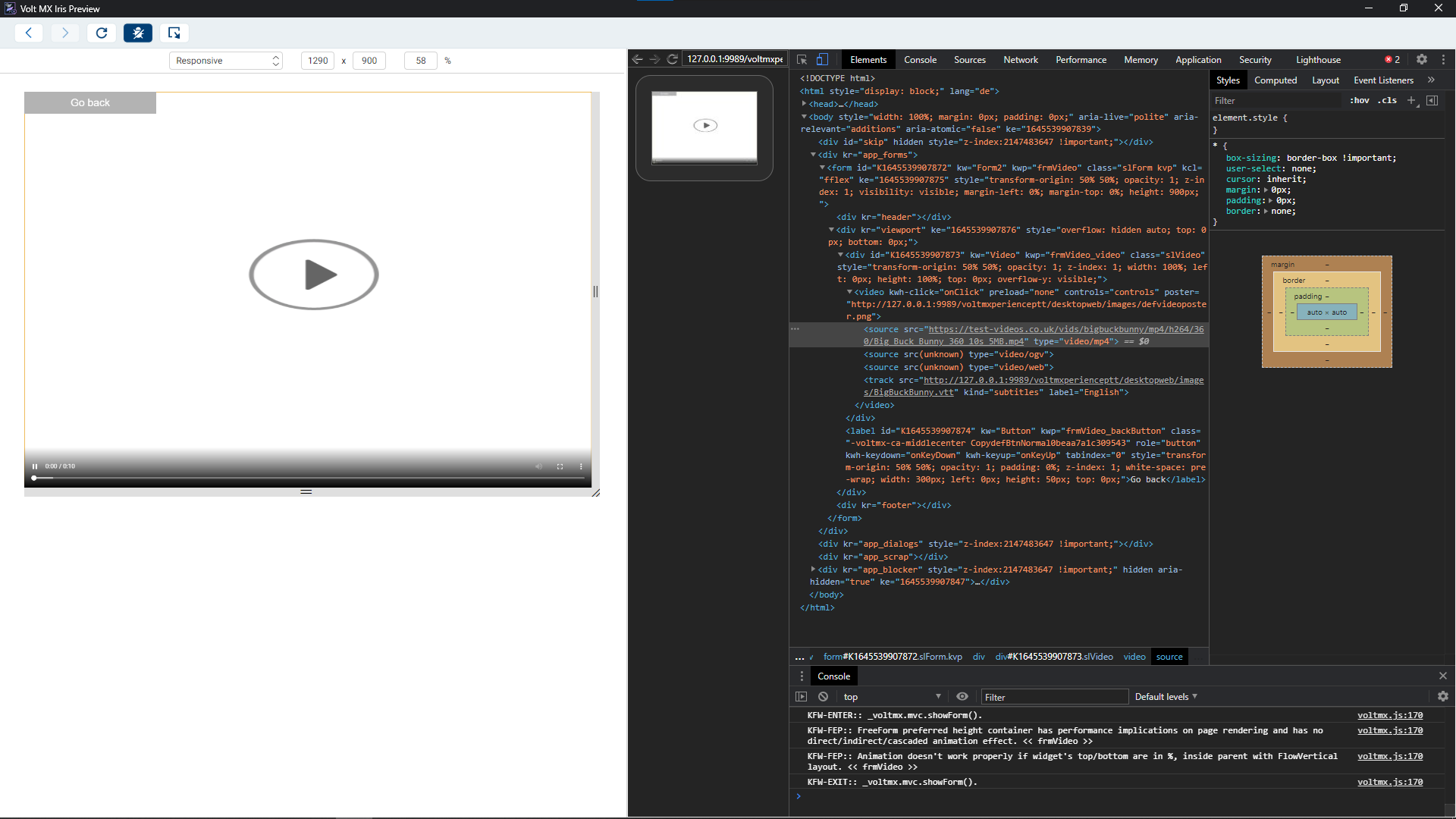
following your instructions, I was able to get the form to load. It did correctly show that there was a 10 second long video. It could be downloaded as well, by clicking the three dots in the lower right corner.
Unfortunately though, the video itself couldn't be played back. This problem only occured within the Iris preview browser. When I opened the webpage from my Chrome browser, the video started playing without any problems.
The OGV video format seems to work on both: the Iris preview browser and the Chrome browser. It plays back just fine.
The webm format however, didn't play on either browsers. For some reason, the webm video is not identified as a video source and thus it can't be played back.
I was able to verify that both browsers are technically capable of playing back webm though, by storing the video element as a global variable in the debugger and setting the src attribute to the webm source.
Also, is there a reason why multiple sources of different formats can be given at once?
That's interesting that you see something different. When I Run Live Preview, I am able to see and play the video. I have the link to the bunny video you provided in the MP4 section of the Video Properties in Iris. I didn't test with ogv or webm because the link to the video you provided ended in .mp4.
When I open the application in the preview browser and press play, nothing happens. Doing the same in the Chrome browser correctly plays the video. Perhaps this is because I'm using Windows?
I've also provided an example webm and ogv video in my original question. I've linked them here as well. As I said, OGV works fine, only webm doesn't work correctly.
I was able to reproduce what you saw when using webm. Although the browser is capable of playing the video, it won't load through Iris Preview. This will more than likely need to be investigated by opening a case.
I cannot however reproduce what you're seeing when using mp4. The video loads and I am able to play it using Iris preview as long as I have the Caption info populated in Iris.