Verse through a reverse proxy fails to load the inbox

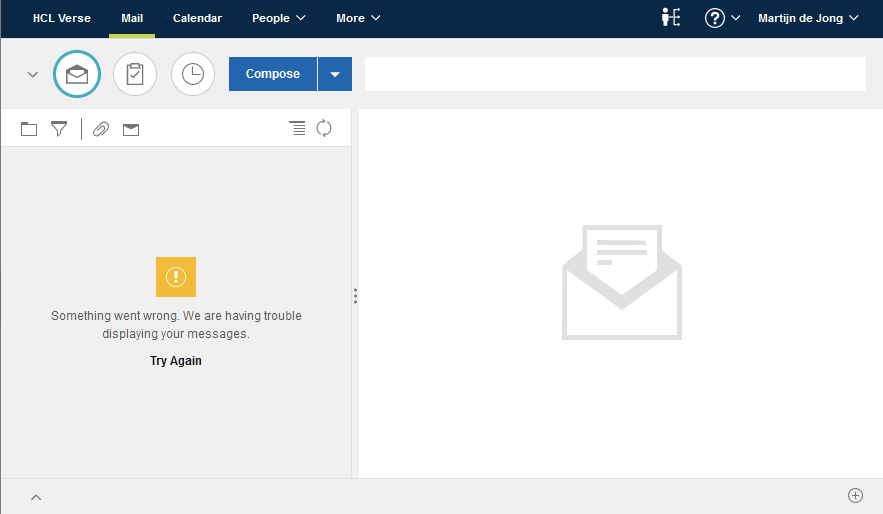
I have a weird problem that maybe someone else recognizes and solved. On my Domino server (12.0.2 EAP3) I have Verse 3.0 installed. If I connect straight to my Domino server both iNotes and Verse work just fine. However, if I connect to my Domino server over my reverse proxy, iNotes works fine, but Verse fails to load the inbox

My reverse proxy is an nginx server. Relevant proxy settings are:
location / {
proxy_set_header X-Real-IP $remote_addr;
proxy_set_header X-Forwarded-For $remote_addr;
proxy_set_header Host $host;
proxy_set_header X-Forwarded-Proto $scheme;
proxy_pass https://192.168.7.100;
}

Does anyone know what I'm missing why the Verse inbox doesn't want to load?

Hi @Martijn de Jong !

from the test you did, it seems that the problem is in the proxy config, since everything is working fine without going through it.

Unfortunately, I don't have deep knowledge of this proxy you are using, but have you already seen this article?

Although it is created for Apache reverse proxy, maybe the information can help you to find the problem in yours.

How to Configure HCL Verse with Apache Reverse Proxy in a Cluster Environment
https://support.hcl-software.com/csm?id=kb_article&sysparm_article=KB0088962

I hope this helps you in some way.

Best Regards
Wiliam Dias

Open the developer tools of your browser (F11 most likely):

  • Are there error messages on the console tab?
  • Are there request in the network tab, which get a timeout or error?

I assume, there will be some requests with errors in the network tab. There you see the error code, the URL requested, cookies sent with the request etc. A lot of info to go forward...
I wrote a blog article about the issue: https://blog.martdj.nl/2022/08/26/nginx-as-reverse-proxy-on-centos-9-stream-a-problematic-combination/

It had absolutely nothing to do with Verse, but with a mismatch between the versions of OpenSSL 3 and Nginx on CentOS 9 Stream.