HCL Volt Foundry provides a powerful integration layer that enables you to consume any REST API—such as those provided by HCL Digital Experience (DX)—in a secure, governed, and reusable way. By importing Swagger (OpenAPI) definitions directly into Volt Foundry, you can rapidly create services and operations without manual API modeling. This approach centralizes authentication, simplifies client-side integration, and decouples applications from backend implementation details. The result is a consistent, scalable API experience that accelerates development across mobile, web, and low-code applications.
This guide walks through the steps to download a Swagger file from the DX API Explorer, configure it as a service in Volt Foundry, create operations, and test them—all so you can efficiently leverage HCL DX APIs in your applications.
Follow the steps below to get started.
1. Download the Swagger (OpenAPI) File
HCL Digital Experience provides Swagger files for its APIs through the API Explorer.
From the API Explorer, you can easily access and download the Swagger file for any HCL DX API:
HCL DX API Explorer
Download the Swagger file for the API you want to use and give it a meaningful, easy-to-remember name.
Example:
For Web Content APIs, the explorer is available at:
<DX server host>/dx/api/wcm/v2/explorer

2. Configure a New Service in HCL Volt Foundry
In HCL Volt Foundry, ensure you have configured the integration between HCL DX and HCL Foundry as documented in the Help Center. You should have the identity server configured and then under Integration create a new service.
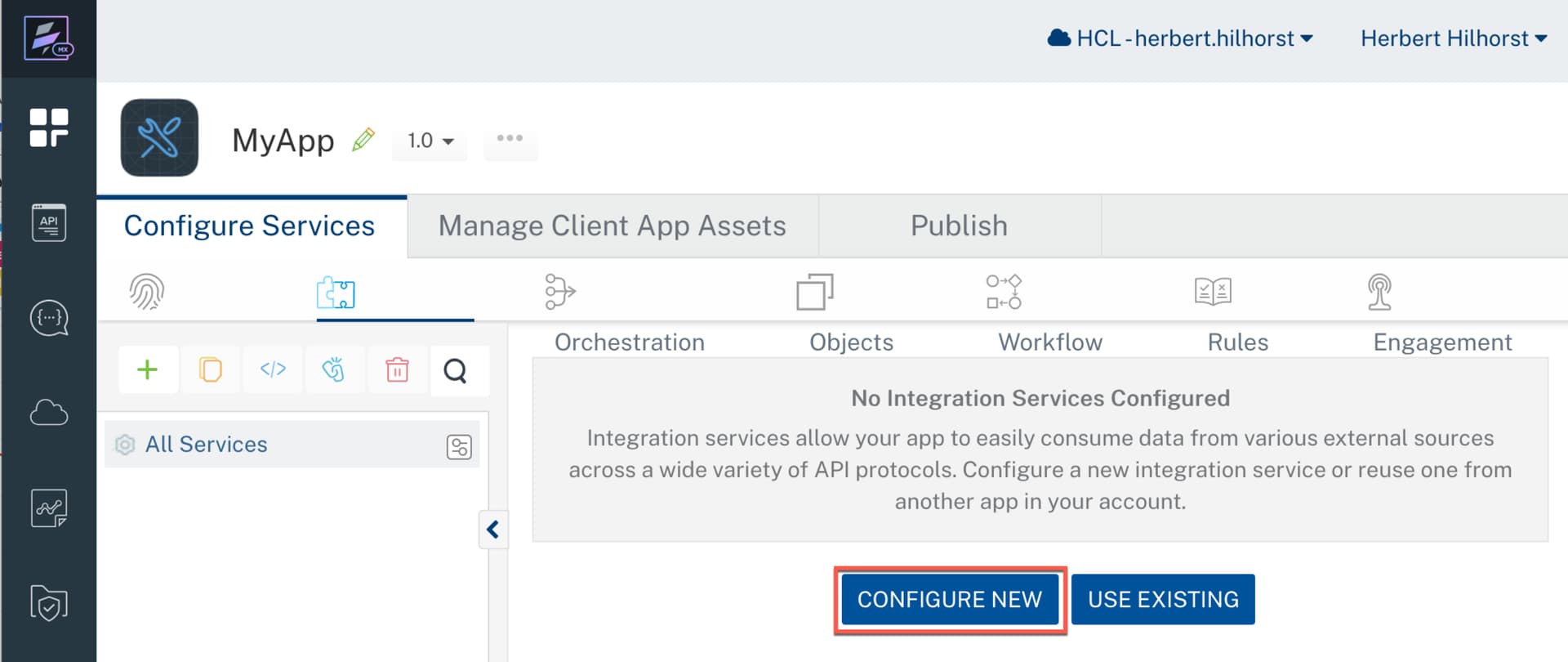
- Provide a clear name for the service to refer to the API used. E.g. DXWebContent.
- Select OpenAPI (Swagger) as the service type.
- Upload the Swagger file you downloaded in the previous step.
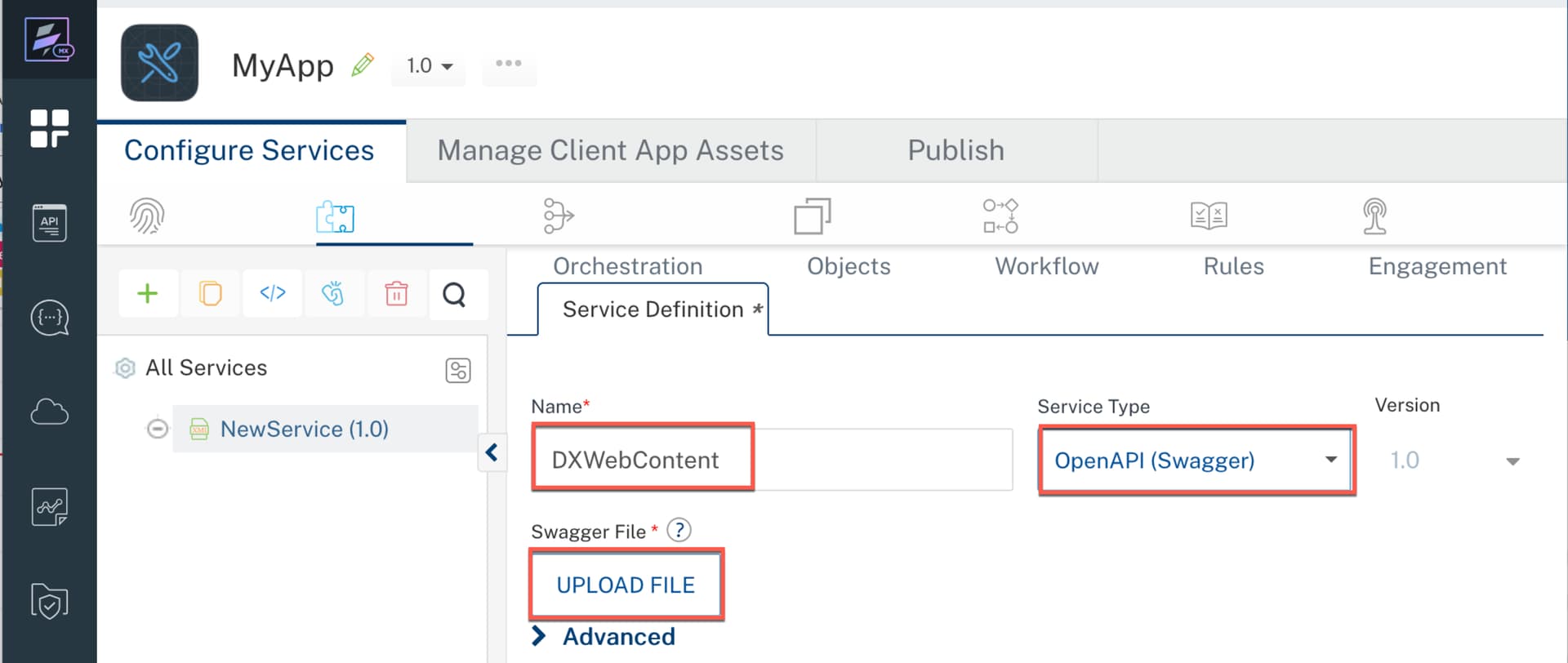
Configure the Server URL
After uploading the Swagger file, you must configure the Server URL. You can obtain this value directly from the API Explorer:
- Expand any API method.
- Click Try it out.
- Scroll down and click Execute.
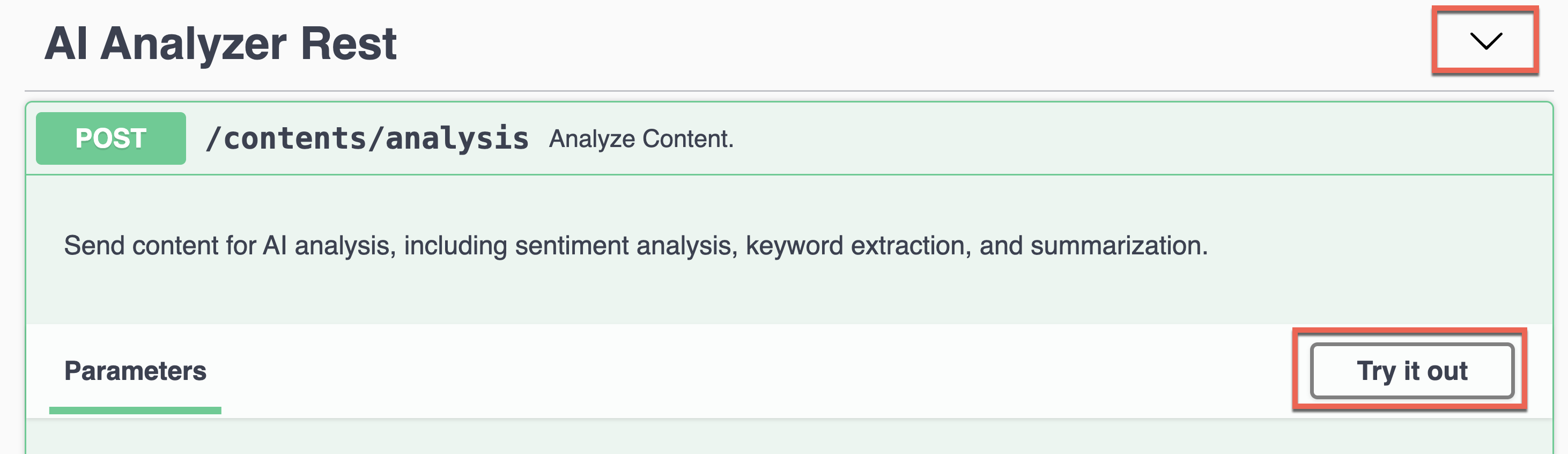
The generated Curl command contains the server URL. Copy the base URL (everything before the specific API path).

Paste this value into the Server URL field in Volt Foundry.

3. Create New Operations
Once the service is configured:
- Save the service.
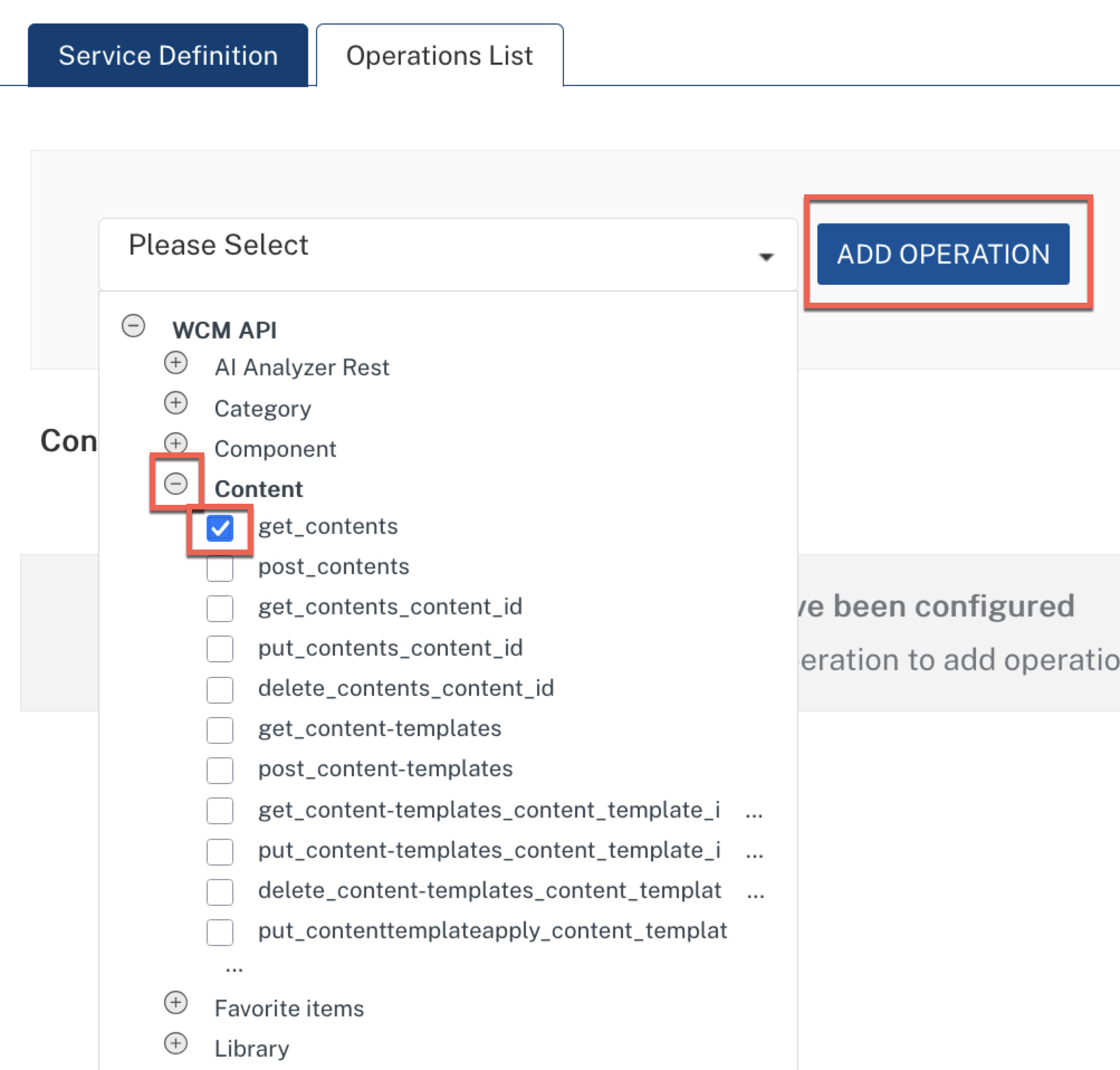
- Add a new operation.
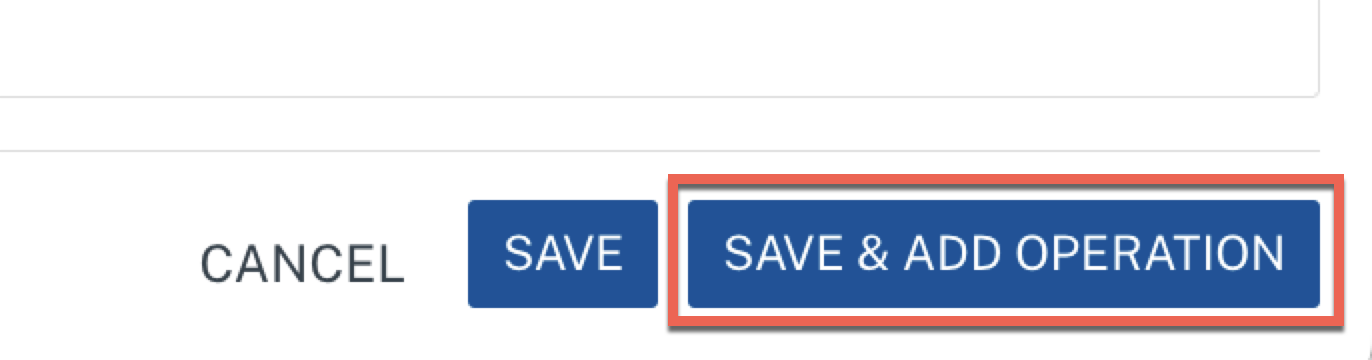
You can now select the uploaded API and browse all available methods defined in the Swagger file.

Expand and select the methods you want to expose as operations.
4. Test the Operations
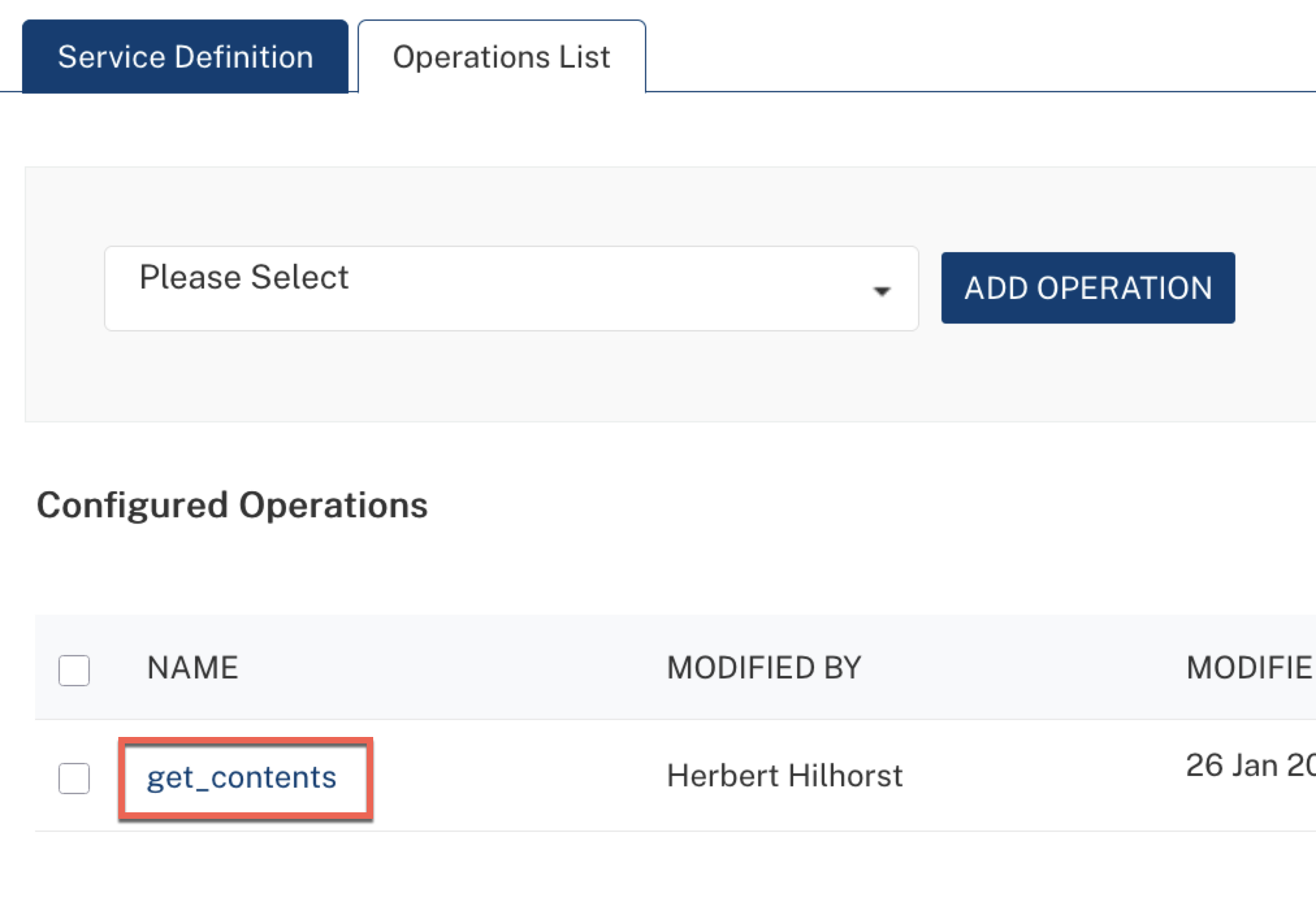
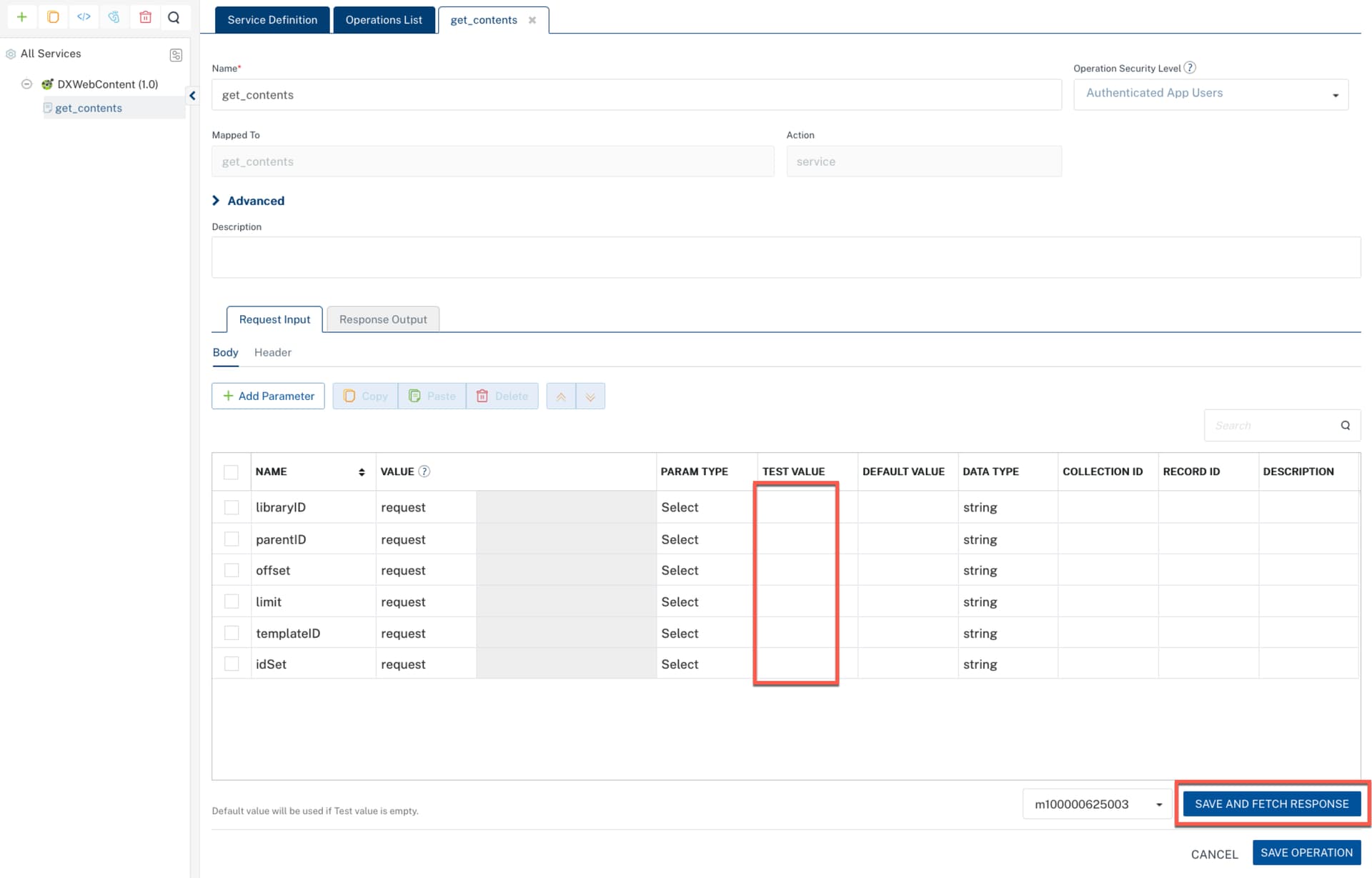
After creating the operations, you can immediately test them within Volt Foundry.
Select any operation:
Optionally, provide test values for the input parameters and click Save and Fetch Response.
Next Steps
Your APIs are now ready to be consumed by:
- HCL Volt MX Iris applications
- HCL Leap applications
- Any other application that connects to your HCL Volt Foundry server
Find more details in
HCL DX Help Center
HCL Leap Help Center
HCL Volt Foundry Help Center
Enjoy building with HCL DX and Volt Foundry! 