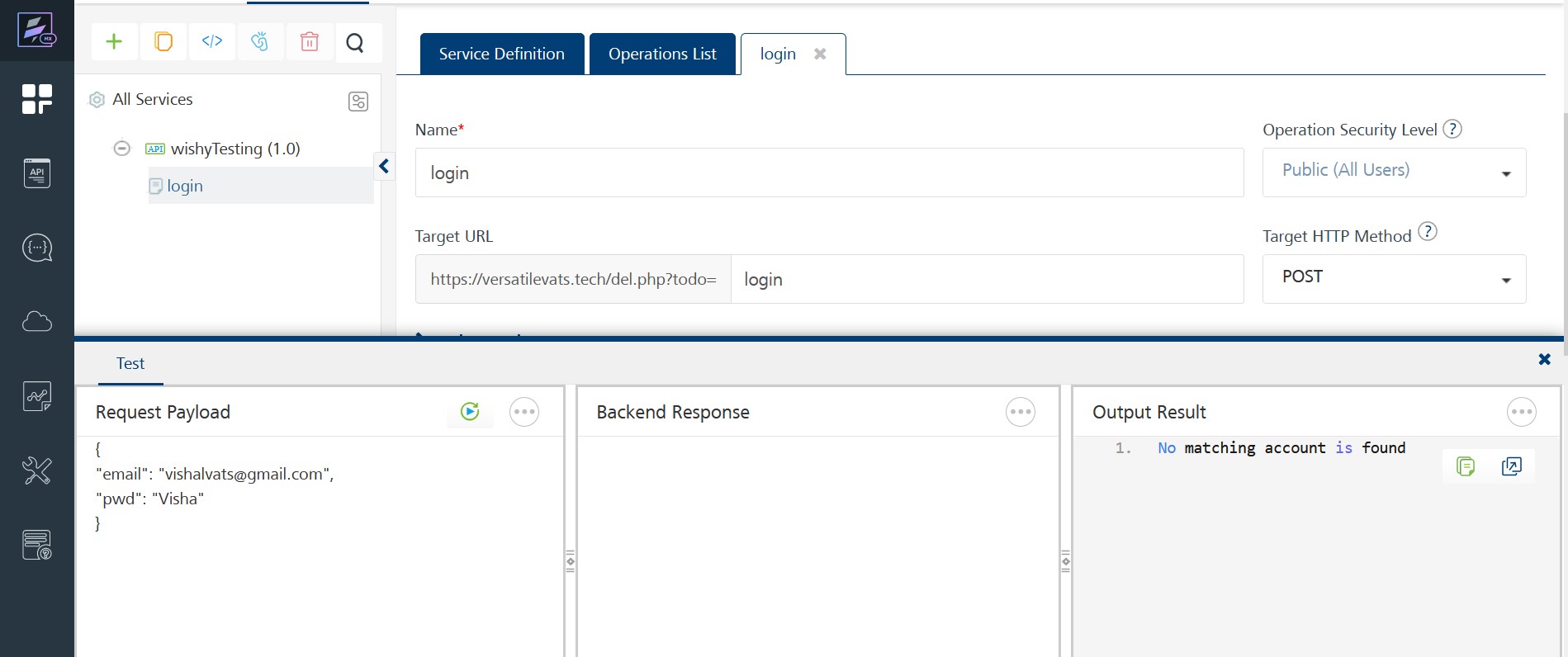
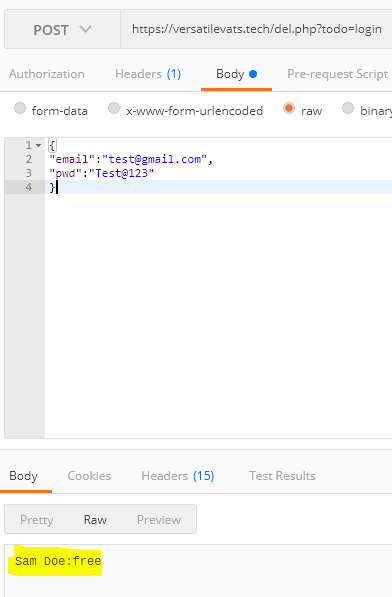
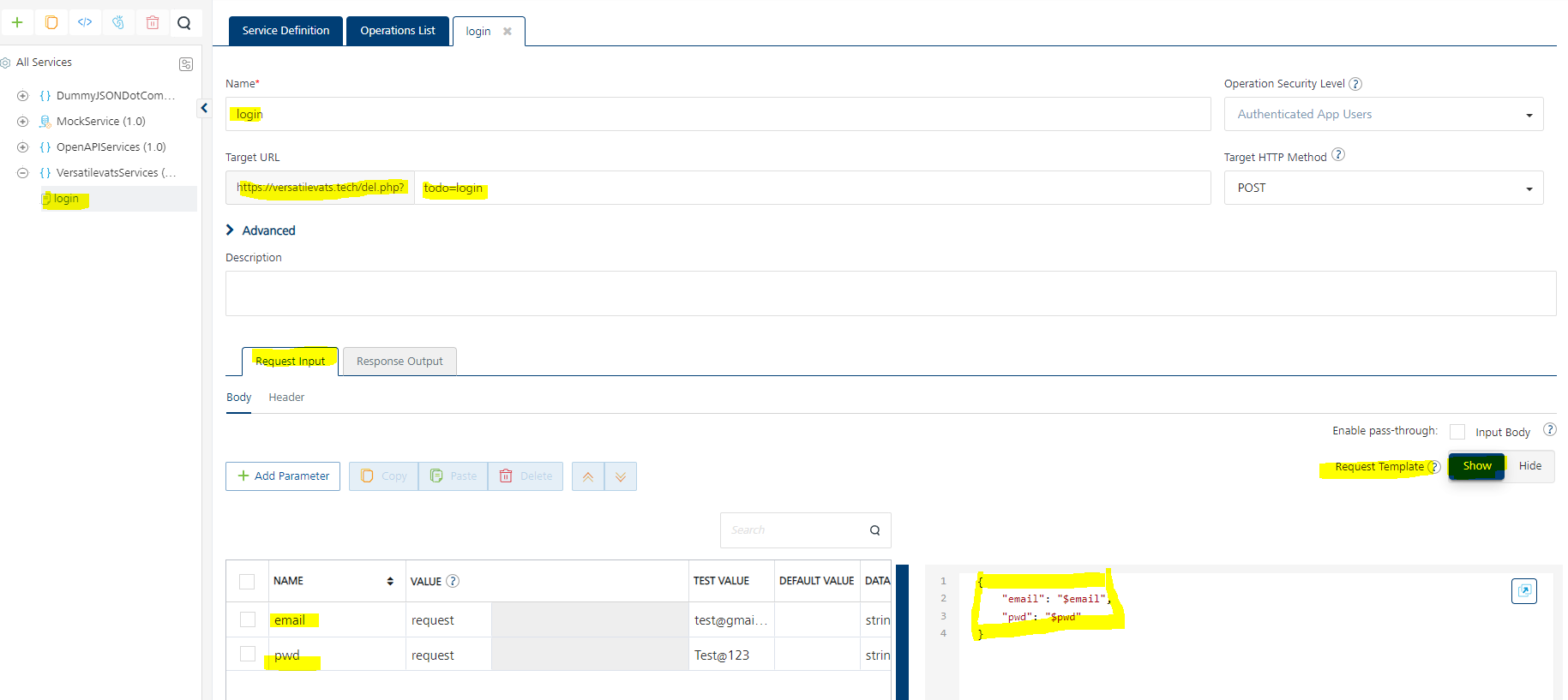
I was working with the API Proxy integration service and was doing a post call request to one of the endpoints. In there I have configured a login operation endpoint and as it is a POST request, I have to provide request payload and through Foundry dashboard I do so by providing the same in the request payload area.
And after that I successfully gets the response.
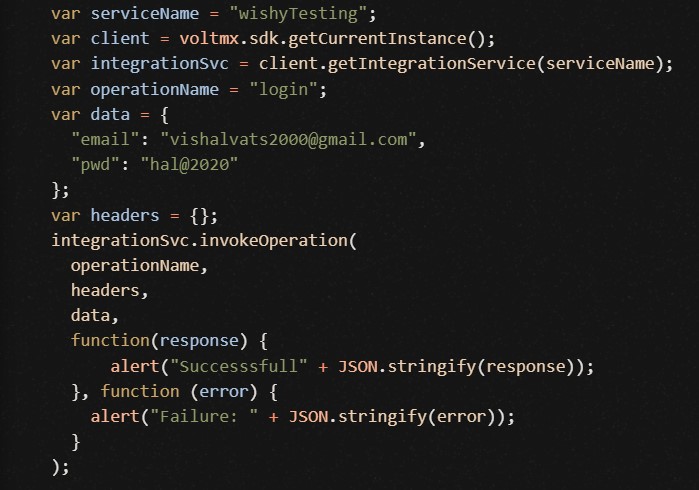
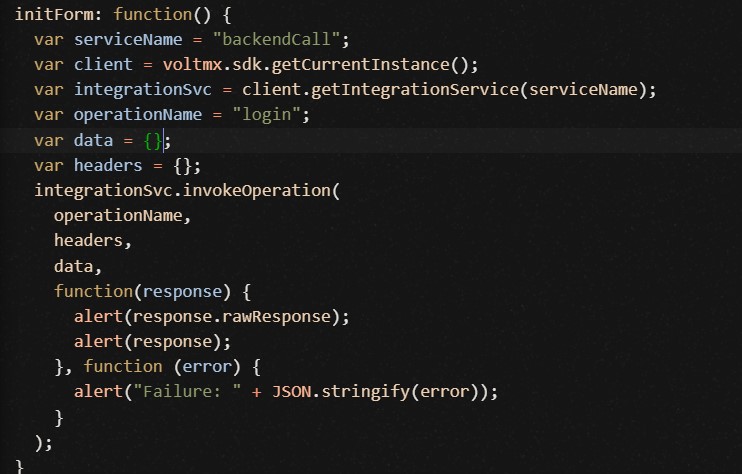
But when I am calling the same from Iris, I am not able to get the response. The iris code that I am writing is as follows:
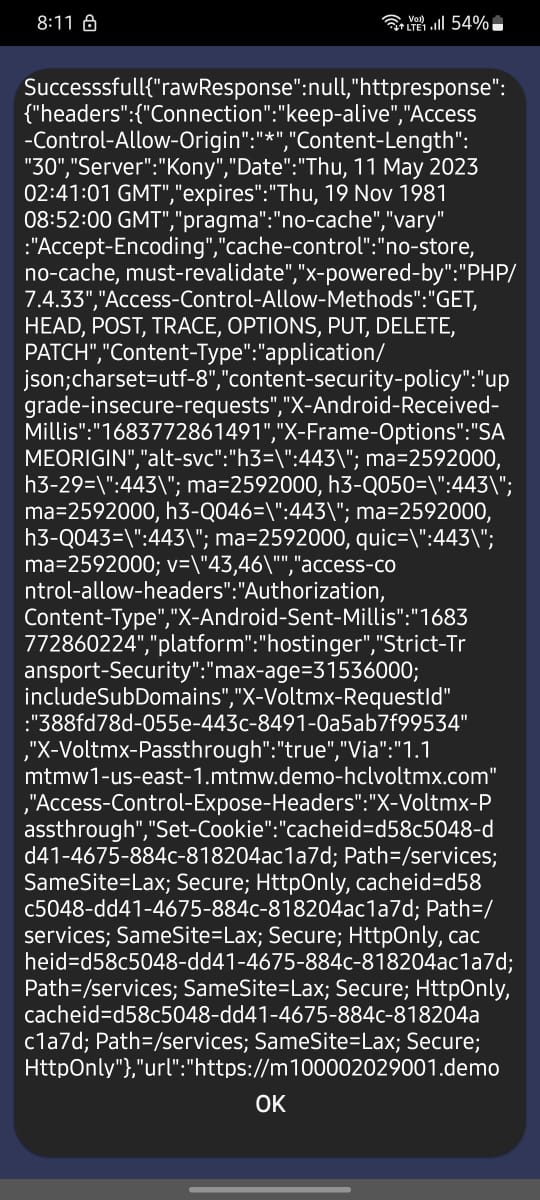
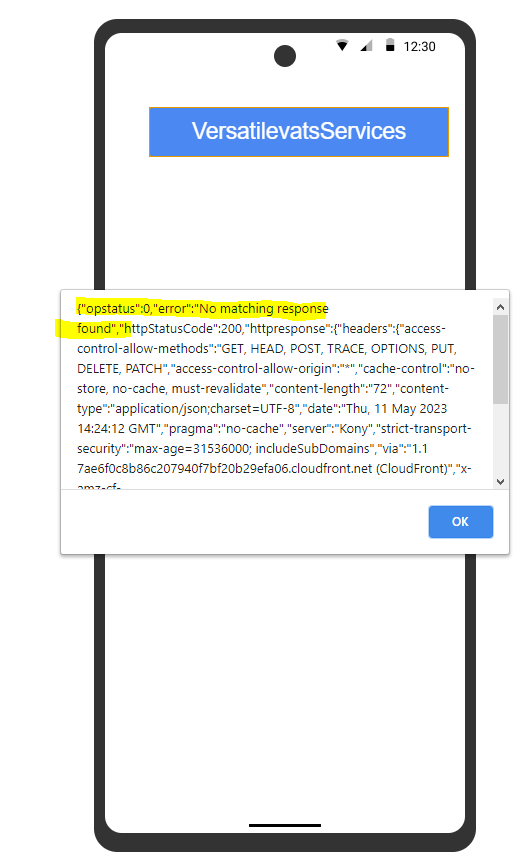
And the response which I am getting while previewing the app is as follows:
Why the response is not visible in preview mode? I guess the rewResponse field must have received the string that I have got in the foundry dashboard while testing the endpoint.
Am I writing something wrong in the iris code? Seeking for a quick help
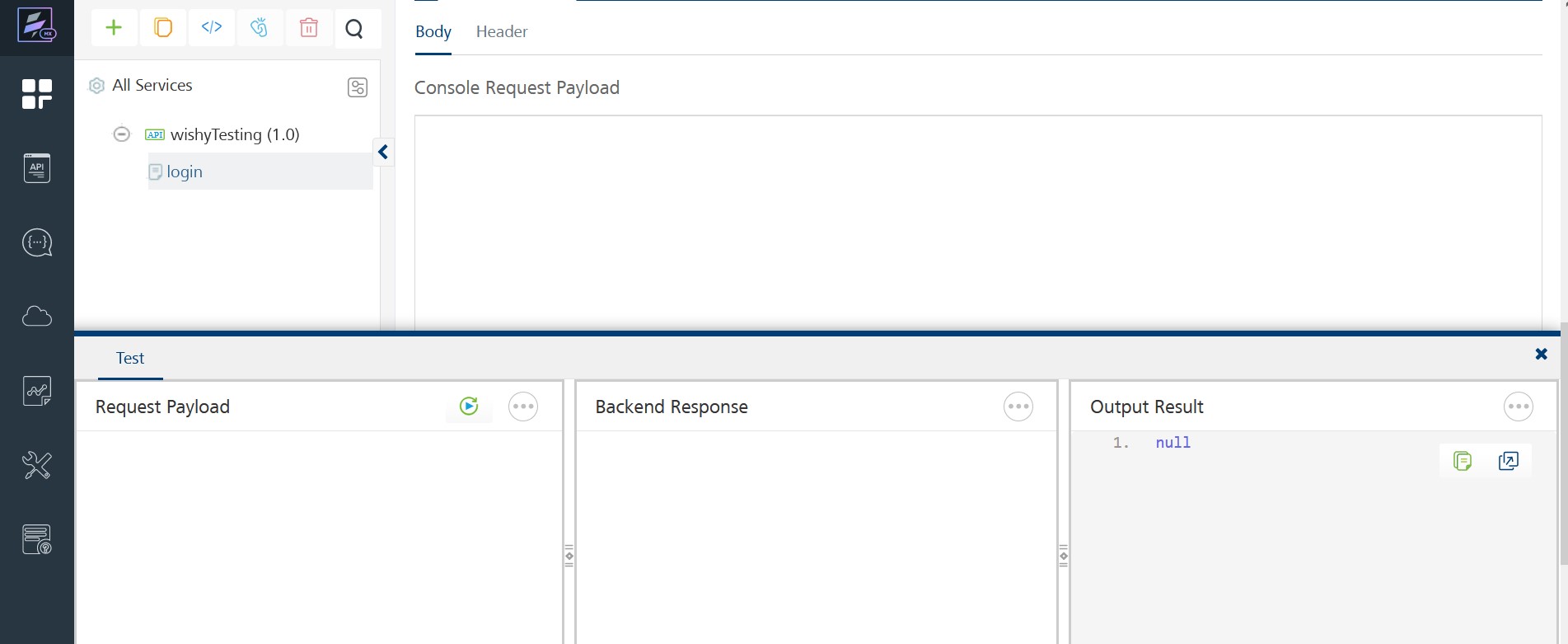
As you can see that the response is "null" and in the Foundry dashboard I see that the response is null when I don't provide any request payload
Because the api endpoint expects to get a POST request in which email & pwd would be supplied but I am sure that through the IRIS code the request payload is not being sent properly. So, can you please tell how to send the request payload through the iris code so that I can get the result?
Hello @Vishal Vats ,
Please share a sample (success / error) request payload for "https://versatilevats.tech/del.php?todo=login" service. Thank you.
Thanks and Regards,
Venkata Raju Bankapalli
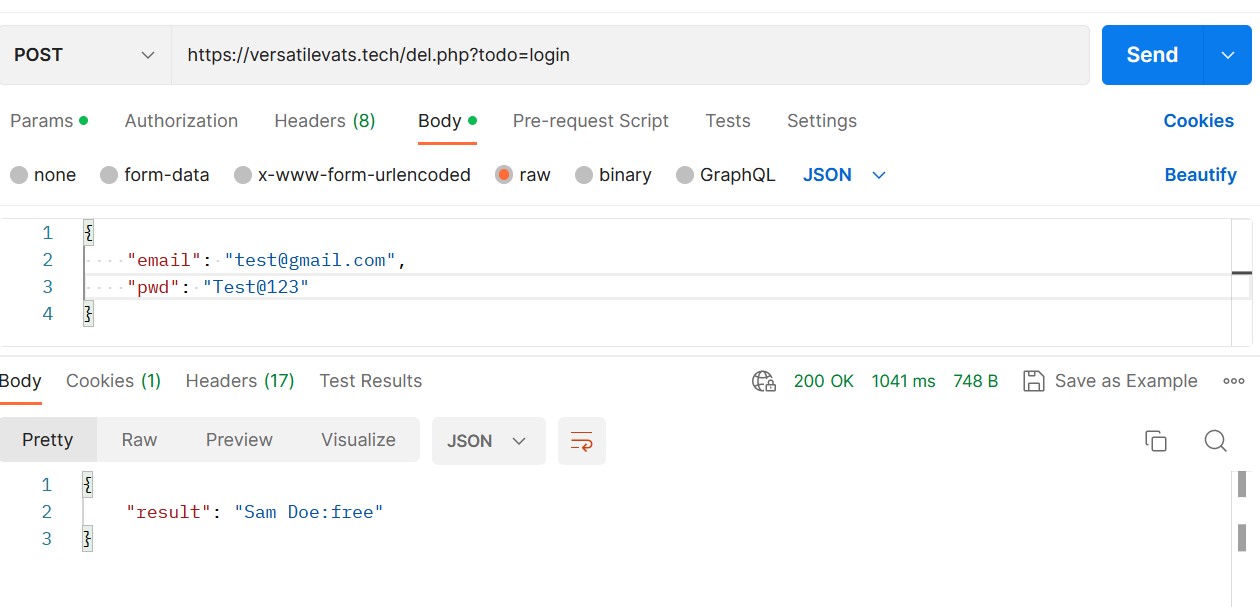
Success payload:
"login" endpoint expects email & pwd
{
"email": "test@gmail.com",
"pwd": "Test@123"
}
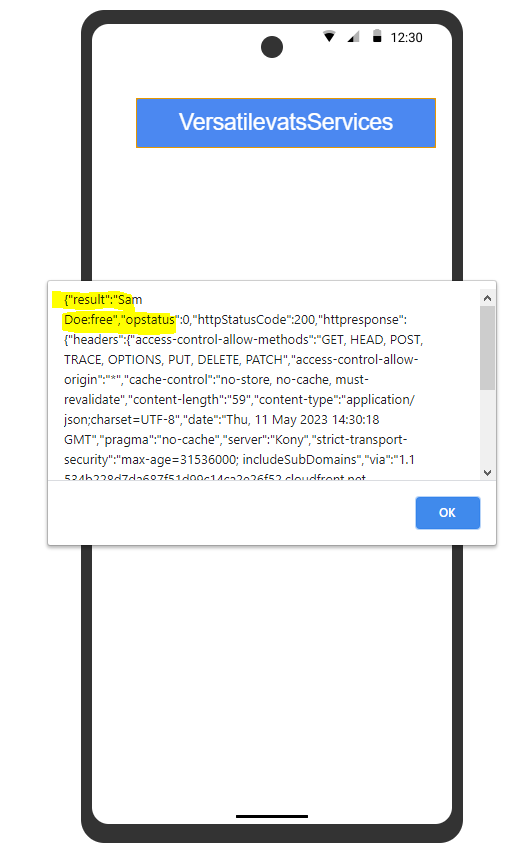
This payload should return: Sam Doe:free
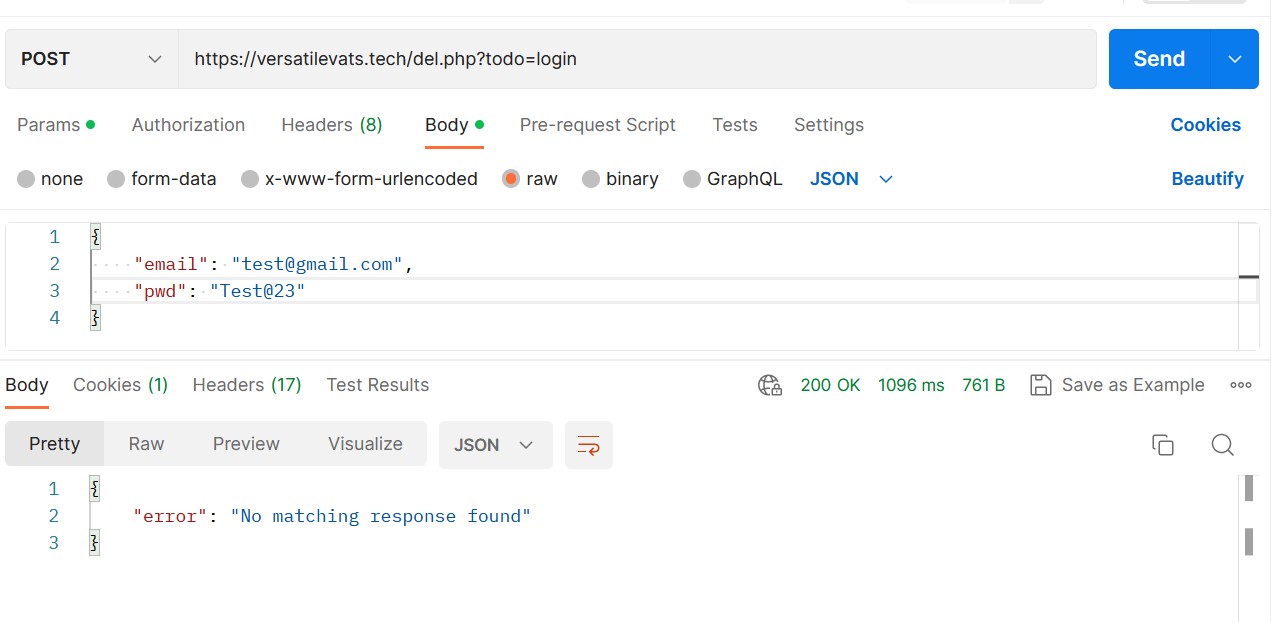
It returns the username along with the plan tier, as the payload email and pwd were referring to a valid user it returned this. If the email & pwd was not a valid combination, then the response would be No matching account is found
Erroneous Payload
If any of the payload key is missing (if email or pwd is not provided), then it is not a valid payload and the server responds with No matching account is found
{
}
OR
{
    "email": "",
    "pwd": "Test@123"
}
But as I have told earlier, in my case the I am not able to make a valid payload through the IRIS code and that is why the response is NULL "".
In the above snippet, you can see that when the request payload is not being formulated (that is, even empty object is not being sent), then the response is NULL.
How to correct that in the code because the output is being show in the foundry dashboard
If you find the mistake or either found the correct endpoint configuration, then do let me know. Because I have tried a lot and nothing is working
Hello @Vishal Vats ,
It looks like "https://versatilevats.tech/del.php?todo=login" service is not returning a valid JSON response back, it is returning a string instead of a JSON. I tested this service from Postman rest client and observed the below.
Please check whether this service is a JSON rest service which takes a JSON request payload and returning the proper JSON response back. Thank you.
Thanks and Regards,
Venkata Raju Bankapalli
I corrected the thing and now it is returning the proper JSON response.
Now, the correct payload response looks like this:
And the incorrect one looks like this:
Sir, as you have told. Now, the API endpoint is returning a JSON object and now I am getting the response back through the IRIS code itself.
As expected, this endpoint is returning the rawResponse as:
{
    "error": "No matching response found"
}
But still the question is same:
How can I pass in my request parameters through the above IRIS code? How to pass request payload in the invokeOperation function?
I tried tweaking the data variable to accommodate the JSON containing email & pwd fields but that still gives the No matching response found JSON back whereas it should return the correct JSON response. I guess that is due to the fact that I am not bale to make a perfect payload from the IRIS code.
var data = { "email": "test@gmail.com", "pwd": "Test@123" };
AND
var data = JSON.stringify({ "email": "test@gmail.com", "pwd": "Test@123" });
But nothing works. I am happy that now I am getting the error response back correctly but the correct counterpart should also work!
Hello @Vishal Vats ,
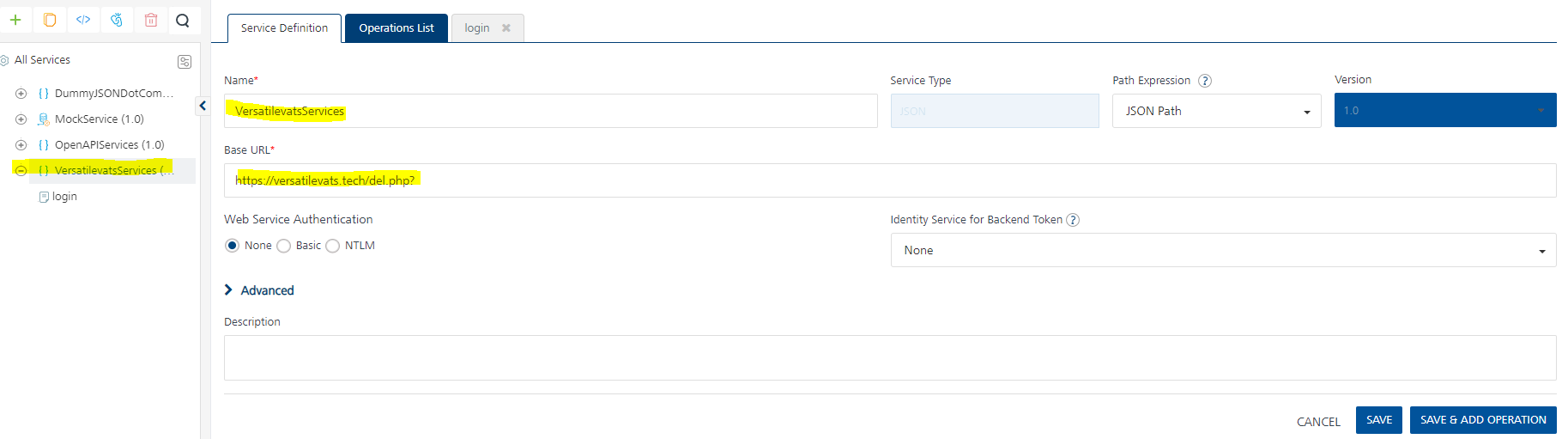
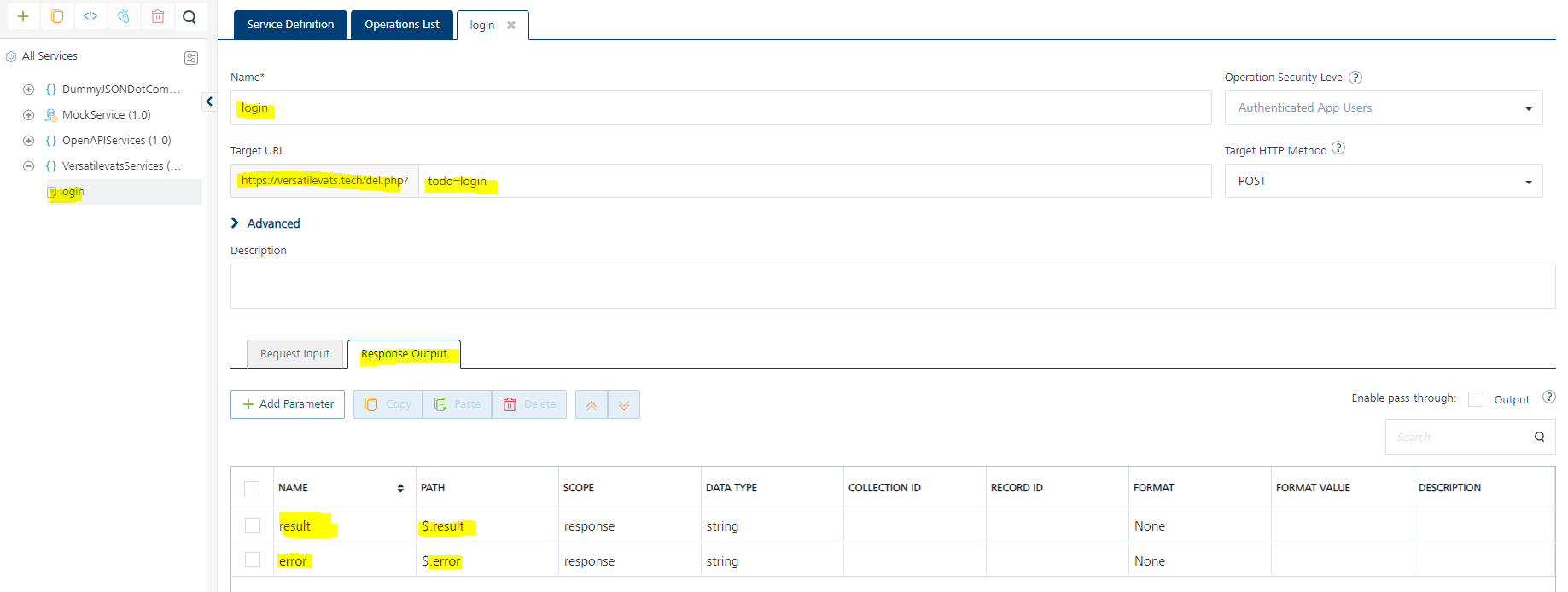
Please configure your integration service in Foundry as a JSON integration service, as shown below.
With this configuration when you test with correct request input parameters versus incorrect request input parameters you get the below output result.
Correct request input parameters:
Incorrect request input parameters:
From Iris use the below code to invoke this above described Foundry integration service.
  /**
	* This function is responsible to invoke the integration service
	* In this function we explore, Foundry SDK APIs to invoke integration service defined in Foundry, from Iris
	**/
  invokeIntegrationService : function () {
    voltmx.print("Entering into invokeIntegrationService");
var integrationServiceName = "VersatilevatsServices";
var integrationOperationName = "login";
var requestForIntegrationService = {"email":"", "pwd":"Test@123"};
var requestHeadersForIntegrationService = {};

var integrationService = voltmx.sdk.getDefaultInstance().getIntegrationService(integrationServiceName);
integrationService.invokeOperation(integrationOperationName,
                                   requestHeadersForIntegrationService,
                                   requestForIntegrationService,
                                   function (response) {alert(JSON.stringify(response));},
                                   function (error) {alert(JSON.stringify(error));});


voltmx.print("Exiting out of invokeIntegrationService");

},
Here are the results when I tested in live-preview.
Correct request payload:
incorrect request payload:
Please go through the below lesson in the self-paced Volt MX Bootcamp course to get more details about configuring services in Foundry and invoking these services from Iris application. Thank you.
https://hclsoftwareu.hcltechsw.com/courses/course/foundry-development
Thanks and Regards,
Venkata Raju Bankapalli
Thanks sir for the help. I have completed the entire training available on the learning platform but was unable to find how the POST API calls work and how to collect the response. But as you have helped, now it is clear.
One last simple question: Do we have to try the particular endpoint in Foundry dashboard with every possible input (right & wrong ones) and then record the outputs in the Response tab before publishing the same?
Hi @Vishal Vats ,
If we know the service definition of the backend API that we are consuming as an integration service in Foundry, then we can create the response output parameters by referring to that service definition and no need to try every possible input in Foundry console.
At the same time, it is a good practice to test the integration service configuration from Foundry console, then from the Foundry runtime console, before consuming it from the front-end application. By doing this any errors that we made while configuring the integration service in Foundry can be identified before consuming it from the front-end application. Thank you.
Thanks and Regards,
Venkata Raju Bankapalli