Hi Team,
Unable to add two donut graphs to a form in desktop web
Trying to add two donut graphs to the same form in desktop web but only the second graph gets added, it leaves blank space for the first graph.
We are currently on v9.2 Kony visualizer.
Component used : Donut chart full circle
Component URL: https://marketplace.kony.com/items/doughnut-chart-full-circle?search=donut%20full%20circle
Please help
Hi Aparna
Thanks for posting your question in this forum.
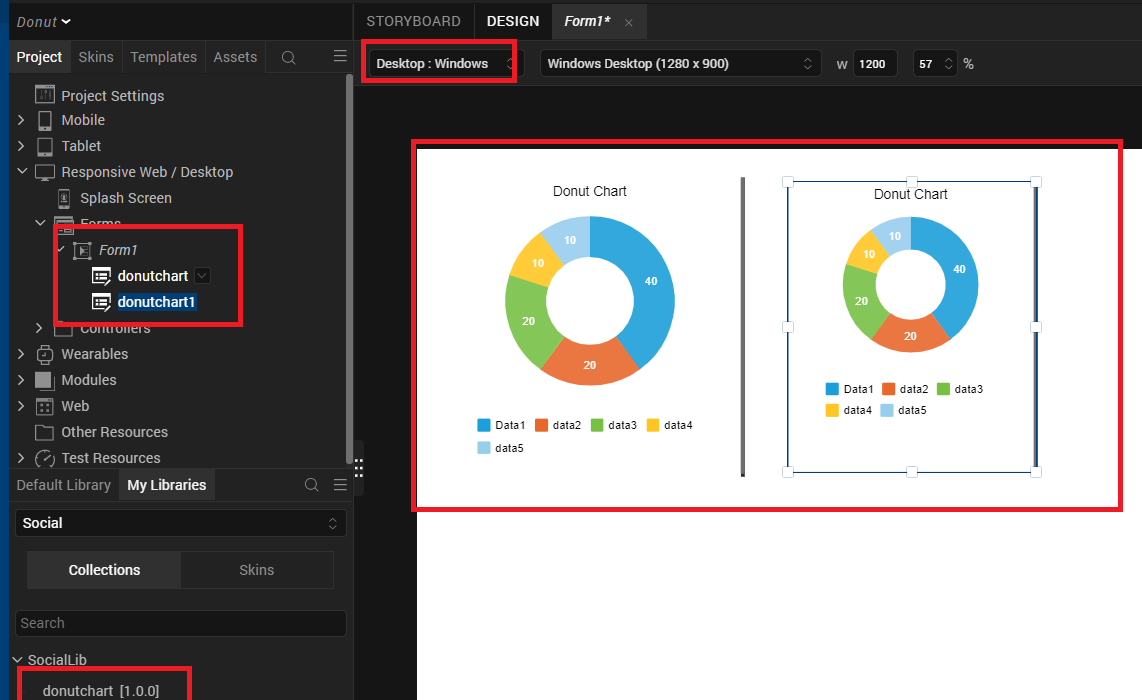
We did tried reproducing the same at our environment using Visualizer 9.2.25 and we could not reproduce the issue. Please kindly find the below screen shot where we are able to drag and drop the component in the same form twice.
Kindly suggest what is the size of each graph and also whether the issue is happening while previewing the app or post publishing the application.
Hi Aparna,
The reason for this is interference between the creation of the graphs simultaneously as the same function was used for creation of both at the same time.
The workaround for this is you can use two different buttons and two different functions for each graph instead. Use two different functions on button click and also accordingly invoke it so that both graphs load separately.
You can also refer the below Charts Developer's Guide:
https://docs.kony.com/8_x_PDFs/visualizer/viz_charts_dev_guide.pdf