My user received the error "Type Mismatch in Method CoerStrToNum in Notes Calendar: STRING found, Short expected" when clicking in an appointment in the HCL Notes Calendar on "Suggest New Time" -> "Check schedule". The values set in all fields in the Appointment are correct.
Unfortunately almost none of the code within the mail template does contain any error handling.
Therefor nobody can tell you, where exactly this error comes from (unless he had the same error before): It is probably from reading a field value that is expected to be a numeric value but is empty in your special case.
To find out, where exactly this error comes from you need to enabled the LotusScript Debugger, then create a new appointment and reproduce the error. When stepping through the code step by step you will find the code that causes this error. If you then post the concrete place in the code where this error occurs, someone can tell you what you need to change to make the error go away.
An experienced Domino Developer probably needs 1 hour at maximum to identify the cause (if this error is reproducable).
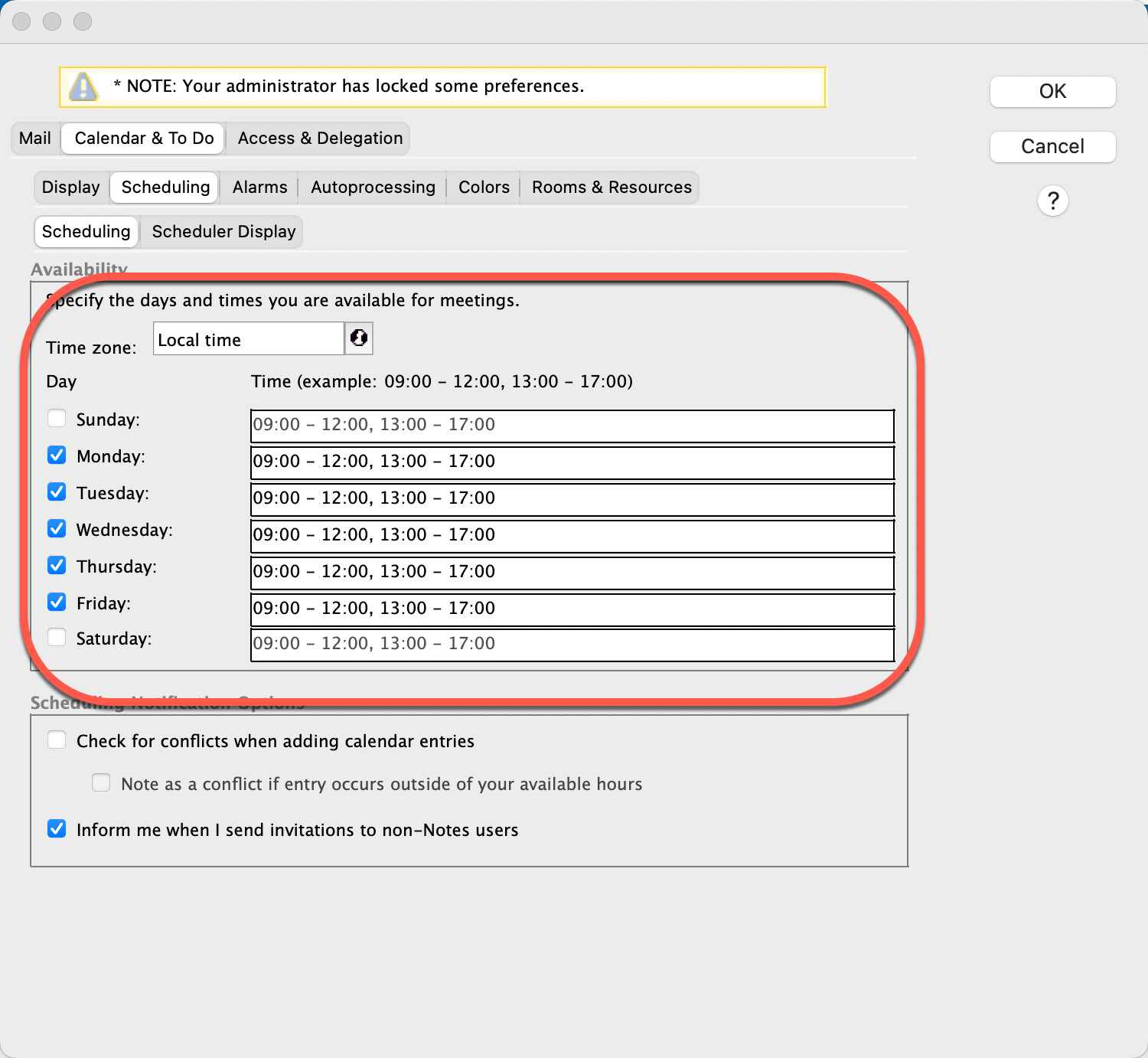
Sometimes (esp. after changing date/time-format on OS level) these fields can contain invalid formated times. In older versions the disabled days (Sunday, Saturday) were hidden and you didn't even see any crappy content. That often prevented you from saving the profile and can cause other errors as well.