Problem: The California fires have taken one of my servers. The good news is I have a clustered server with all their mail files at an alternate location and that is also the server running Traveler. The bad news is the users are now reporting an error while trying to send email from their iPhone using the Apple Native mail client. I don't know exactly when this error started, so I can't be certain that it started when their primary mail server went down. I am suspicious that this problem has been there for much longer than since we lost the server to the fire.
Here is the exact error message appearing as a pop-up on their iPhone when they try to send emails using the Apple native mail client and Traveler:
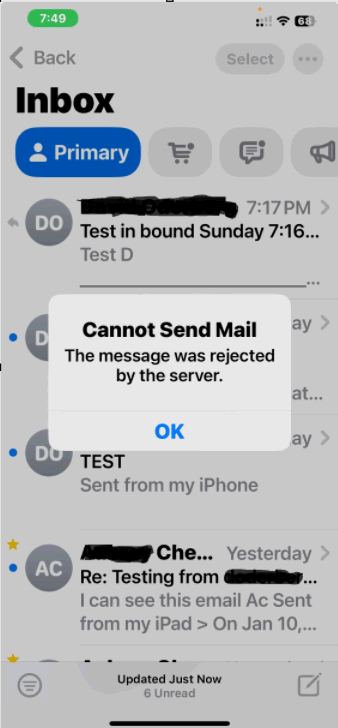
At the same time, the Traveler server console had the following error:
01/12/2025 07:54:56 PM Traveler: SEVERE David Jones An exception occurred while writing data into database http://travserver.mydomain.com/mail.2Fdjones.nsf. Exception information: ERR_DATABASE_ERROR Exception Thrown: com.lotus.sync.dca.CAE
This Traveler server is version 9.0.1 FP8. Traveler was some version of 10. I was scheduled to complete swapping the server out with a V14 server next weekend before the fires changed my plans.
I'm not ready to make that swap right now, so I did the following. I upgraded Traveler to 12.0.2 FP1 and I installed the latest APNS files. This had no impact at all on users getting this error.
I also updated all person docs to set their mail server to the Traveler server. (mail files are already there)
For the moment I have provided instructions for users to get to their email via a web browser while I troubleshoot this. I don't want to waste a lot of time fixing this problem if it's going to go away when I get to finish the server swap, but until then, anyone have ideas for how to fix this issue? My search results for that error have been less than helpful.