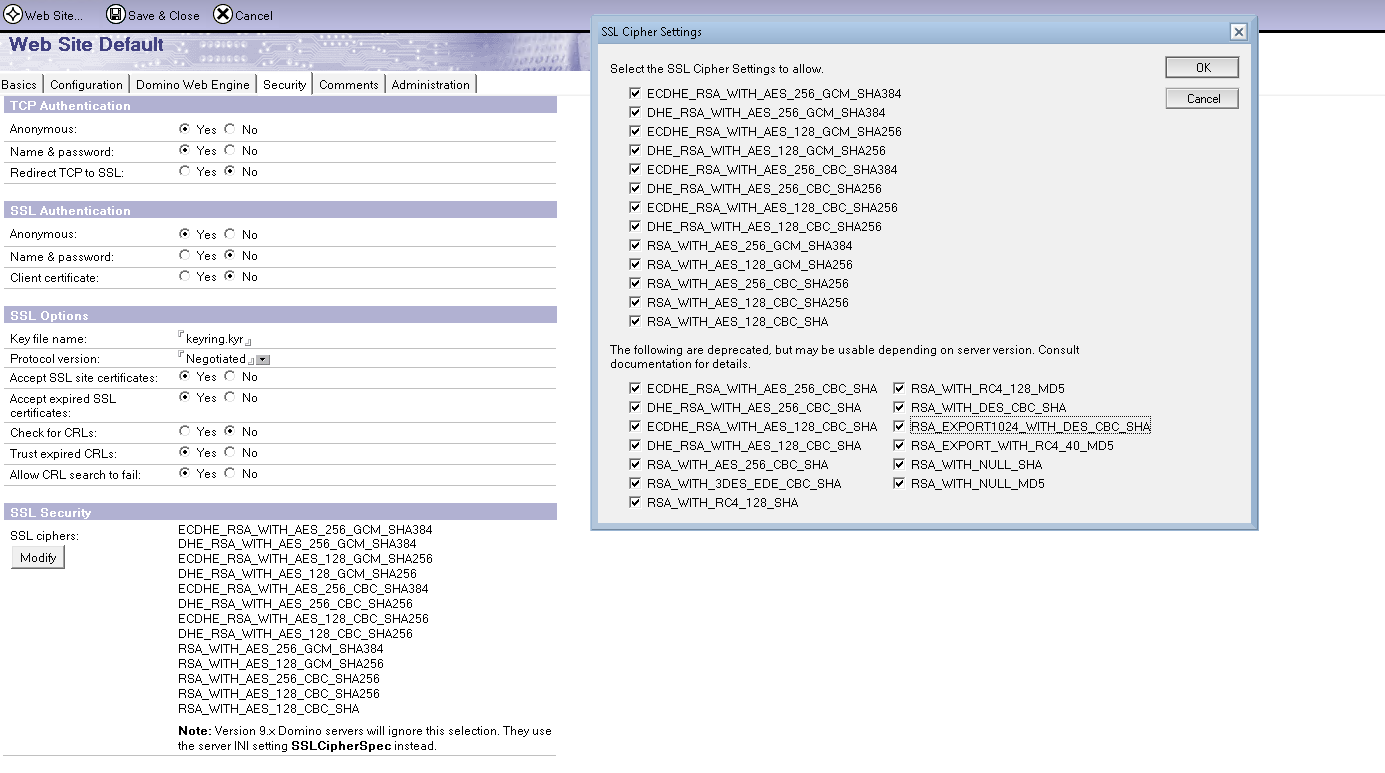
I have update my Domino servers from 10 to 11.0.1 FP2.
From some sources my web agents can succesfully receive a HTTP POST (over HTTPS) but from other sources it gives me this error:
TLS/SSL connection ip> ip failed with no supported ciphers.
In the internet sites docs SSL security I have selected all the SSL cipher + weak ciphers.
I have also put:
USE_WEAK_SSL_CIPHERS=1
in my notes.ini and still it does not work..
How am I able to fix this?
Hello Nuri,
Please check the below article and see if the suggestions helps.
Failed with no supported ciphers
https://support.hcl-software.com/csm?id=kb_article&sysparm_article=KB0040121&sys_kb_id=192920241badf30083cb86e9cd4bcb5a
Thank you.
Regards
Shrikant J
I have added every cipher but still does not work.
Maybe I need to update any directories or names.nsf.
Any idea where I can do this?
Hello Nuri,
Please check the below article and see if the suggestions helps on Failed With No Supported Ciphers.
https://support.hcltechsw.com/csm?id=kb_article&sysparm_article=KB0068681
1) For SSL Cipher related error:
Check if you already enabled the ciphers in the server. If not, enable the same.
=> If no internet site document
Open the server document -> Ports-> Internet Ports Click on "Modify" button under "SSL Ciphers"
=> If using internet site document
Open the internet site document-> Security -> Click on "Modify" button under "SSL Security"
Once done, restart the Domino server.
Regards,
Sudhir
All Ciphers already selected and still not working.
Hello @Nuri !
Echoing the information provided by Sudhir Kudale, please check the KB below with a lot of steps to fix the issue:
> KB0068681 - On Upgrading To Domno 10.0.1 Secure Connection Fail With The Error - Failed With No Supported Ciphers.
https://support.hcl-software.com/csm?id=kb_article&sysparm_article=KB0068681
I hope it helps!
Please mark this question as answered and helpful if your issue is resolved.
Regards!
Rodrigo de San Vicente
Staff Software Engineer
Collaborative Workflow Platform