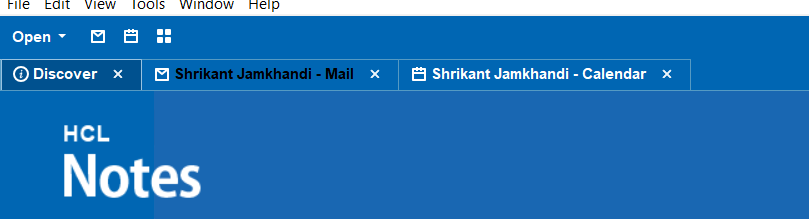
Dear all, we use Notes 11. My coworker said, that the sorting of the open Tabs (Mail, calendar etc) restores after every restart of the client.
She wants the calendar on first tab, mail on second and so on.... any way to pin that favorite order?
Hi,
Please check the below setting on the Notes preferences and see if this helps.
You need to open the tabs on the Notes you want like Calendar, Mail etc and in the preferences choose the below option.
When Notes is closed without closing any opened tabs, When it starts again it shows the all the previous opened tabs.
Alternately you can also use feature "Show Shortcut Buttons"

Also check the document on "Working with window tabs"
https://help.hcltechsw.com/notes/11.0.1/client/fram_work_with_windowtabs_t.html
Thank you
Regards
Shrikant J
Yes this is checked. But the order is always wrong.
She wants 1. Calendar, 2nd Mail.....
When she reopens Notes, its always 1.Mail, then Calendar
Hi, I just verified first as calendar and second as mail.. it works when I open the Notes it shows
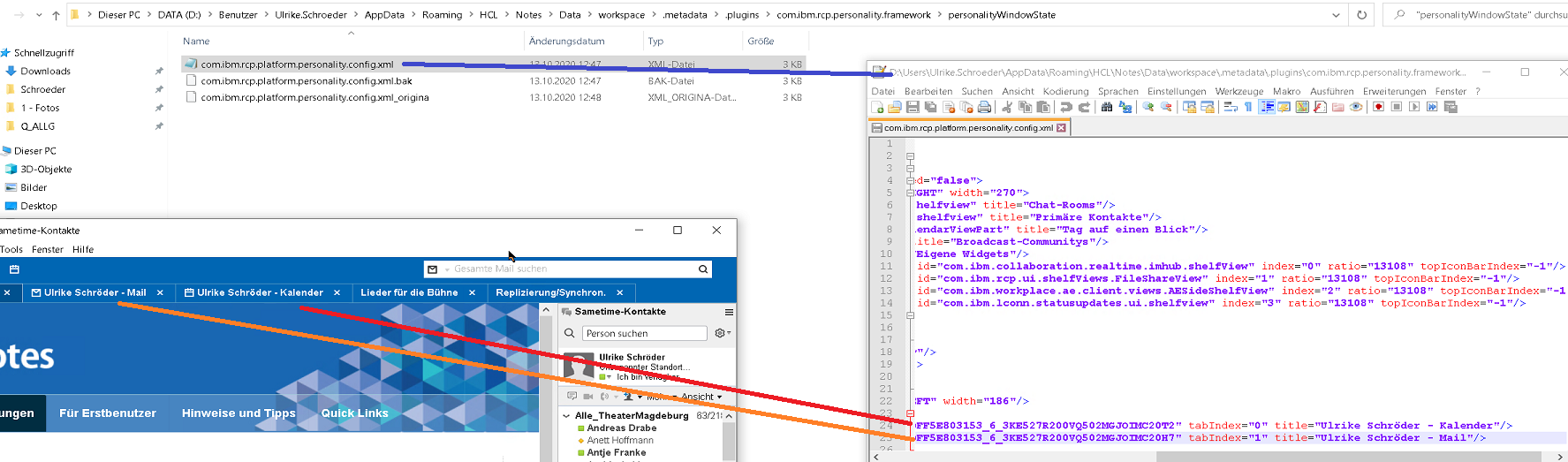
Please check this file "com.ibm.rcp.platform.personality.config.xml" on the below path
D:\HCL\Notes\Data\workspace\.metadata\.plugins\com.ibm.rcp.personality.framework\personalityWindowState\com.ibm.rcp.platform.personality.config.xml
See if this file shows proper..mine shows as below.

Thank you
Regards
Shrikant J
Hi,
You may try the following.
1) Close the Notes client and remove the folder "personalityWindowState" under the below path.. you can keep backup of this folder.
D:\Notes\Data\workspace\.metadata\.plugins\com.ibm.rcp.personality.framework
2) Start the Notes client and then check the issue.
If this still didn't help you may try recreating the workspace folder by taking the backup and see if that helps.
Thank you.
Regards
Shrikant
Why do you always send me to D:\ drive?
that folder only exist in our appdata\roaming path. may that cause the issue?
That was an example of Notes installation for single user for Notes multi-user installation the path will be under Windows user profile under appdata as you said under appdata\roaming path. Thank you.
Hello Theater,
Normally, open tabs are saved in sequence a which you last left when notes client closed. So there is no provision to save automatically as per user desire.
It seems to the enhancement to be add in Notes.
Hope, I answer to your query.
Thanks,
Sujit
Looks like a cache issue - I was unable to reproduce your problem in my Notes 11.0.1.1
You may want to start with Data/workspace deletion and Notes restart. If it does not help - case in HCL Support may solve your problem