Hello
I have the following problem:
1. We did a renaming process (for example for test F) with an administrative account server to server20.
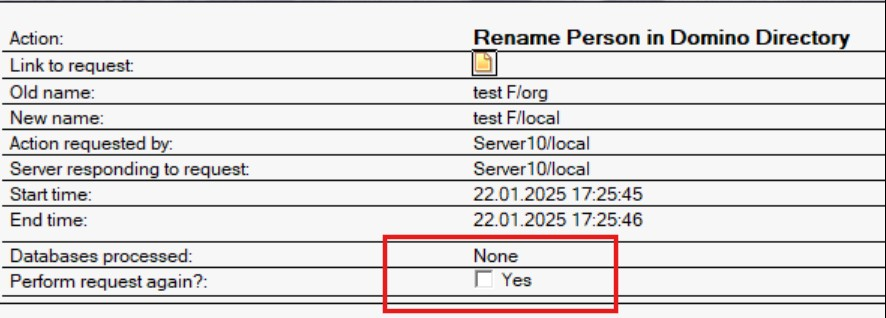
2. In admin4.nsf we checked the success of the process for ACL (Rename in Access Control List):
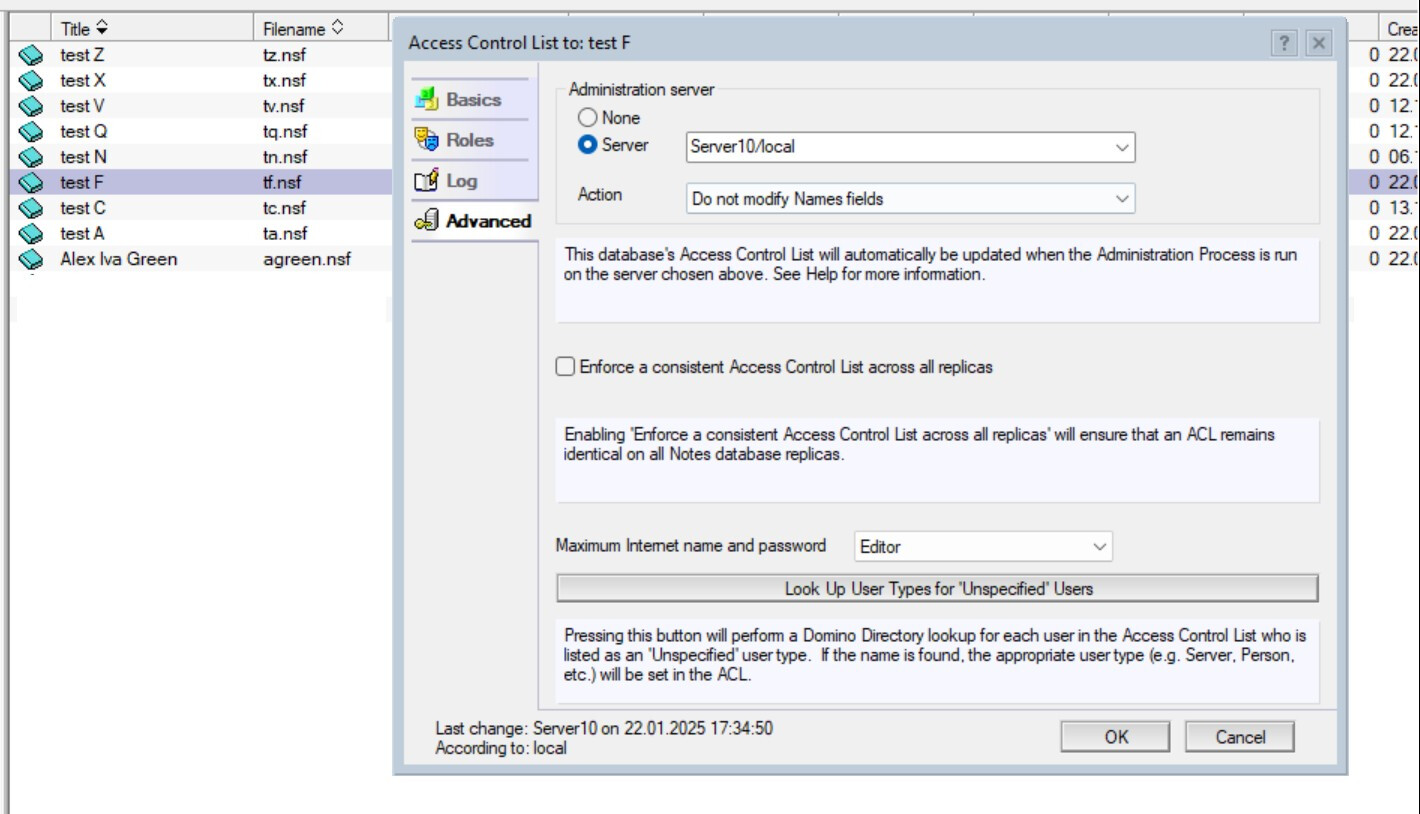
3. After we changed the administrative account server to server10 in the ACL:
3. In admin4.nsf after the changes nothing happens. There are no new entries, no errors. The renaming process is stopped, the user has no access.
Is it possible to do a recalculation in Rename in Access Control List after server change? How can I end the hanged renaming process?
Thanks in advance
You can try to re-process the request in admin4.nsf and check if that works.
Also give below command on server console to forcefully process the requests
tell adminp process all
tell adminp process new
tell adminp process delayed
Thanks and Regards
Niraj V Jani
Hi
What do you mean by re-process the request in admin4.nsf?
The commands in the server console have been executed, it doesn't work
Thank you
Open the rename request document and select the "Perform request again?" box
Hi
Thanks for the reply. But that doesn't work too.
Need recalculation in Rename in Access Control List after server change
Hi
I'm not sure what you mean by "recalculation" but there should be the same option in every step/document in admin4.
At this point, I would delete all the pending requests from this rename, change the user name manually to the old name and restart the renaming process once more.
Maybe someone from HCL support has a better idea, it's difficult to troubleshoot from a distance ;)
Hi
We have done new tests and your suggestion helped us:
When you rename an account in admin4.nsf -> Rename Person in Domino Directory document, you need to rerun the renaming process:
After re-running this request, new renaming requests will be generated in admin4.nsf, including ACLs.
It is not necessary to delete the old requests
Thanks for your help! Have a nice day
Hello,
The request "Rename in Access Control List" will be processed by each server on your environment.
As per the adminp request screenshot, it was processed on the server20.
However, as per ACL screenshot, it seems the Db is located in Server10.
"Rename in Access Control List" reqeust process:
========================
Triggered by: Completion of the Rename person in Domino Directory request.
Carried out on: Each server in the domain.
Carried out: According to the Interval setting for the Administration Process in the Server document.
Result: Each server in the domain updates the person's name in ACLs of databases for which it is an administration server. In Domino® 6 only, also updates the name in shared folders, views, agents and forms.
=========================
https://help.hcl-software.com/domino/10.0.1/admin/admn_renameperson_r.html#admn_renameperson_r__H_Rename_person_administration_requests_MIDTOPIC_113108860829240807
As per working specification , the ACL on the database would be updated once the Server10 process the "Rename person in Domino Directory" request located in it's admin4.nsf database.
So, please check the status of the request in server10 and wait till it is processed. or you can run "tell adminp p all" command on server10 to execute all pending process.
Best regards,
Chaitanya Y
The question is, why do you change the admin server of the database?
Although there have been changes in the way adminp works, often requests have to travel back to the admin server of admin4 to get processed, then replicate back to the other servers. Therefore make sure that admin4 is replicating correctly between the servers and in a regular/short interval.
If you change the admin server in between the renaming process, the requests in the admin4 database will be stale, as the various requests are processed at different times over the week (per default) unless you use the commands mentioned by Niraj V Jani to expedite the rename. btw I would not use them as a default method, especially in larger environments.
Additionally, if the ACL is set to "not modify Names fields", the change will not be processed in this particular database. This can be as requested but can also generate further issues once the rename has been completed.
Hi
The servers are in a cluster, replication is going correctly.
The ACL is set to “do not modify Names fields” is not needed.
The problem is that after changing the administrative server the ACL is not changed. And we need to finish the renaming process because it is stopped
Thank you
Hello
Thank you for your answer.
It did not help. The servers are in a cluster. The process of renaming to ACL did not happen after changing the administrative server to server 10.
Commands in the server console also do not help.
Questions remain: Is it possible to do a recalculation in Rename in Access Control List after server change?
Thanks in advance
Hi @Moises Romero Barraneche ,
it is always recommended to complete any pending Adminp requests before making any changes. So I suggest to let the original Admin server complete these requests before changing it. Utilize the "tell adminp" commands to immediately process the requests.
You must also ensure to make the Admin server change on both admin4.nsf and names.nsf.