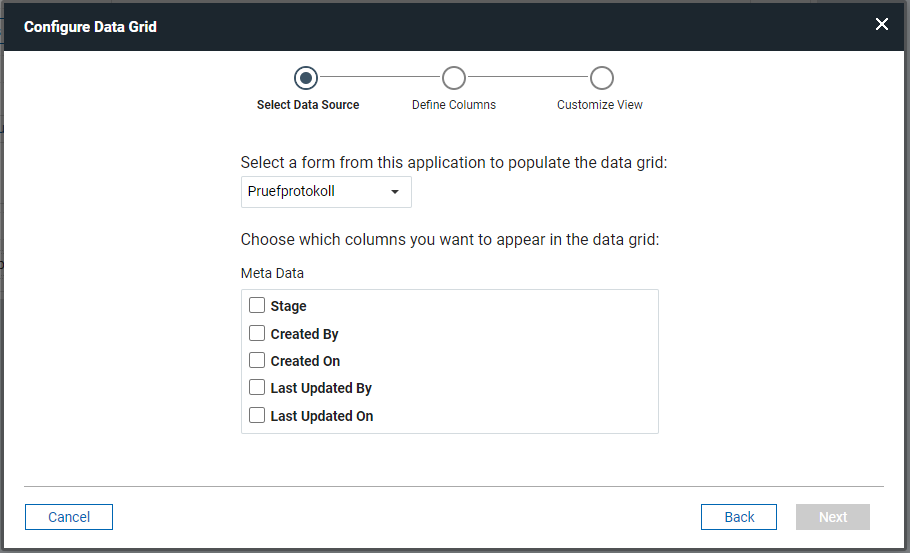
I made a copy of the original app to see if it is the same with the copy, and it is. My first thought was, that there are too many fields. So I deleted a lot of fields and in the end there is just one page with about 20 fields but nothing changed. Next I deleted the datagrid from the app page and created a new one. Still no luck.
I created a new form with some fields and the datagrid displayed the form fields from the new form. I added over 500 fields to that new form and the datagrid is still working.
So I think the problem must be the original form, but I have no idea what to do next.
Are there fix-ups as there are in native Notes applications? Has someone experienced something like this as well?
If I understand the problem correctly, you can see only metadata in the Daga Grid configuration wizard, correct?
Second, which DLeap version do you use?
My guess is either and ACL issue or a bug in DLeap. Please check if permission settings in DLeap are sufficient for the user who tries to change the Data Grid. Then check whether the permission has been correctly mapped to NSF during deploy. (Check ACL from Notes.)
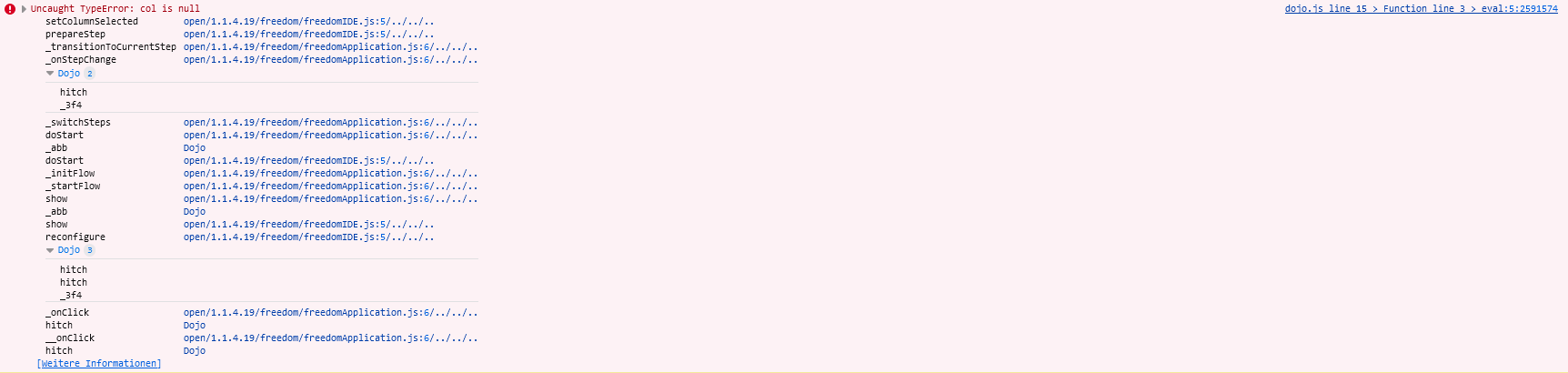
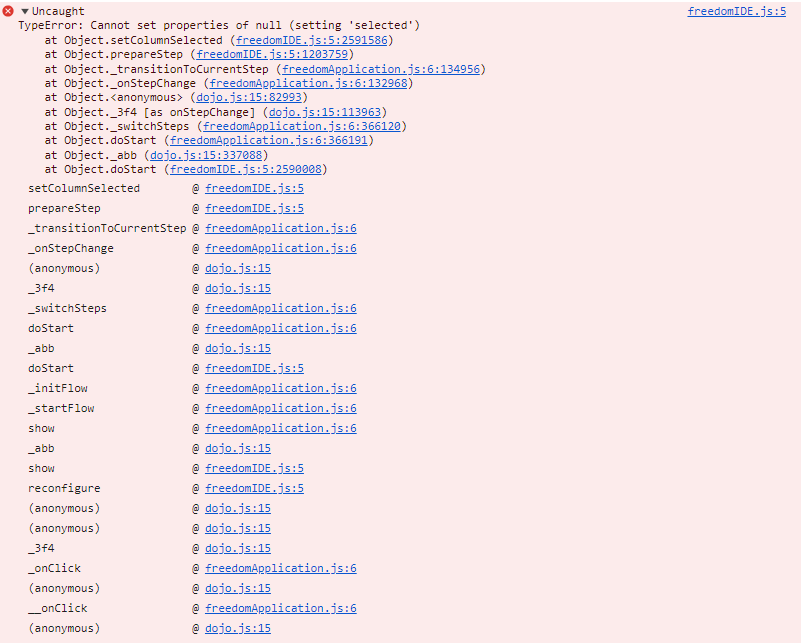
Is this happening in other browser as well? Also in Incognito or Private mode? Have you tried to clear browser's cache. Is there any error in browser's console? If the still the issue persists, kindly create a support ticket for further investigation. Thank you.
Thanks for checking. May be you need to check the link:"Weitere Informationen" for more information. Have you tried to validate application using Validate button in Validation tab? Export and re-import application? Is there any other previous changes when you observed the behavior? Last resort would be DLeap reinstallation. I tried to create sample application with over 500 fields along with data grid, but did not encounter any issues in DLeap 1.1.4.19 on Domino 14.0.
The valdations says Application valid. I also tried the export and import of the application because that solved an error in another application. That didn't work either.
I don't think there were other changes. What puzzles me is that in that same app another datagrid for another form works well. I tried that as a test, so that grid is gone now.
Maybe we should re-install the 1.1.4.19 version again. It is running on a Domino 12.02 FP something server.
Thanks for quick response. Yes, kindly reinstall DLeap 1.1.4 or may be you can also try the behavior in a new release DLeap 1.1.5 once available, please check release notes below:
You're welcome Thomas. If the issue still occurs either after you reinstall 1.1.4 or install 1.1.5 once available, kindly raise a ticket for further investigation. Thank you.