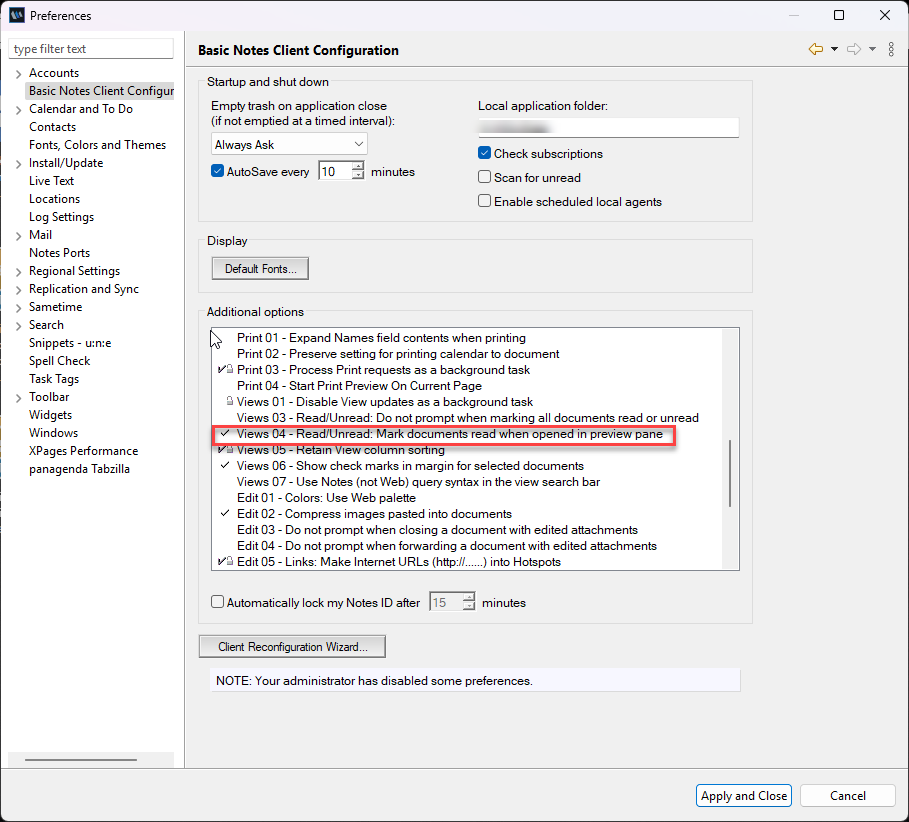
I am a HCL Notes Email administrator and occasionally I have to set Out of Office notifications for users. To do this I need to open the user mail file. Sometimes this can cause a return receipt for a mail in the user mail file to be sent (I always have the Mail preview open). Is there any way of preventing this?
You cannot prevent return receipts to be sent if the mail is enabled with return receipt.
However you can block such return receipts at mail.box level by creating a mail rule on server. You may explore mail rule on server to block mails with form of return receipts.
If I open an Email using the Administrator client, will this cause a return receipt to be sent? If I open an email in the Administrator client using a preview window, will this cause a return receipt to be sent?
Thank you very much for your assistance in this matter.
There might be another way - with the mail file highlighted, but not opened, use the View, Go to option to open any other folder or view than Inbox (I suggest either Sent or All docs), then set the OoO.
You might want to revisit using open in preview as well, but that’s your own setting as are unread marks. But then, you know this already.
Also, I think return receipts are triggered once per recipient, no matter who opens the mail, eg, mail file owner or their PA.