Domino/Notes Version: Domino 14
Operating System: Windows Server 2019
Client (Notes, Nomad Web, Nomad Mobile, Android/iOS, browser version): Notes 14
Problem/Query:
Hello,
we have many databases using same template with only local executable agents
When we make code changes in the template, after update AMgr reloads the Agent document on every database.
If the underlying agent design note (the “agent document”) is updated in the template, then after replication (or design update task) runs, the Agent Manager MUST reload in order for the changes to the agent to be “known”.
Unfortunately, even if you make no changes to the agent code, the underlying note is updated if the template is signed or all lotusscript recompiled -which the server interprets as a change, thus triggering the Agent Manager to reload.
I’m sorry, but aside from manually shutting down agent manager and then restarting it again after designer runs (so it “reloads” for all the changes at once), I know of no way to avoid this issue.
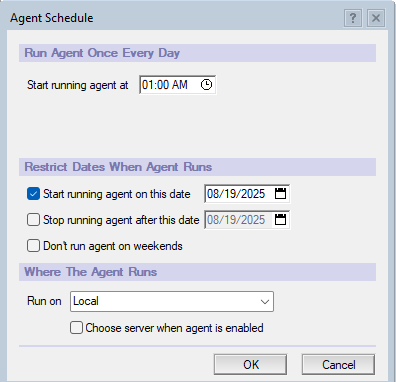
Agent manager is actually working as designed here. If we don’t want to have that agent run again on the same day it was changed we can alter the schedule so that it does not get scheduled to run until the next day. We can do this by changing the “Start running this agent on this Date” to be the next day.
You could implement en exit in the agents on the first run using this snippet at the top of all scheduled agents Dim s As New NotesSession
Dim a As notesagent
Set a=s.Currentagent
If a.Hasrunsincemodified=False Then Exit sub
Thanks for your answer, this goes in the right way but not exactly what we want.
Is it possible to exclude some file system folders for the Agent-Manager?
We don’t want to run anly agents from these folders schedules as the databases are used in an different way.
We talk about more than 10000 databases!
We don’t want to run anly agents from specific folders scheduled as the databases are used in an different way.
We talk about more than 10000 databases!
On one server we change design of these databases (these are all based on same template). When we make changes on an agent, agentmanger loads more than 10000 agent updates what isn’t needed.
Is it possible to exclude some file system folders for the Agent-Manager?
I dont think there is any setting to achieve what you wish to achieve.
But a line at the begining of the agent could get the filepath of the db and exit if the filepath points to the folders you wish to ignore. This wont stop the agent from scheduling but would save on execution time.
The parameter Amgr_SkipPriorDailyScheduledRuns=1 is applicable for scheduled agents on the entire server level, Unfortunately it is not possible to exclude DBs located on specific file systems or paths.
If it is your agent – you have access to their code, then I recommend this tactic: the agent itself only runs a function from the library. And whenever anything needs to be changed, only the code in the library is changed, not in the agent.
If you have the same design on all databases. Perhaps implement a version of my code that will. check the folder of the database and exit if it is the wrong folder.