Hi
My question is very simple .. i got an smime certificat for Thomas Farcies, he only use inotes client to communicate with other person.
How to include this smime certificat in the embeded notesid in the mail database tfarcies.nsf ?
Thomas don't have any other client except Inotes web client to do this operation ..
Best regards
Hello Thierry,
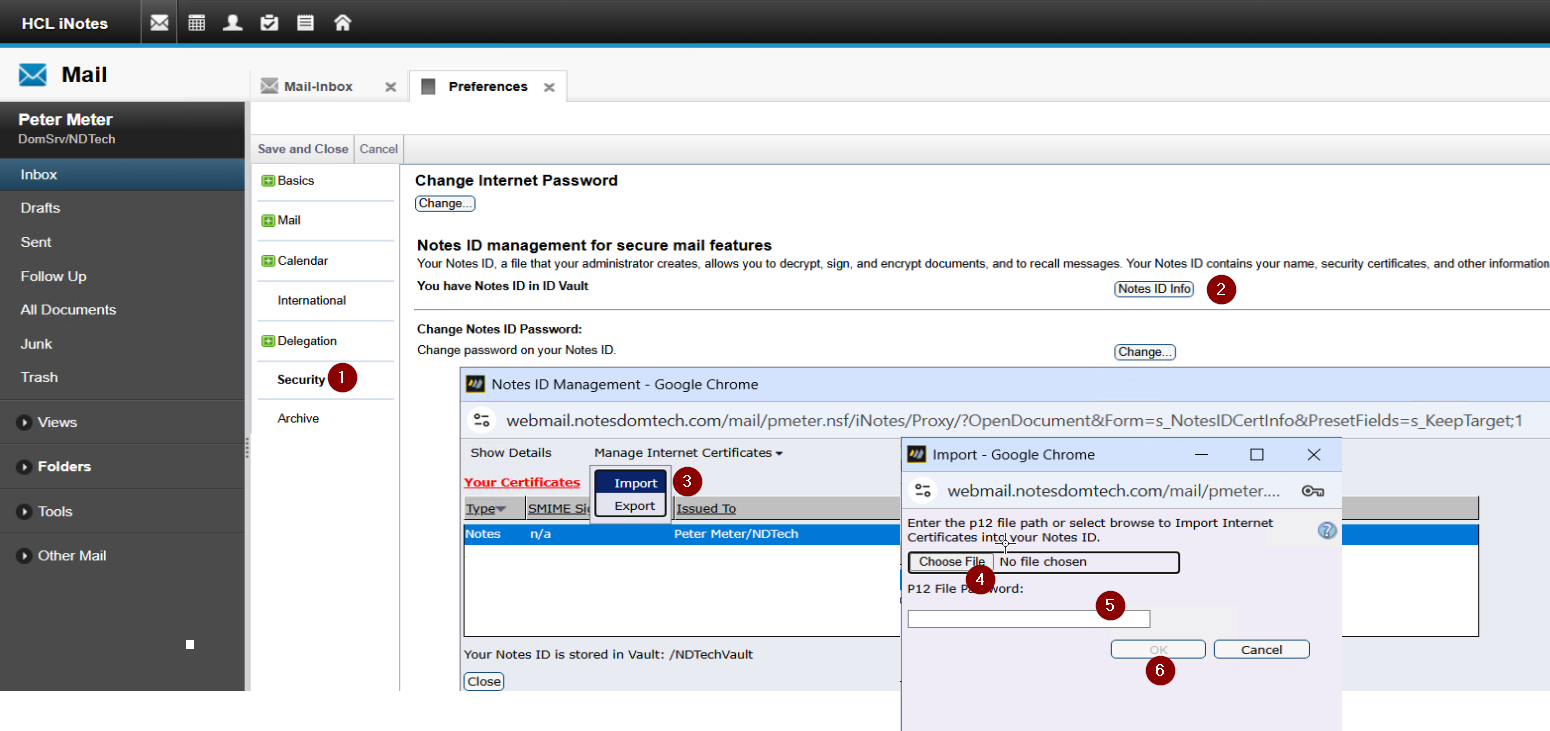
The user needs to have ID file in the ID Vault or in the mail file uploaded. Once that is done you can import the S/SMIME certs as follows.
iNotes > More > Preferences > Security > Notes ID Info > Manage Internet Certificates > Import > Choose File
Choose the certificate file (.p12/.pfx) and provide the password of the p12/pfx file.
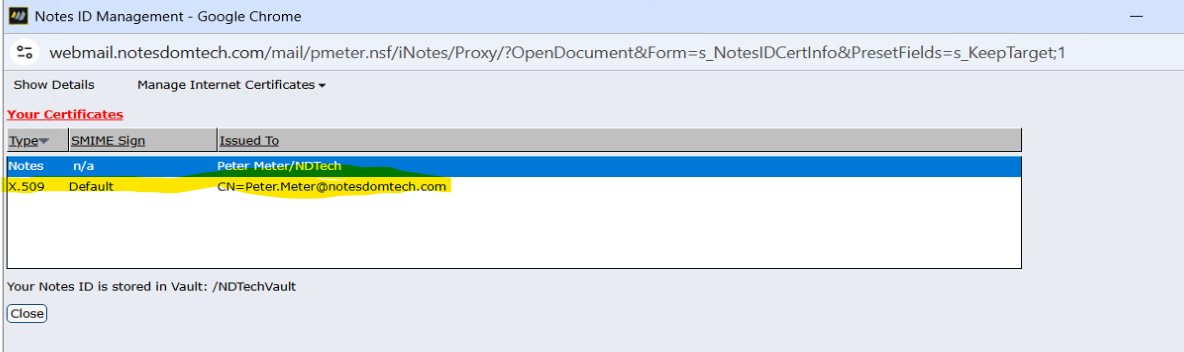
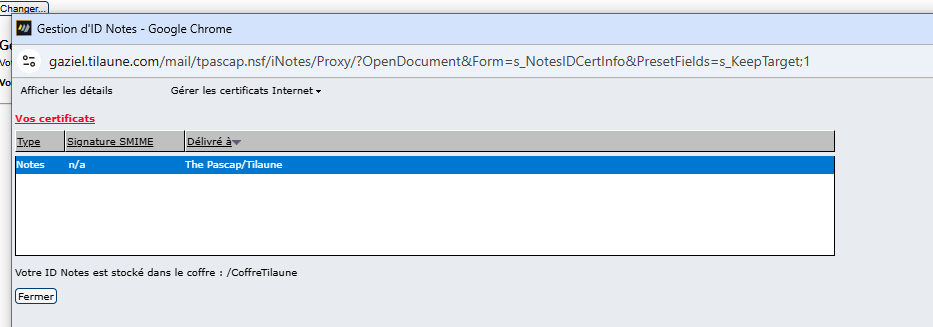
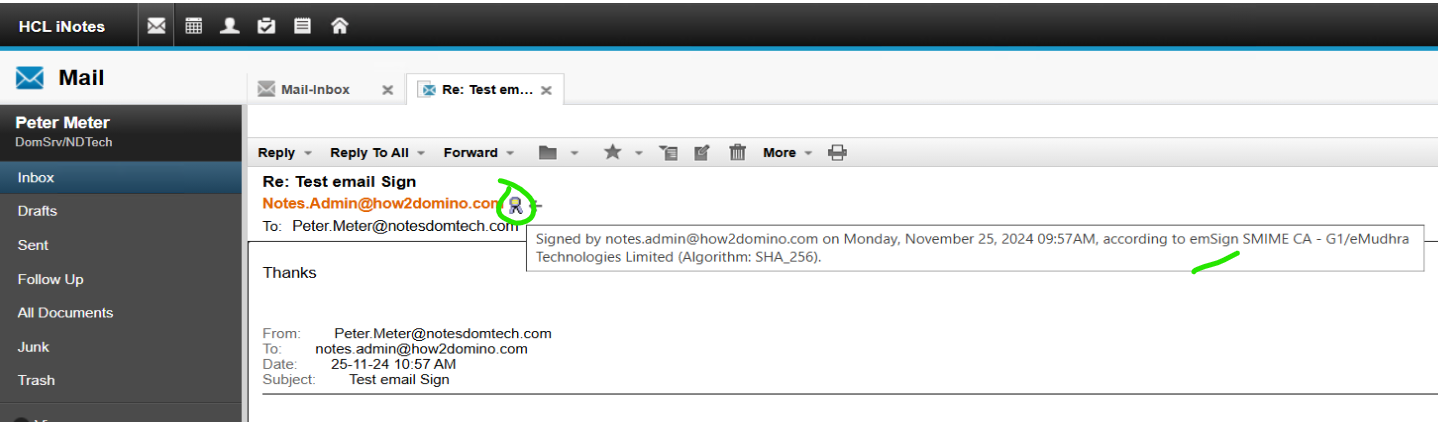
Once the cert imported. It looks as below in the iNotes.
After this user can send S/MIME messages to external users from iNotes/Verse.
Thank you
Regards
Shrikant J
Thank's for the answer ..and if you have any time for me ..
it was the first step for my question .. and the second step is .."After this user can send S/MIME messages to external users from iNotes/Verse."
Because i do the same step as Shrikant J ...
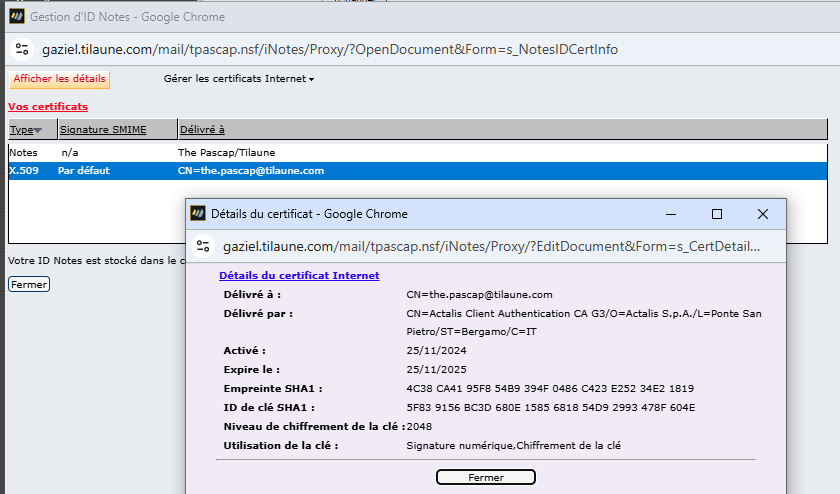
and i can check if the certificat is valid
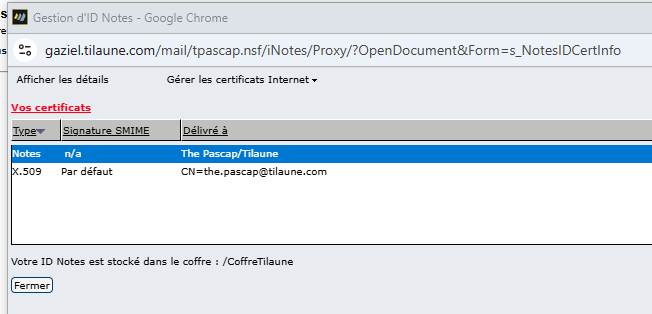
it's good .. i save ... but if i return in the document ... there is no smime certificat
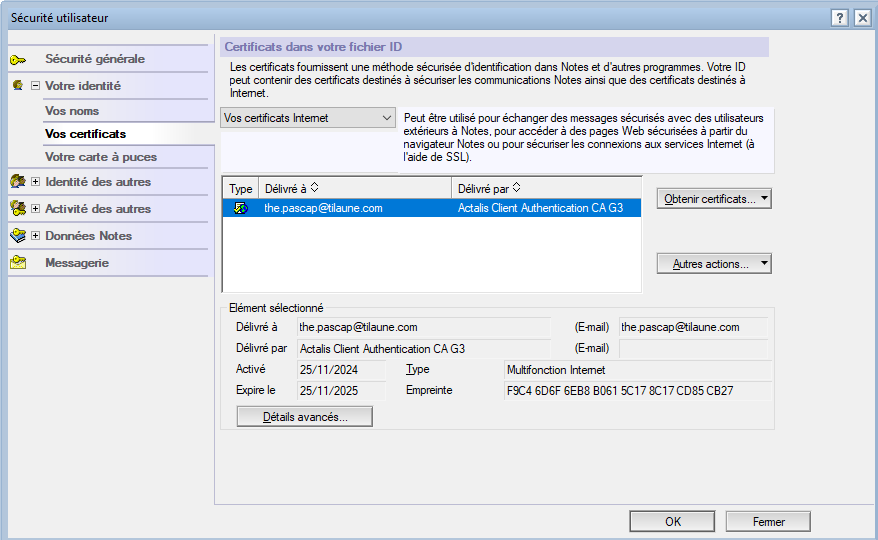
but if i check the user.id file .. surprise .. the smime certificat is in the idfile
so i check the log file from the server but no error about that .. because i am a good guy i try to send a email ..
Step 4 : exchange the public key's ...
i send my public key ..[so I think that the smime certificate is in the id of the mail database ..]
i receive the public key
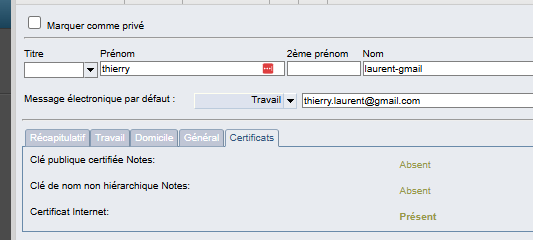
and i put the public key in my address book ..
Always is ok .. we can exchange encrypt messages ..
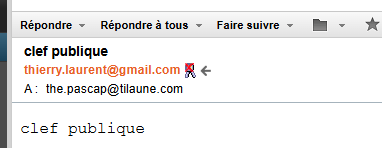
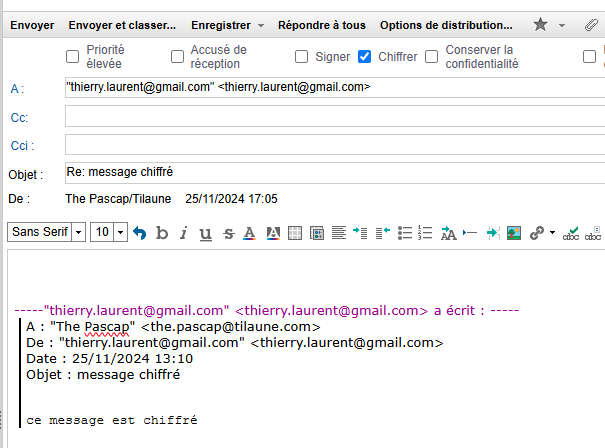
Gmail send to tilaune ... ok good i receive ...
Tilaune to Gmail
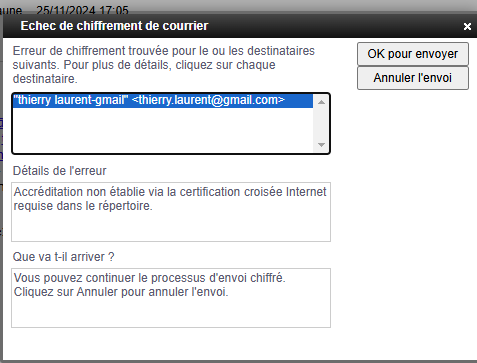
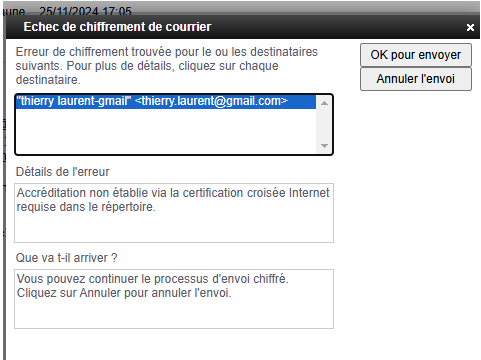
the detail de l'erreur is "Accreditation not established via Internet cross-certification required in directory."
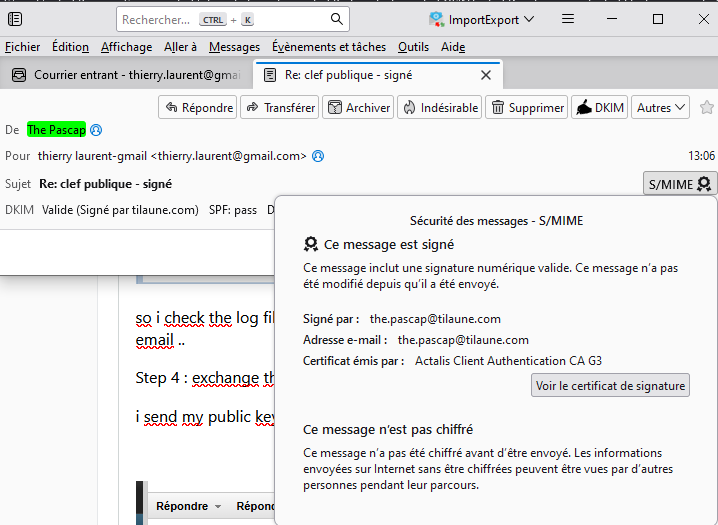
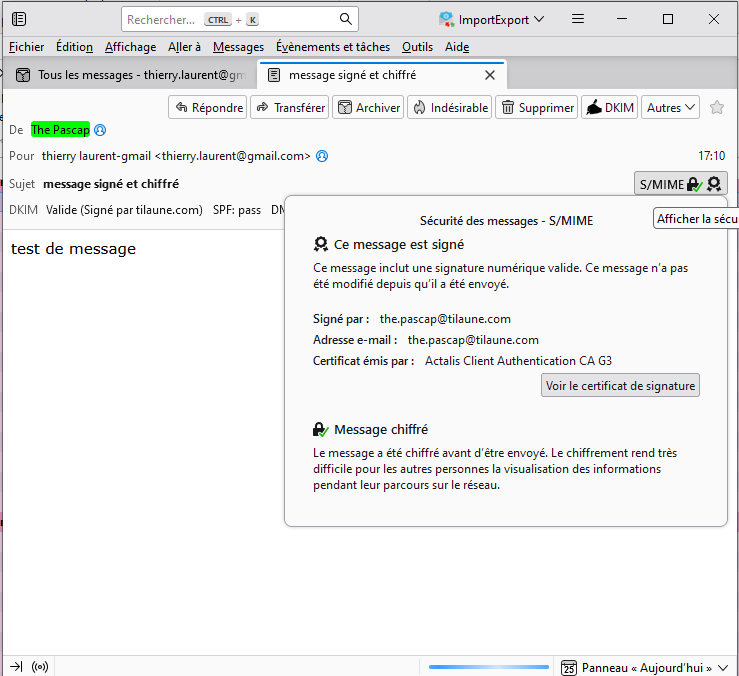
but surprise when i look in thunderbird
if you have any idea about that ...
regards ...
Thierry
Hi Thierry,
If you wanted get pass the below popup message while sending an encrypted email.
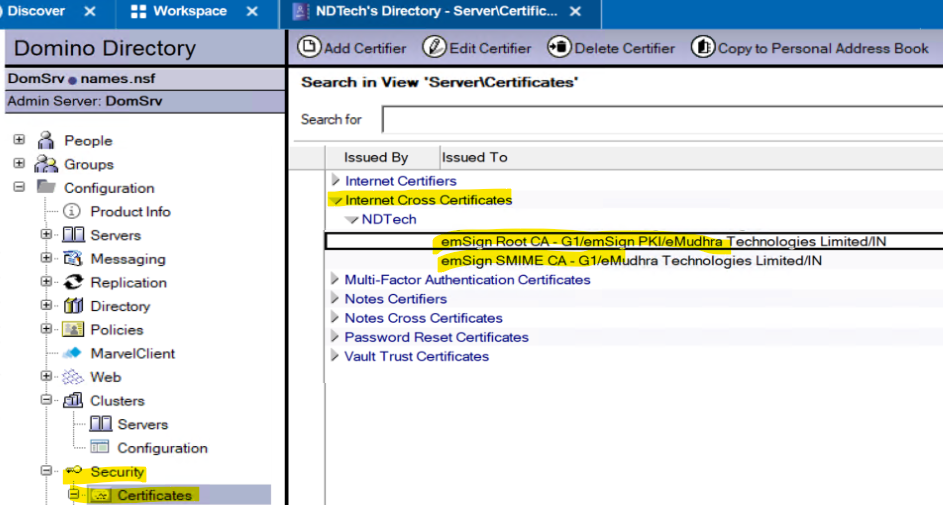
You need create internet cross certify in the Domino Directory (names.nsf) to the sender's (theirry.laurent@gmail.com) S/MIME issuer root certifier. Example as below.
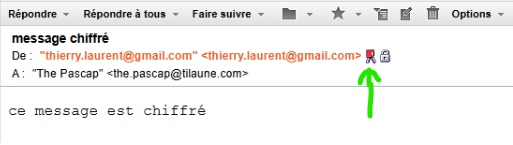
This will also solve the red dot indication on the digital certificate.
Example.
Link : https://help.hcl-software.com/domino/12.0.2/admin/conf_creatinganinternetcrosscertificateinthedominodire_t.html
Thank you
Regards
Shrikant J
Hi Thierry,
If you wanted get pass the below popup message while sending an encrypted email.
You need create internet cross certify in the Domino Directory (names.nsf) to the sender's (theirry.laurent@gmail.com) S/MIME issuer root certifier. Example as below.
This will also solve the red dot indication on the digital certificate.
Example.
Link : https://help.hcl-software.com/domino/12.0.2/admin/conf_creatinganinternetcrosscertificateinthedominodire_t.html
Thank you
Regards
Shrikant J
Hi Shrikant,
Thank you very much for this answer and the link to the document.
To be honest, when I asked the question, I already knew that the cross-certification document was essential for sending and receiving encrypted messages between people with SMime certificates.
In a production context, it is impossible to implement this solution for several reasons :
1 - The document must be created by a person with read/write access to names.nsf and not final users
2 - A cross-certification document is required for each SMime certificate
3 - The cross-certification document must be created ou renewed for each new certificate or certificate renewal.
When I asked the question, I was hoping that there was an industrial solution (which would allow certificates to be managed for 1000 to 2000 users), but I see that unfortunately there isn't and that using SMime certificates directly in HCL Domino is out of the question.
Somebody know a industrial solution direct with HCL Domino Server ?
Thank you for the time
Best regards
Thierry
Hi Thierry,
In my understanding the real scenario where the S/MIME fits.
Sending encrypted email to every external recipient/sender is not the requirement. I have never heard of this requirement from any customers. However, digitally signing the emails is the requirement for many financial organizations to prove the authenticated sender.
For sending digitally signed e-mail from Domino, the only requirement is that the Notes user should have the digital certificate imported in the Notes ID file.
So even if sending encrypted email is the business requirement, then it will be limited to only a few recipients, not all. Please correct me if I am wrong.
So if you know that sending the encrypted email is limited, then you can issue the Internet cross certificate to only those trusted roots.
Please note, with Domino 1202 version and above, the Domino directory (names.nsf) contains all major trusted root certificates under the Internet certificates view.
Thank you
Regards
Shrikant J
I am solving same problem in iNotes. I imported file ID an certificate for signing and encrypting to iNotes.
Digital signing works fine. Now about encryption:
1. I recieved digitally signed message from sender.
2. I added to my contacts with his certificate
3. But when i want send encrypted message, than shows message about not present cross certification.
This message is normaly shows in HCL Notes, but i want work only in iNotes. Is here some way implement cross certification in iNotes?? Without cross certification encrypted not working.
I want make this all steps only in iNotes without HCL Notes, it is possible?
Many thanks for help and best regards,
JP
DD 11.01