Did you know that HCL Digital Experience Personalization provides automatic customization of web content presented to individual users and user groups, to be used in DX websites or externally?
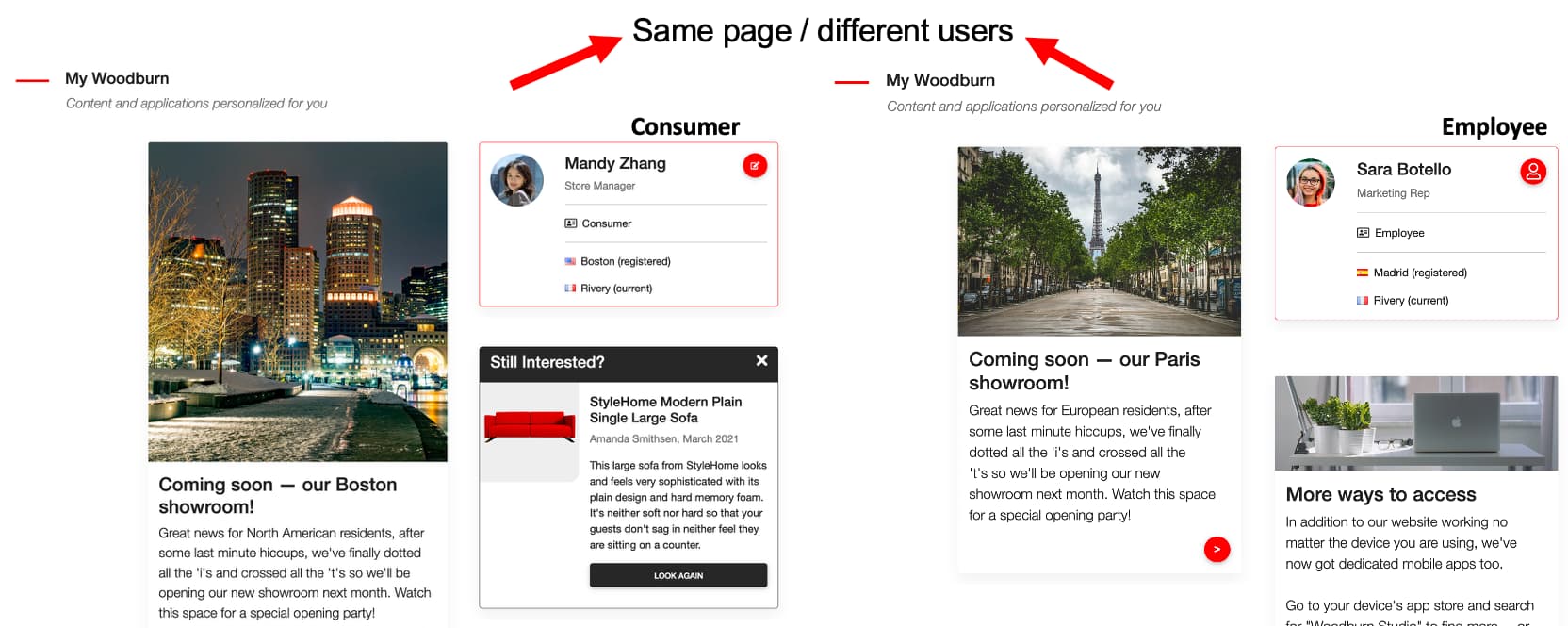
Personalization can recognize a specific user based on a profile or can determine characteristics of a user based on previous purchases, products or pages viewed, and so forth. Personalization then selects content that is appropriate for that profile.
For example, if a visitor belongs to a particular geographic region, targeted content specific to that region can be personalized to the visitor. If a person has a high salary range, region code, or other information, Personalization can be configured to retrieve information about a commercial website premium product. The page is assembled with the personalized information, and the visitor sees a personalized page.
Personalization is composed of:
- Personalization browser - The Personalization user interface:
- Authors rules, campaigns, and content spots
- Maps rules into content spots for a particular campaign
- Registers resource collections
- Rules engine - The rules engine executes rules created in the Personalization browser.
- Personalization rules may be invoked through the Personalized List portlet
- Rules may be invoked through HCL Web Content Manager Personalization components
- Rules associated with pages or portlets through Portal Administration are also automatically triggered
- Use the Personalization API to invoke rules to open up powerful capabilities for customizing digital experiences, integrating external systems, and programmatically controlling personalization behavior — things you can’t easily do through the UI alone. Developers use the API explorer to explore and test the Digital Experience Personalization REST APIs in DX sites and externally (e.g. in HCL Volt MX applications).
- Resource engine - The resource engine resolves the queries produced by rules into content pieces to be returned. Content for Personalization is created and approved using whatever content management tool you choose, or may come from an RMDS, LDAP or any other database. Content is accessed via a set of Resource Collection classes, with out of the box support for HCL Web Content Manager content collection.
- HCL Unica integration - The in-built integration with HCL Unica Campaign lets you combine marketing automation, audience targeting, and website personalization in a single, connected workflow—so your campaigns are smarter, faster, and more relevant to each user
The rules and resource engines are sometimes collectively referred to as the Personalization run time server.
Types of Personalization
There are different types of Personalization:
- Simple filtering - A site displays content based on predefined groups of site visitors. For example, if a site visitor is in the Human Resources department, the site provides access to URLs containing Human Resources policy manuals.
- Rules engines - In a rules based system, the site owner defines a set of business rules which determine what category of content is shown when a certain profile type visits the site. An example would be: Display all four wheel drive SUVs to visitors in the northeast in the 21 to 35 age group. This approach has the advantage of driving the site’s behavior with the business objectives of the site owner. The site owner is usually the owner of a marketing campaign or some other business manager.
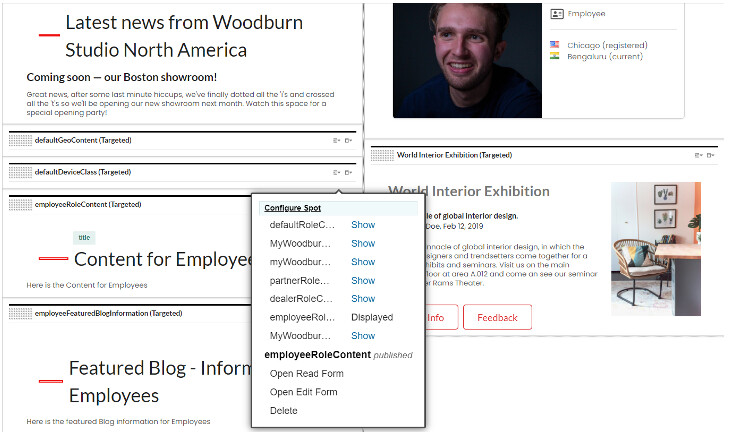
The site owner uses the Site Manager to configure which content or applications are displayed, based on defined rules and profiles.
Do you want to learn more on this? Use the HCL Digital Experience Help Center Personalization section.
If you want to try it out, use the HCLSoftware U learning materials on DX Personalization.
You may also use any of these Did You Know videos:
- Did You Know: Personalization can target content and applications based on site interactions
- Did You Know: You can use personalization rules to create relevant user experiences
- Did You Know: Personalization can target content and applications based on how the site is accessed
- Did you know you can create and A/B test personalized campaigns with HCL DX
Have fun!