hi, have a form (Courses form) with F_CourseNumber field, add a link to a Request Form passing the F_CourseNumber field as parameter, so, this is the JavaScript code (link) :
var CourseNumber = appPage.F_CourseNumber.getValue();
var url = app.getFormLaunchURL(“F_Requests1”) + “&CourseNumber=” + CourseNumber;
appPage.F_StaticWebLink1.setLinkValue(url);
the page with the F_Request1 form is never opened, no errors, the browser remains in the
same courses page, i guess there's something wrong in the appPage.F_StaticWebLink1.setLinkValue(url)
sentences, thanks in advance,
Lea
In which event did you put this javascript? I was able to get this working by placing the code in the onItemChange event of the F_CourseNumber field. In this way, when the value of the field changes the link object is updated.
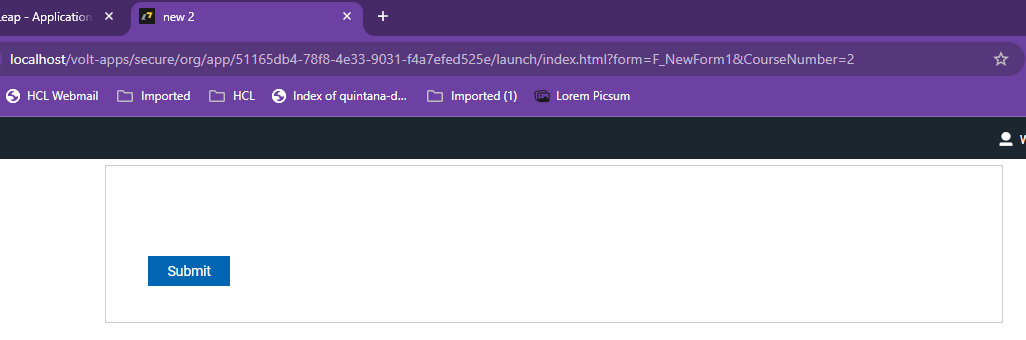
Clicking the link object opens the form with the parameter:
Hi Christopher, this code is in the onclick event of the link objet, i'm following the Marty Lechleider's Tutorial:
Select the Link onClick event in the properties panel under Events.
• Add the following JavaScript. This will dynamically set the Link value to include the course number as a parameter to be passed to the request form.
var CourseNumber = appPage.F_CourseNumber.getValue();
var url = app.getFormLaunchURL(“F_Requests1”) + “&CourseNumber=” + CourseNumber;
appPage.F_StaticWebLink1.setLinkValue(url);
I'm gona try your solution and let you know, thanks for that!!
Lea
The onClick event of the Link object is too late, you have to set the value before the item is clicked.
Hello,
i want to use this Feature in a Leap App but nothing is happen.
If iam correct that it should working with the fillout when i paste the URL in the Browser?
/apps/secure/org/app/858d1960-d22b-4b4f-8eab-afd2060608d5/launch/index.html?form=F_Form1&F_SingleLineEntry=test