Hi !
I would like to set some Sametime preferences for auto-status change via "Notes Desktop Policy".
I used the "Desktop Policy - Managed Settings"
For example:
keyboardMouseInactivity=true; com.ibm.collaboration.realtime.imhub, Enforce
minutesForIdleKeyboardMouse=5; com.ibm.collaboration.realtime.imhub, Enforce
I would like to activate the option "Keyboard and mouse inactity" and set the time to "5 minutes"
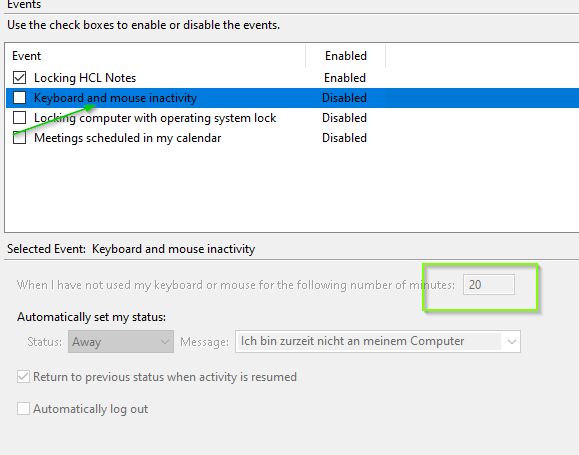
After restart the Notes Client my TestUser receives the "com.ibm.collaboration.realtime.imhub.prefs" file
with the following entries:
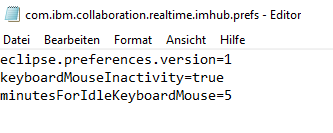
But no changes in the Sametime Preferences in the Notes Client (restart the Notes Client several times).
And why was the parameter "Enforce" not set ?
We are using Domino Server V12.0.1 FP1 + Notes Client V12.0.1 FP1
Thanks in advance,Stefanie