Not able to login into Domino Rest API Admin UI


Domino/Notes Version: 14.5
Add-on Product (if appropriate, e.g. Verse / Traveler / Nomad / Domino REST API): Domino Rest API
Its Version: V1.1.4
Operating System: Windows Server 2025

Problem/Query:

Not able to login into Domino Rest API Admin UI, health check endpoint output:

{
“status”: “DOWN”,
“checks”: [
{
“id”: “eventbus”,
“status”: “UP”,
“data”: {
“vendor”: “HCL-TECH-SOFTWARE”,
“name”: “HCL Domino REST API core API”,
“image-build”: “2025-06-06T13:23:36Z”,
“version”: “v1.1.4 (Build 1.39.6-653)”,
“desc”: “Next generation APIs for HCL Domino”,
“Verticles loaded”: 16,
“Active handler classes”: 550,
“active requests”: 0,
“active agents”: 0,
“apiPlatform”: “server”,
“runtime”: “0 days, 0 hours, 42 minutes, 39 seconds.”
}
},
{
“id”: “managementHttp”,
“status”: “DOWN”
},
{
“id”: “mainHttp”,
“status”: “DOWN”
},
{
“id”: “domino”,
“status”: “UP”
},
{
“id”: “metricsHttp”,
“status”: “DOWN”
}
],
“outcome”: “DOWN”
}
Hello.
Is there a group called LocalKeepAdmins created in the Domino directory, and are the users who log in to that group listed?
You can be able to log in with your domino user name and Internet password.
Regards,
Shigemitsu

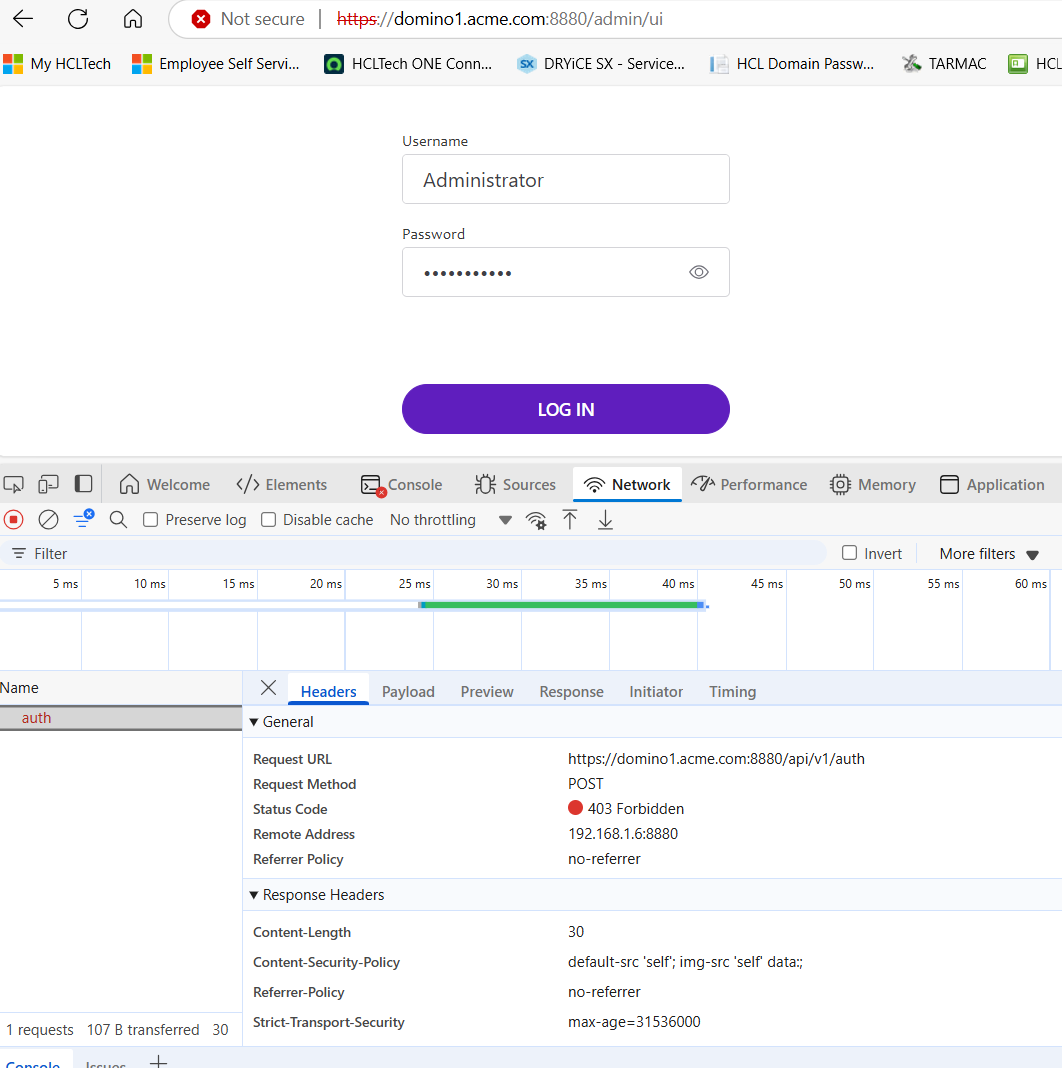
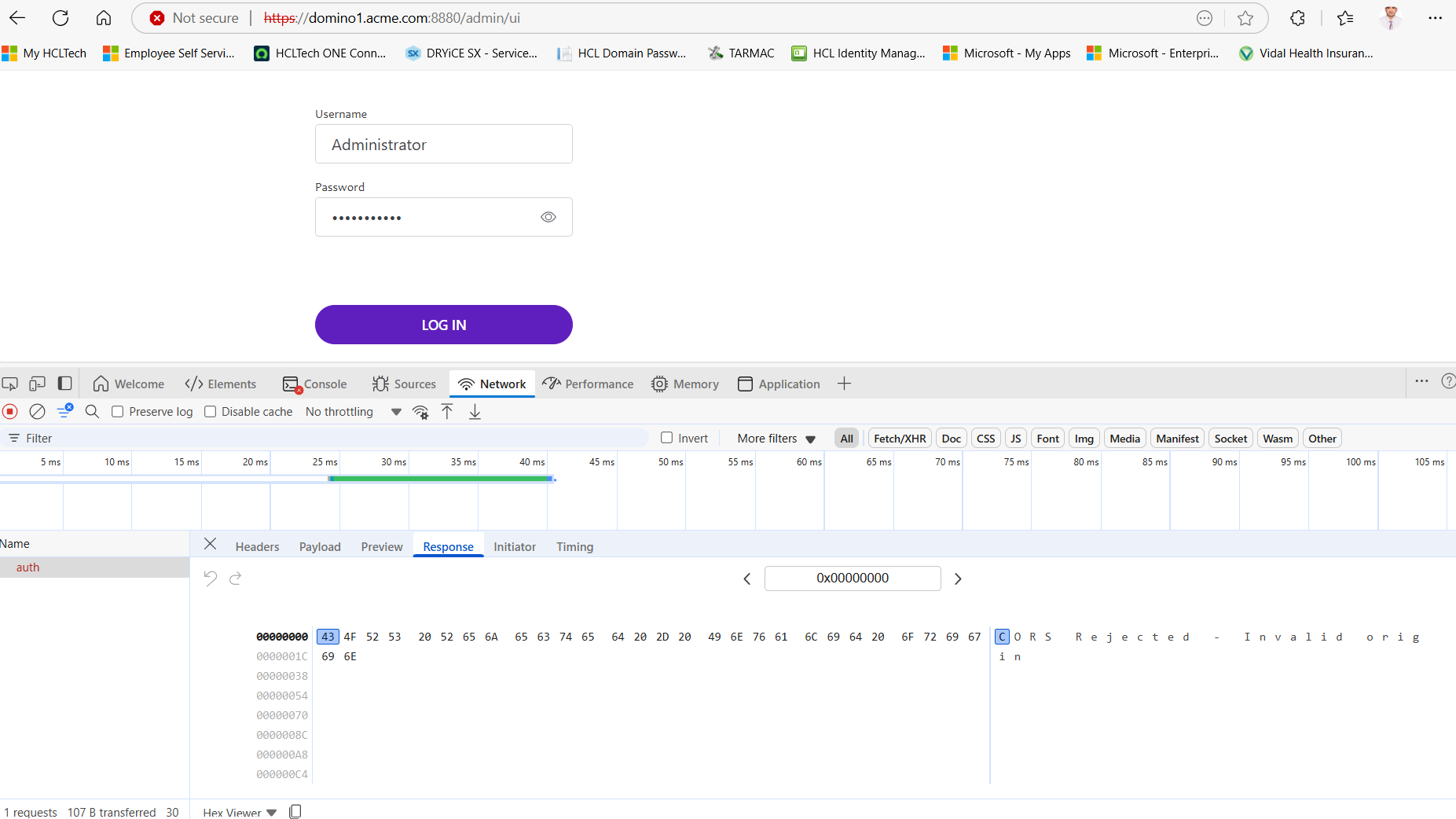
Please provide more information, was this an upgrade? If so, please note that CORS settings has changed since v1.1.3 that would prevent you from logging into the Admin UI unless updated.

Could you provide more specific info? “Not able to login” is a little vague.
The browser console (a.k.a Chrome developer tools) is your friend. What’s the actual response (from network tab)?

Yes, LocalKeepAdmins group is there in Domino Directory and user with which I am trying to login is listed in the group.

Also, I’m using domino username and internet password to login.

It’s a fresh installation

After adding CORS settings, I’m able to login into AdminUI.

thanks @rwilkins for pointing this out.

1 Like