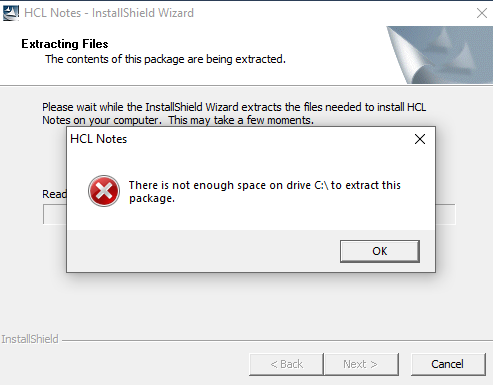
Hi,
Win10 newest, C: 156 GB free, D: 178 GB free
Either of these workarounds can be tried:
1.- Clean up the Temp directory as well as C:\Users\<username>\AppData\Local\Downloads and Restart.
2.- Go to System Properties >> Advanced >> Environment Variables >> Update the TMP/TEMP under User Variable and System Variable to another Drive with larger space >> Restart.
3.- Windows 10 patch 1903 is recommended, tech note already exists
4.- Use WinRAR to extract the files and execute Setup.exe.
Refer to below URL for similar information.
Additional Information -->
Hi @Brian Koden Check out this KB if it helps you.
https://support.hcltechsw.com/csm?id=kb_article&sysparm_article=KB0077457