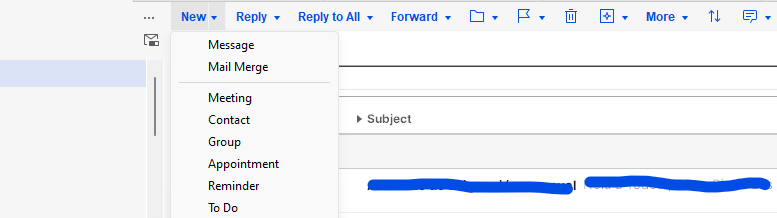
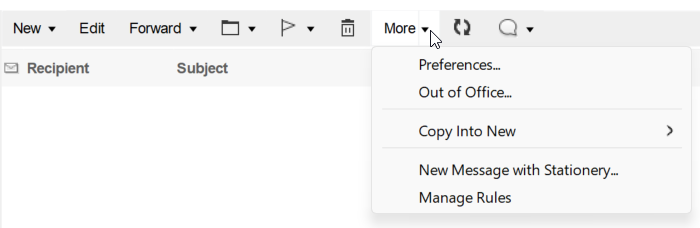
Mail Merge not shown in HCL Notes 14.5.1 Client


Domino/Notes Version: 14.5.1
Operating System: Windows
Client: Notes

Hello Community

since HCL Notes 14 we can use Mail Merge in Emails.

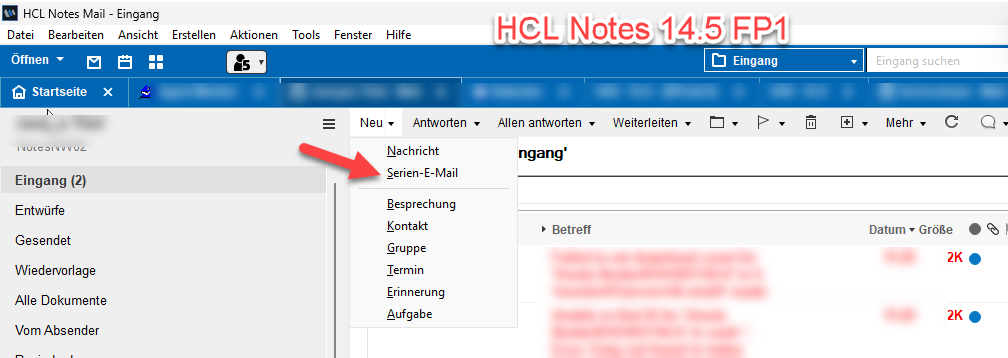
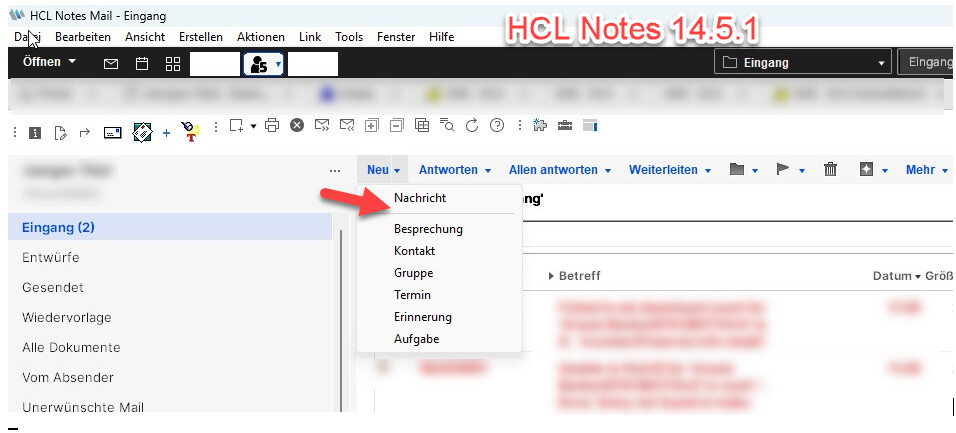
In Notes 14.5 FP1 it shows Mail Merge in Mailfiles with Mail14 or Mail 14.5 Mailtemplate.

in Notes 14.5.1 Mail MErge is not shown on same Databases with Mail14 or Mail 14.5 Mailtemplate

Is there a bug or is something needed to configure?

Here is the hide when for this action:

REM {Begin DNT};
arch := @GetProfileField("Archive Database Profile"; "ArchiveDatabase"; ""; [EnsureCache]);
tmpCURRENT_THEME_ID := @Environment("CURRENT_THEME_ID");
tmpShow := @If(tmpCURRENT_THEME_ID= "com.hcl.v14.theme"; "1"; tmpCURRENT_THEME_ID= "com.ibm.v11.theme"; "1"; "0" );
ecl := @If(@IsError(@IsUsingJavaElement);0; ((@IsUsingJavaElement) & (tmpShow = "1")) ; 1; 0);
@IsError(OkToShow) | ecl = 0 | @Text(arch) = "1" | @TextToNumber(@Implode(@Subset(@UserAccess(@DbName);1))) < 4 | @UserAccess( @DbName ; [DeleteDocuments])="0";
REM {END DNT};

Here is the same formula from 14.5:

REM {Begin DNT};
arch := @GetProfileField("Archive Database Profile"; "ArchiveDatabase"; ""; [EnsureCache]);
tmpCURRENT_THEME_ID := @Environment("CURRENT_THEME_ID");
ecl := @If(@IsError(@IsUsingJavaElement);0; ((@IsUsingJavaElement) & (tmpCURRENT_THEME_ID= "com.ibm.v11.theme")) ; 1; 0);
@IsError(OkToShow) | ecl = 0 | @Text(arch) = "1" | @TextToNumber(@Implode(@Subset(@UserAccess(@DbName);1))) < 4 | @UserAccess( @DbName ; [DeleteDocuments])="0";
REM {END DNT};

The visible difference is in querying the THEME_ID from environment.

So maybe you are using the wrong theme in your 14.5.1 environment so that that button is visible… Please check notes.ini entry “CURRENT_THEME_ID”. If it is not “com.ibm.v11.theme“ or “com.hcl.v14.theme“ then the button will be hidden.

in notes.ini is $CURRENT_THEME_ID=com.hcl.v14.theme,

I removed the $ in front of the setting, now it works.

I don’t know from where the $ came.

Thank you Tode

@Environment can only read variables that have a $ in front of it (non system variables), so the $ was correct. It seams for me, that the entry in your notes.ini was correct. But if it works now, then something else was wrong with that entry. Glad to be able to help

1 Like

I wasn’t actually aware that New menu showed Mail from Stationary as an option.

I upgraded recently to 14.5.1, using Admin / Designer / Notes client installer.

I checked it thanks to your post and I noticed I don’t have it, but I do have a Mail Merge option which I see you don’t have.

I checked my notes.ini and noticed $CURRENT_THEME_ID=com.hcl.v14.theme

I tried removing the $, launched the notes client again, and my menu looks the same as with the $:

Mail Template: 14.5.1 English

Not sure if I’m missing anything.

Best,

Elvis

Hi Elvis,

it’s strange. Today stationary isn’t shown. Today removing the $ made no differenz- Maybe yesterday I looked at my wrong client, not sure.

I have to investigate again.

It is important to know: The shown option does not have anything to do with “Stationary”. New Mail from stationary is a different menu point

We are talking about the mail merge button as shown in screenshot. And I posted the Hide-When-Formulas for these buttons. If this formula is True, then the button is not shown.

Ok, then let us check the different options about why this can be hidden:

arch := @GetProfileField(“Archive Database Profile”; “ArchiveDatabase”; “”; [EnsureCache]);

This means: If you are in an Archive-Database then the action will not be shown. To check this you need to use the advanced properties dialog and check Profile “Archive Database Profile”. If it has a field “ArchiveDatabase”, then the button will be hidden.

tmpCURRENT_THEME_ID := @Environment(“CURRENT_THEME_ID”);

reads the value from notes.ini “$CURRENT_THEME_ID”.

tmpShow := @If(tmpCURRENT_THEME_ID= “com.hcl.v14.theme”; “1”; tmpCURRENT_THEME_ID= “com.ibm.v11.theme”; “1”; “0” );

If the current theme is “com.hcl.v14.theme” or “com.ibm.v11.theme“ then the button is shown, otherwise not.

ecl := @If(@IsError(@IsUsingJavaElement);0; ((@IsUsingJavaElement) & (tmpShow = “1”)) ; 1; 0);

Checks, if you are using the eclipse client. If you open this database in Basic-Client or from Admin-Client then the button will not show otherwise it will only show when using the right theme.

@IsError(OkToShow) | ecl = 0 | @Text(arch) = “1” | @TextToNumber(@Implode(@Subset(@UserAccess(@DbName);1))) < 4 | @UserAccess( @DbName ; [DeleteDocuments])=“0”;

This reponds to a field “OkToShow” in document that should not be relevant. The button in addition will be hidden if you access is smaller than Editor or if you do not have “DeleteDocuments” rights in ACL.

Hello Torsten,

I found the issue.

because I didn’t had a server, I used client base mail145.ntf, hidewhen is here:

REM {Begin DNT};
arch := @GetProfileFieldGetProfileField(“Archive Database Profile”; “ArchiveDatabase”; “”; [EnsureCache]);
tmpCURRE@EnvironmentT_THEME_ID := @Environment(“C@IfR@IsErrorE@IsUsingJavaElementT_THEME@IsUsingJavaElementID”);
ecl := @If(@IsError(@IsUsingJavaElement);0; ((@IsUsingJavaElement) & (tmpCURRENT_THEME_ID= “com.ibm.v11.theme”)) ;@GetProfileField1; 0);

On Servers mail145.ntf hidewhen is:

REM {Begin DNT};
arch := @GetProfileField(“Arc@Environmentive Database Profile”; “ArchiveDa@Ifabase”; “”; [EnsureCache]);
tmpCURRENT_THEME_ID := @Environment(“CURRENT_THEME_ID”);
tmpShow := @If(tmpCURRENT_THEME_ID= “com.hcl.v14.theme”; “1”; tmpCURRENT_THEME_ID= “com.ibm.v11.theme”; “1”; “0” );

In a fresh 14.5.1 Installation the mail145.ntf on client is same like on server, but I made an update from 14.5.0 FP1. Maybe my local template wasn’t updated.
Thanks a lot for your help