1. I have created a custom component that has a listview of type SMSMessage component. There is a button when clicked pulls data from a service and fills the listview .
Then I have added this custom component on a form. Now, I want this segment's listview to populate itself when the form gets loaded.
I had tried to drag and drop the service onto the segment's listview but Iris shows message box "Loading Parameters" and just hangs in there.
Please guide what to do to achieve auto populate data during form initialization.
2. The listview has a label control and it can contain large content. But it truncates the data. How to auto expand the row so that users can see the whole content?
Hi Bibin,
For 1, to populate the segment you can use the form's events such as pre-show or post-show (Iris top far right Properties -> Action). Clicking Edit you can build the same action script call-tree to repeat the logic to populate the segment.
Or you should be able to copy the action-script from the button's onClick event, you already have, by switching the action-editor Diagram View to Design View and copy from the Start node. Then paste to the pre-show or post-show event.
Or you can also name your button action-script with a friendly name (action script top far left area - Action ID), for example AS_Btn_PopulateSegment. Then in the form pre-show or post-show script, add a snippet and call that named action script with the 1 JS code line: this.AS_Btn_PopulateSegment.call(this);
For 2, you may want to change from using a label widget to a RichText, TextBox, or TextArea which can handle large sized text content.
1. The solution doesn't work because the button is in the component. So, the form doesn't have access to the button.
Hi Bibin,
It is still possible to call a component's method, if it is a component with contract. Open your Volt Iris component and note the low-code Action ID of your button, which handles the data fetch logic, for example, AS_UWI_e19fcdfb823141c3b3c638478df08cda .
In Volt Iris, navigate to Templates -> Components -> your component -> Properties (far top right of Iris) -> Action. Click Manage Methods -> Custom. Add your low-code Action ID, AS_UWI_e19fcdfb823141c3b3c638478df08cda. Click Apply.
In your Iris project and in the form that contains the component, you can add a preShow or postShow action to the form. Add a snippet to the new action. In the snippet, call the component's exposed method, AS_UWI_e19fcdfb823141c3b3c638478df08cda .
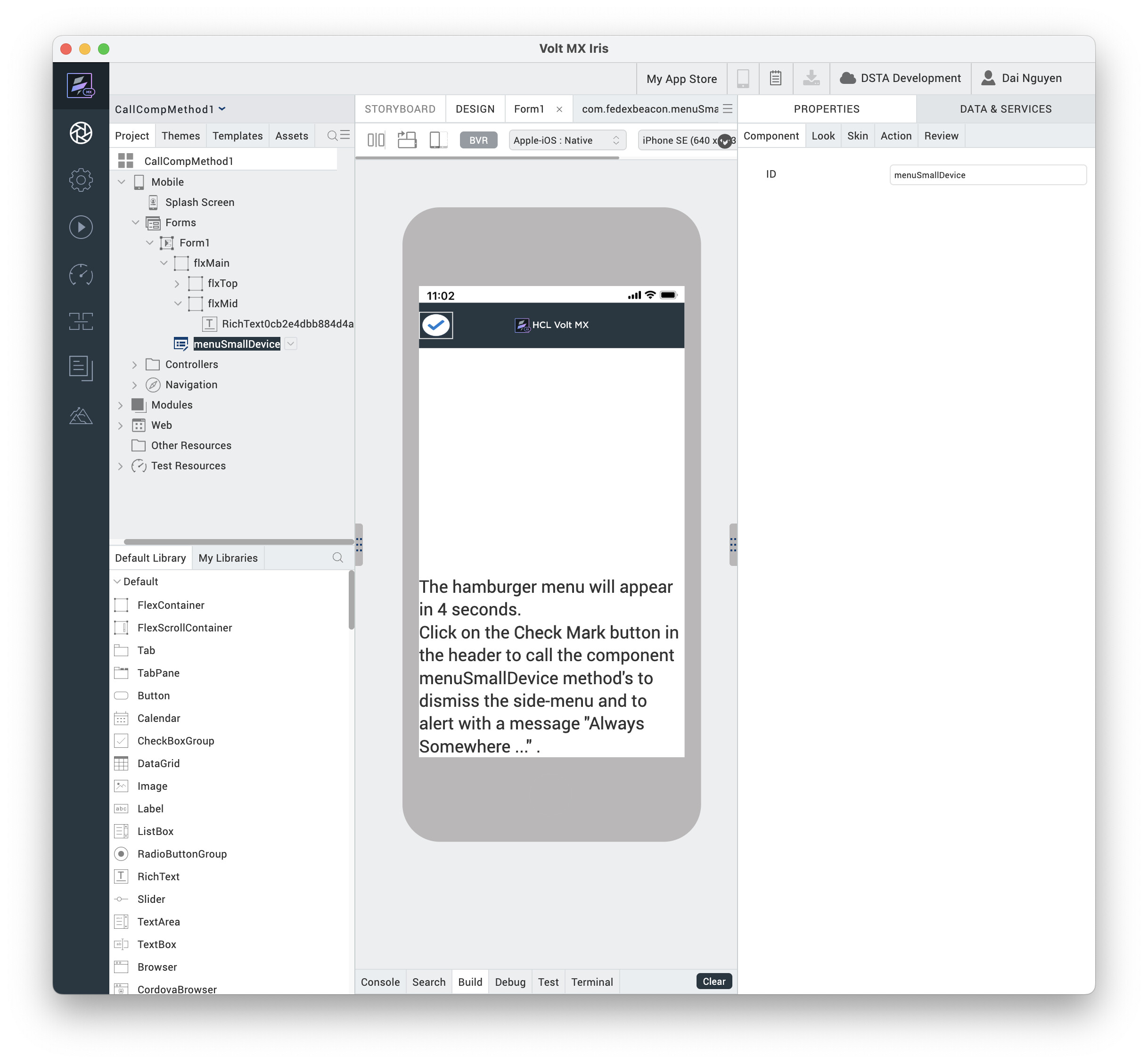
For example my component is this.view.menuSmallDevice, in my Form1. Then in the postShow action, I added a snippet which contains this line:
this.view.menuSmallDevice.AS_UWI_e19fcdfb823141c3b3c638478df08cda();
I tried with your suggestion, but it gave an error "... is not a function". PFA images regarding the code.
Is this.view.ChatGPTBot the component you inserted into the Iris form?
yes, ChatGPTBot is the component and the alert(self.view.ChatGPTBot.AS_Button_ic0110db671e462d9a872c9ee4fb5d21) is returning 'undefined'.
I am using Volt Iris v9 fix pack 7.
The component's controller.js file got corrupt. I restored it, and now it is working with the following code:
self.view.ChatGPTBot.AS_Button_ic0110db671e462d9a872c9ee4fb5d21.call(this);
Great to hear Bibin. If you are satisfied, please mark my answer as correct so that others will know to use this as a reference. Thanks.
Here is my example Volt Iris project in which clicking on the white-checkmark button, in the header of my form, will call the component-with-contract exposed low-code action-script method, AS_FlexContainer_af1854c6fe4f444e979df6a096147fda.
https://drive.google.com/file/d/1kbGYceMNWX8uT8ynXxz3lCAu9x1uvuzm/view?usp=sharing