I couldn't find recent documentation of what is the recommended way to setup ssl -connection in Domino with 3rd party certificate. IBM has it's own documentation but there is kyrtool involved and it's not available in HCL's Flexnet site. IBM entitlements have already disappeared so no luck on that site either.
As far as I can see, kyrtool is part of the Domino install in V11 ( Beta1 ).
from the install log:
07/09/2019 09:57:35:261
Install File: C:\Domino\kyrtool.exe
Status: SUCCESSFUL
I have not checked with Domino 10.0.1 FP3.
If you have an IBM fix central ID & password you can still download the KYRTOOL as it still exist in the IBM fix central. Below link can be used for "Installing and Running the Domino keyring tool" and it has link within it to download the KYRTOOL from IBM fix central.
I already tried that but result is "No applicable IBM support agreement found for one or more of the products you selected.".
Is it just me? I've had fully working IBM id for years and suddenly it has no rights to any downloads.
I've been seeing same reports from other clients as well. If still no luck from the IBM Fix Central you may log a case with HCL so the Support team can manually upload the kyrtool via the Portal and share to you the download link. Regarding the official documentation from HCL you may use this: https://hclpnpsupport.hcltech.com/csm?id=kb_article&sys_id=27516ce01b6df30083cb86e9cd4bcba2, though the download link for kyrtool is not yet updated.
Have you also tried/checked in your Server if the kyrtool is already in the Domino Program Directory?
I just checked and there it is. I think that solves the problem.
Thank you for your help!
Hi,
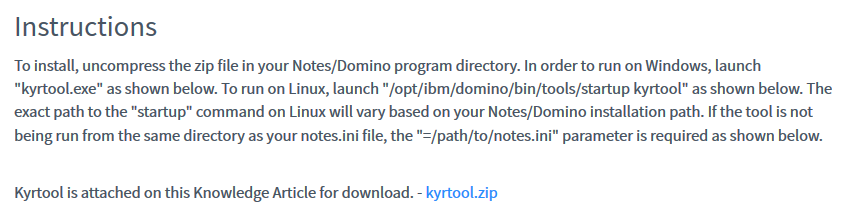
KYRTool is now available for download in this knowledge article: https://support.hcltech.com/csm?id=kb_article&sysparm_article=KB0073172
Hi Analyn,
I've opened the article but I didn't find a download link anywhere for KyrTool.
Alejandro.
Hello, Alejandro. You may find the download link here.
Installing and Running the Domino keyring tool
New tool available that takes care of all the SSL troubles in Domino. Or at least make it easier to implement SSL.
Check out this website: https://www.midpoints.de/en-solutions-LE4D
/Jan.
Hopefully this can help out for others as well: https://cwhisonant1352.wordpress.com/2020/01/06/creating-ssl-certificate-for-domino-2020-edition/
See article on the HCL Support site: Generating a keyring file with a self-signed or third-party certificate for Domino:
https://support.hcltechsw.com/csm?id=kb_article&sysparm_article=KB007330
"https://support.hcltechsw.com/csm?id=kb_article&sysparm_article=KB007330" >> "Article not found"
Sorry, typo in that URL. Here's the correct one: https://support.hcltechsw.com/csm?id=kb_article&sysparm_article=KB0073309
Similar to Chris, we use it.
We still use kyrtool with multidomain UCC certificates where some of the names are are on different app servers. We use OpenSSL to convert a cert, and then use the kyrtool to create/update the Domino kyr/sth. We've been using the new version since it came out during the 9.0.1 FP3 days. We also use it for corporate clients who typically have wildcard domain wide licensing, and make the CSR and just give us a generic Apache cert.
https://www.mindwatering.com/SupportRef.nsf/All/70f1e59f25cabd4d85258101007476f5
Yes, for LetsEncrypt, midpoints app is great! That said the design is locked, so you cannot make customizations. So we made a "sidecar" app for it. It copies the kyr and sth files from the originating server to a secondary server so we don't have to scp it at the command line. It's free from the Mindwatering web site. No registration is required.
https://www.mindwatering.com/MW.nsf/webpg/9F9C1D00BE77BC4D8525761E0011096E#LetsEncryptSidecarTool
Regards.
Tripp
Hi. For pre-12, here is the current correct link for instructions: https://support.hcltechsw.com/csm?id=kb_article&sysparm_article=KB0033348