Hi Rob,
I can think of a few things that might be causing trouble.
1) Sametime has a feature that checks the client type and version and won't let the user in if its not allowed. You can turn that off and allow all clients and versions by disabling the setting. It was optional in some of the older versions of Sametime but we added it by default (can't remember, but I was thinking in 8.5.2).
In the server's sametime.ini file, see if you have this parameter: VPS_ALLOWED_LOGIN_TYPES.
Set it to zero, which will allow all login types.
2) There's an additional feature that lets you set a minimum client version and forced logouts of certain others.
See if you have a stsecurity.ini in the program directory. If so, you may try removing it or renaming it so that it is not in effect.
3) The single login feature.
Another possibility is that in Sametime 8.x, and 9.x the user can only be logged into one client at a time. If they log into a second one (say the proxy or another client) then they will be kicked out of the first login. It is not recommended to disable the functionality in Sametime 8.x environments but you can, if you suspect this to be the case. It may be useful during migration. To disable it you can set VP_ONLY_SINGLE_LOGIN_ALLOWED=0 in the [Config] section.
4) In the [Config] section, make sure you have sametime.ini setting BREAK_CONN_ON_ZERO_BYTES_SENT=0. I don't remember for sure if it was there in 8.0, but we needed that in the event users could not stay connected to the server.
5) Additional debugging advice.
If it is not that, then you'll need to look at the workspace logs on the client and the sametime.log on the server.
It may be useful to set VPS_DEBUG_LOGIN_MSG=1 ([Debug] section) in the server's sametime.ini. This will print the client's login type. You can compare the working 12.0.2 to the not-working 12.0.2 FP2 and see if maybe the login type is wrong. I don't remember off hand if this output goes to a trace file or the Sametime.log, so you should check both.
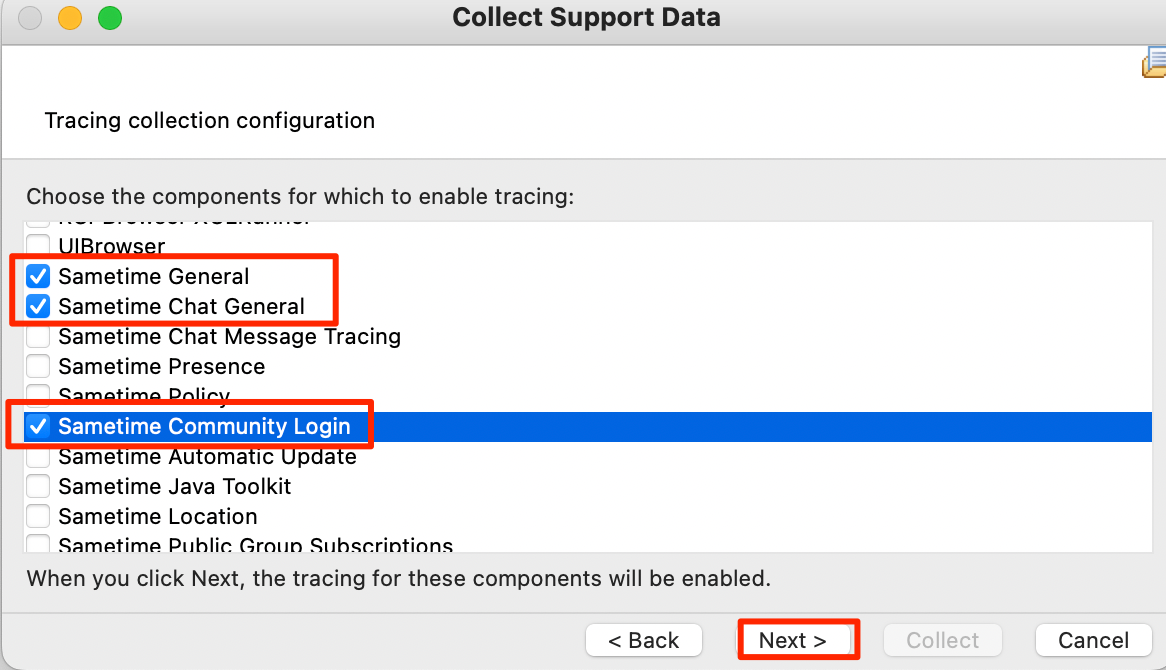
In the Notes client, click Help > Support > Collect Support Data. Check the box "Enable customized tracing". Click Next.
Click these boxes:
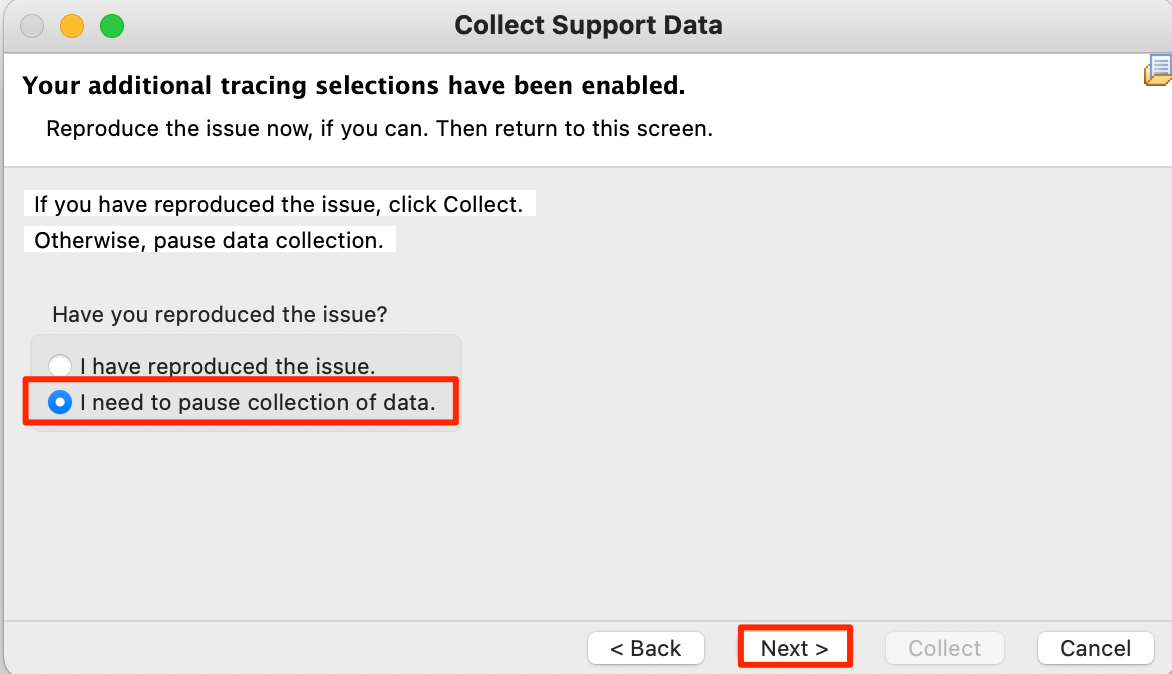
Click the second option:
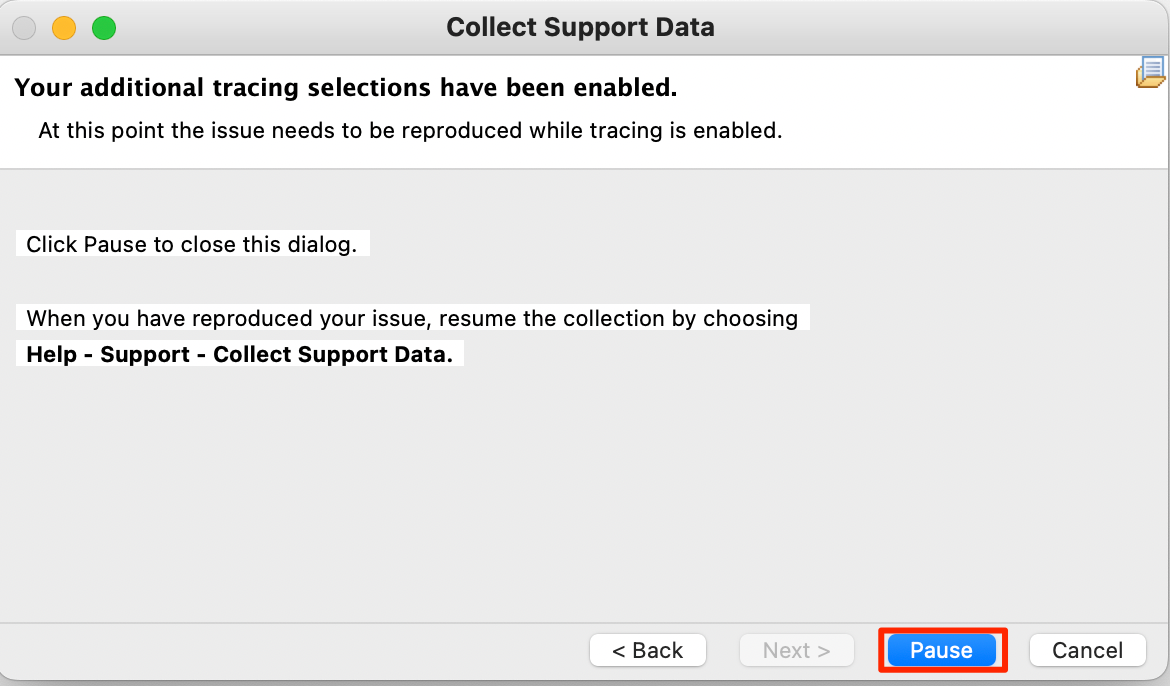
Then click "Pause"
Restart Notes and reproduce the problem. Once the problem is recreated, you can collect or view the data by clicking Help > Support, click View Trace or Collect data which zips it for you.
You'll want to look for "SEVERE" and "ERROR" level messages.
Let us know if you'd like any assistance with planning your upgrade to Sametime 12.0.1 FP1 or the future Sametime 12.0.2. I am happy to meet with you to discuss what upgrades look like. We also have services available if you or your client want to go that route.
Thanks,
Casey