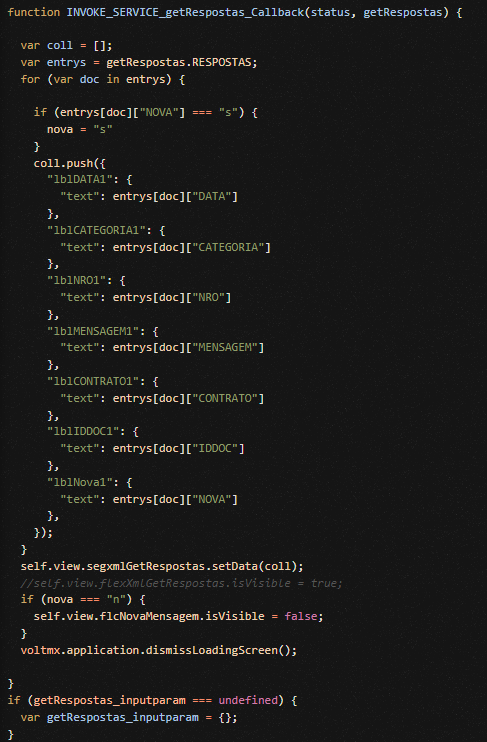
Colleagues, in the code below, I populate a segment. How do I place an image that will be loaded according to the value of a label in this loop?
Hi Rubens,
Your segment has to contain the image already, either embedded in the segment or defined in the segment's row template. Let's say your image is named "imgLogo" in the segment.
In your Javascript loop, you will assign the "src" of the image with a value, such as the name of an image already inserted in your Iris -> Assets -> Media -> <your channel>, or the URL to an image.
For example, here is the code to assign imgLogo with a URL to a logo, and assign imgStatus with a media asset:
"imgStatus": {
"src": "close.png" // "close.png" already inserted into Assets->Media->channel
},
"imgLogo": {
"src": "https://hcl.com/wp-content/themes/Hcl/img/logo.png"
},