I know you can perform a search with CTRL+H to search the Subform Name however...
Is there a quicker way to identify what forms contain a particular subform?
I know you can perform a search with CTRL+H to search the Subform Name however...
Is there a quicker way to identify what forms contain a particular subform?
I was trying to implement this at UI level.
However, there are below challenges.
1. Cannot list subform data in a view. So skipped this method.
2. Notesdatabase.FORM method list Form as well as Subform names from database.
So, even using "IsSubForm" lotusscript method will not serve the purpose.
"IsSubForm" lotusscript method will be helpful in listing all the Subform present in the database. But thats doesnot seems to be your requirement.
3. There is "CreateDXLExporter" lotusscript method that can be used to create DXL for notesdatabase as well as notesdocument. However, that again will not serve your purpose completely.
From Designer point of view, you have already mentioned that you are using "Search (Ctrl+H)" method.
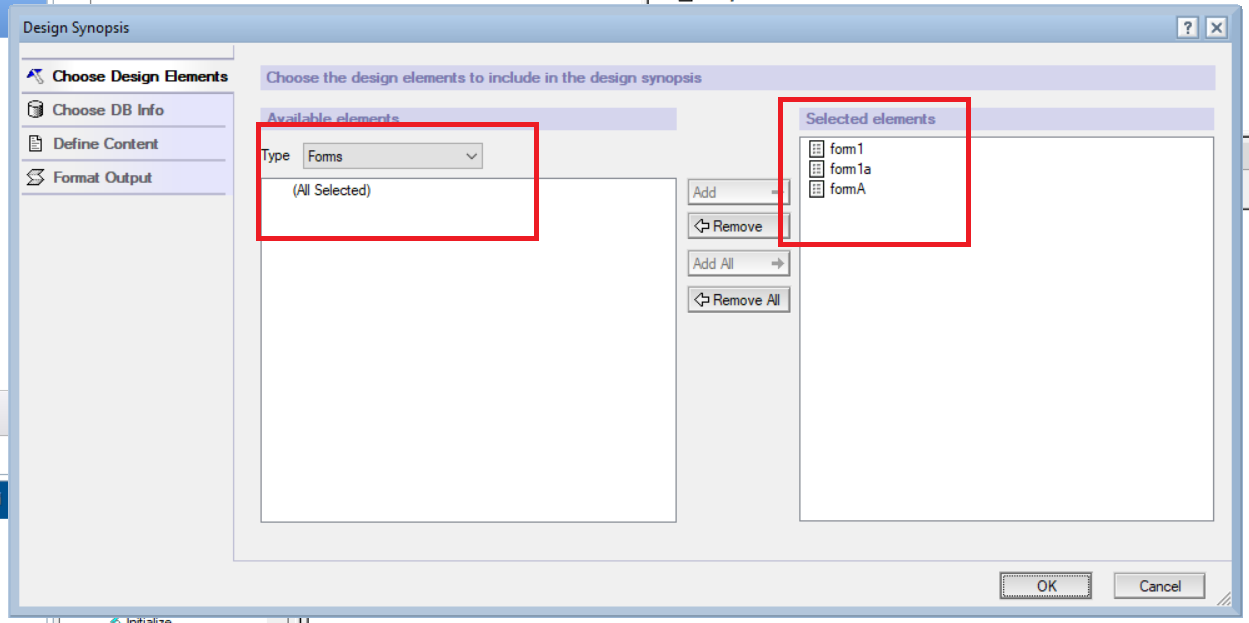
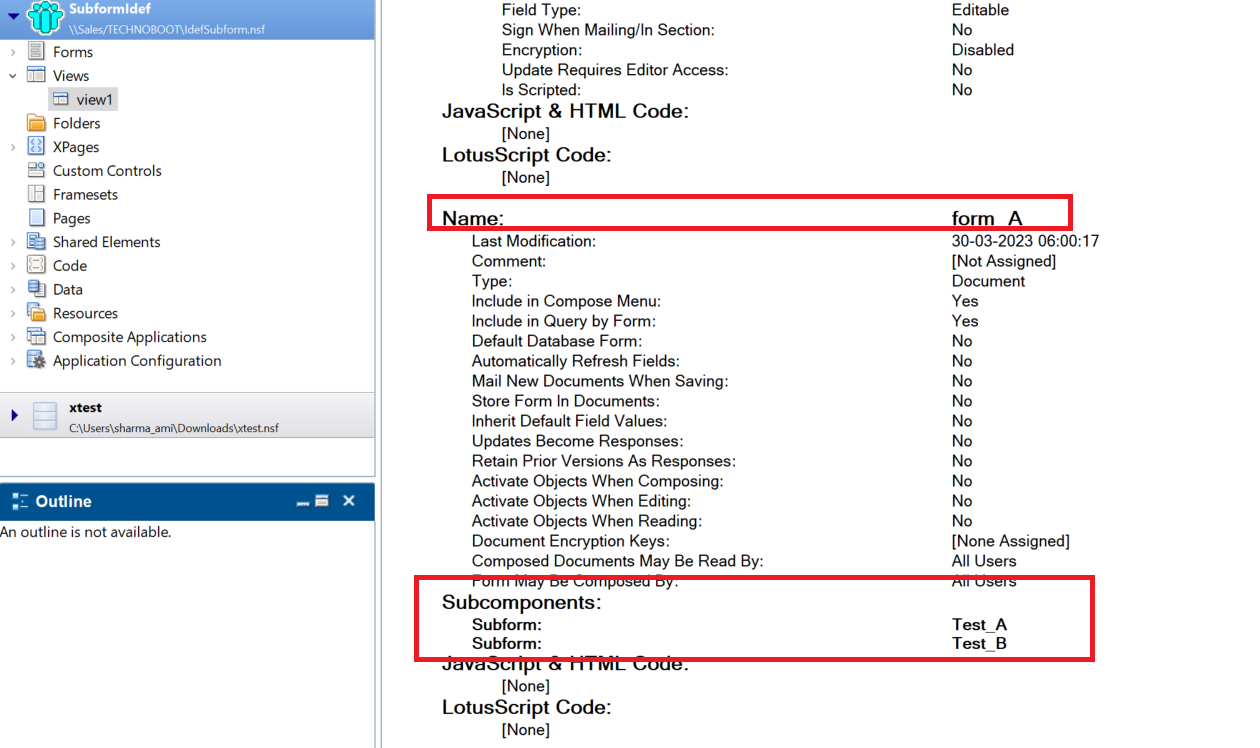
You can try to create "Design Synopsis" for all FORM's present in database to see what Subform are used by which FORM.
However, in that case also manual efforts will be there. Its just that you do not need to manually enter subform name to search like you must be doing currently using "Search (Ctrl+H)".
Regards,
Amit
Regarding your first bullet point about showing Design- Elements in Views: Do you know about "$FormulaClass"? You can manipulate a view to show design elements and do some neat stuff with it.
Unfortunately the original article from 1999 "Fun with $FormulaClass" seems to have vanished from the internet (did not check archive.org yet).
If you want to see what is possible you can download my toolbar. It contains a hidden view "(Vw.Design.Elements)" where you can play around with design elements in views.
Thank you @Torsten Link for sharing this.
I will explore this part.
Regards,
Amit Sharma
Thank you for the reply. I will try the "Design Synopsis"
"Design Synopsis" worked perfectly for what I needed. Took me about 10 minutes to identify what subforms a particular set of forms contained.
Thank You
Thanks for confirmation @Michael Williams .
Happy to assist.
Regards,
Amit Sharma