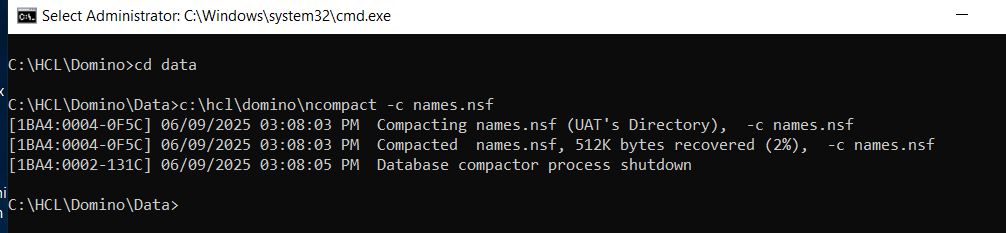
I shut down one partitioned server.
Opened a command prompt (run as administrator)
changed my directory to the data directory of the partition
ran the following command which results in a crash screen popping up:
c:\hcl\domino\ncompact -c names.nsf
I must be doing something wrong. What am I missing?
**Domino/Notes Version: 14.0 FP2
**Operating System: Windows 2019
Hi,
What error do you get when running ‘partitioned data directory>c:\hcl\domino\ncompact -c names.nsf’?
Each partitioned server has its own notes.ini file in its data directory. If there is also a notes.ini file unexpectedly present in the Domino program directory, you may encounter the error: “HCL Notes: error 0x1F3”.
By default when you creates partition server, the Notes.ini of each Partition server in stored in its Data directory.
So while performing offline maintenance, you need to navigate to Data directory of the respective partition server and execute respective command as follows
For running maintenance on the partitioned server, please navigate to the data directory first in the command prompt and then run the required maintenance command by providing the path to the program.
Usually a good way to run offline commands in the right context is
Open the console of the partiotion you want to work on
enter “quit” or “exit” or “#stop domino” do shut down the server.
The server controller will still be running, indicated by box icon in the header bar
So you can still send controller commands (#-prefix) or OS commands ($-prefix)
Now you can run your compact from within the server context by issuing $C:\Program Files\HCL\Domino\ncompact.exe -c names.nsf
The $ makes the server controller forward the rest of the line to an OS commandline. Work drectory is data and the user is the service user of the server controller, so it will be run with the same credentials as when Domino is online. (LocalService, SYSTEM or whatever service user you assigned)
When done you can bring Domino back online by issuing the Controller command #start domino
This prevents you from running commands in wrong context or with missing access rights to translog folders or DAOS or so.