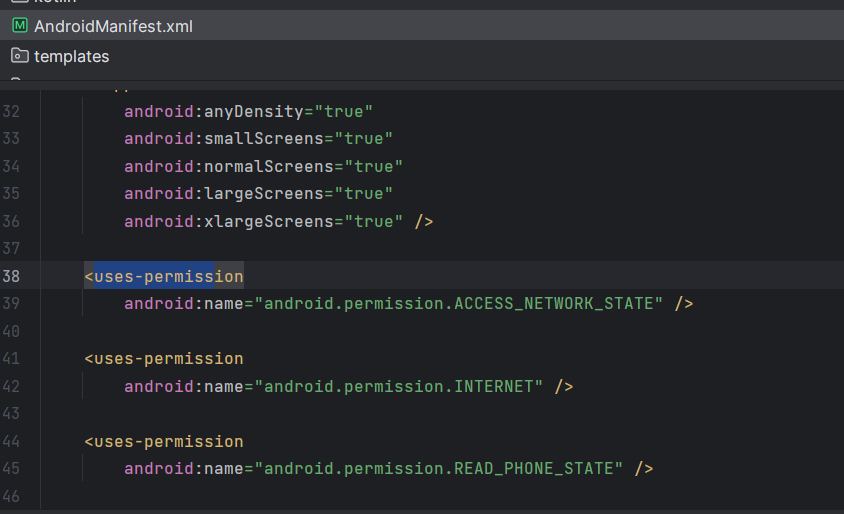
For an Android application being built using IRIS, some default permissions get attached to the apk. Specifically, these 3 permissions are attached: READ_PHONE_STATE, INTERNET, & ACCESS_NETWORK_STATE
I am good with a couple of them, but I don't have a clue why READ_PHONE_state is added by default. This permission helps the developers when they have to do something related to notifications, or calls. But for my app, it is completely unnecessary.
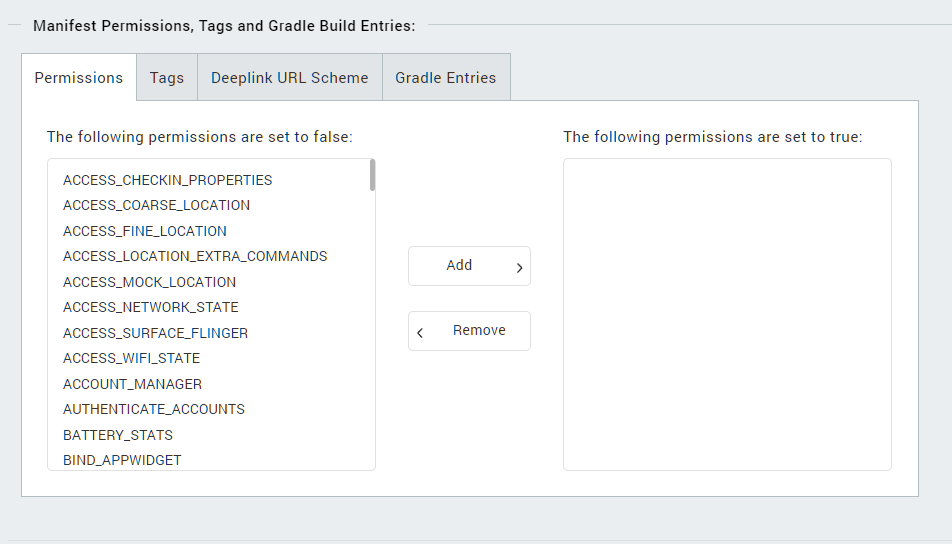
So, I want to ask can I remove the by-default added permissions from the application, because by default I cannot see any of these permissions being added in the permissions tab.
Hi @Vishal Vats
I think u can remove the permissions u want , by adding configurations like "replaceregexp" to "androidprecompiletask.xml" file.
Thanks, @mingchuan liu for your reply. If I am not wrong, I can add the following lines to the androidprecompiletask.xml file:
<replaceregexp file="${basedir}/wishyLatest/src/main/AndroidManifest.xml"
match="<uses-permission android:name="android.permission.READ_PHONE_STATE"/>"
replace=""
byline="true" />
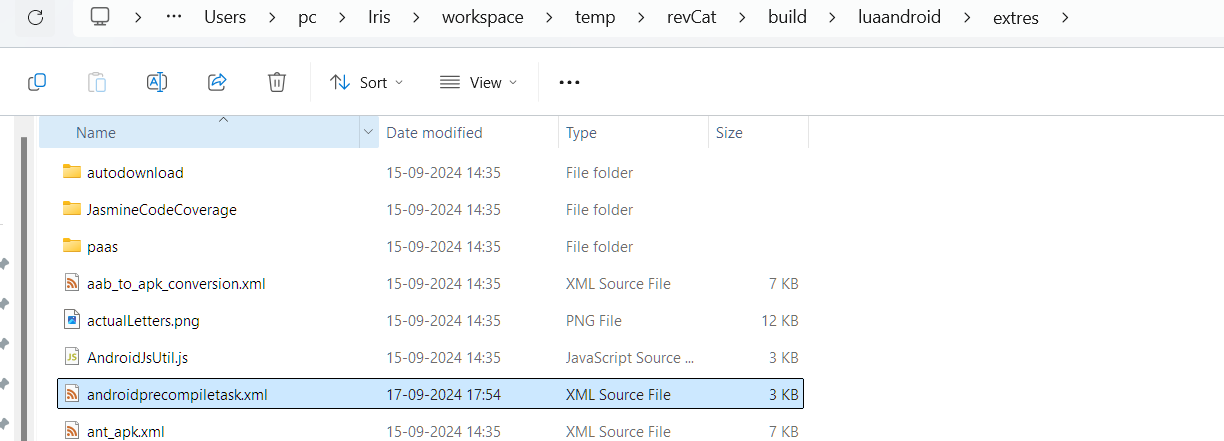
And the directory where I can find the same is: temp/${project}/build/luaandroid/extres
Even if I add the same, I am getting no effect on the pre-defined permissions. Is my filePath correct in the replaceregexp tag?
@Vishal Vats , if there is no androidprecompiletask.xml under your VoltmxIris-Application-Directory, your can copy the androidprecompiletask.xml that you found above to your VoltmxIris-Application-Directory and put the flowing "replaceregexp" into it. After application build, your can find the permission was deleted from the \temp\YOUR-APP-NAME\build\luaandroid\dist\YOUR-APP-NAME\AndroidManifest.xml.
<replaceregexp file="${app.dir}/AndroidManifest.xml"
match="<uses-permission android:name="android.permission.READ_PHONE_STATE"/>"
replace=""
byline="true" />
I have copied the androidprecompiletask.xml file to the root directory. I am pasting the output for the different project directories for your reference. Are you sure, I have to use the app.dir
This is the XML file, and its echo statements are being correctly logged into the IRIS console, but the permission is still in the final APK, I am getting the permission.
This is the entire XML file:
<project name="PreCompile" default="PreCompileSetup">
<!--
${basedir} points to the current dir in which this xml is present
${konyapp.dir} points to Volt MX application base directory
${app.dir} points to Native android application directory created for the current Volt MX app
${packagepath} contains the package name folder path relative to src folder
${build.option} indicates current build is "debug" or "release" mode
${supportx86} is set to "true" if x86 flag is ticked in IDE build options.
${isUniversalApp} is set to "true" for universal build , where both mobile and tablet assets and js files are contained in single apk
${isMobileBuild} is set to "true" if current build is invoked for Mobile and
is set to "false" if current build is invoked for Tablet.
1) Copy this xml to project workspace base directory (using Navigator view in Volt MX)
${basedir} var then points to project workspace base directory
2) This xml can be used to perform task such as
==> Copy Modified Build xml file to native android folder
==> Any other custom libs,assets,res files to be copied in to native android hierarchy
==> Copy any x86 .so files from any libs only when variable ${supportx86} is set to true
==> Changing or appending some custom paths to project.properties or local.properties etc..
==> Custom code can be written under {isMobileBuild} check if there are custom tasks to be performed differently for Mobile and Tablet
-->
<target name="PreCompileSetup" >
<echo message="basedir = ${basedir} ,konyapp.dir = ${konyapp.dir}, appdir = ${app.dir} , isUniversalApp = ${isUniversalApp} ,isMobileBuild = ${isMobileBuild}"/>
<echo message="Build mode = ${build.option} , Packagepath = ${packagepath} , x86 Support = ${supportx86}" />
<echo message="Java/JVM version: ${ant.java.version}" />
<echo message="Java/JVM detail version: ${java.version}" />
<!-- Add tasks to remove permissions from AndroidManifest.xml -->
<!-- <replaceregexp file="${basedir}/wishyLatest/nativeandroid/AndroidManifest.xml"
match="&lt;uses-permission android:name=&quot;android.permission.READ_PHONE_STATE&quot;/&gt;"
replace=""
byline="true" /> -->
<replaceregexp file="${app.dir}/AndroidManifest.xml"
match="&lt;uses-permission android:name=&quot;android.permission.READ_PHONE_STATE&quot;/&gt;"
replace="AAA"
byline="true" />
<replaceregexp file="${app.dir}/AndroidManifest.xml"
match="&lt;uses-permission android:name=&quot;android.permission.INTERNET&quot;/&gt;"
replace="AAA"
byline="true" />
<replaceregexp file="${app.dir}/AndroidManifest.xml"
match="&lt;uses-permission android:name=&quot;android.permission.ACCESS_NETWORK_STATE&quot;/&gt;"
replace="AAA"
byline="true" />
</target>
</project>
Hi , @Vishal Vats
Sometimes Some permissions are often automatically added to Android build for some reasons.
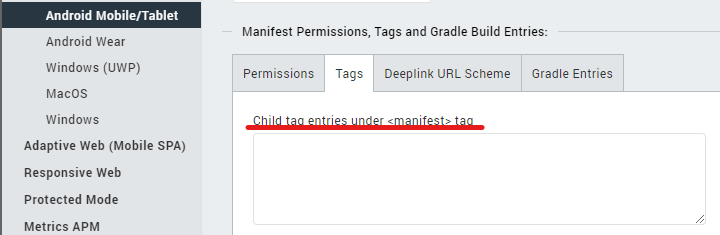
Maybe you can try to add the configuration like bellow in your Android-Settings
<uses-permission android:name="android.permission.READ_PHONE_STATE" tools:node="remove"/>
Thanks, @mingchuan liu for the reply. This method of specifying the uses-permission tag inside the IRIS app worked for me. From the 3 specified default permissions, I could remove READ_PHONE_STATE and INTERNET permissions.
ACCESS_NETWORK_STATE wasn't removed from the apk, but I guess its okay because in the end, I need it.
Thanks for your help. By the way, are you from the HCL team?
Oh, I saw your other post in which you asked a query regarding debugging on Mac OS. Thanks for helping me out, despite not being a member of the IRIS team 😎