Dear Forum members,
I am a new in Dleap 1.1.4-3, and reach out from other members the how to: autofill zip codes based upon; Known Address, City, and State
In a form I have the following fields :
1. Address,
2. City,
3. State these 3 fields had been fill in manually.
4. Zip Code: ..... (auto search and auto fill by formula)?
Question:
How can we get "Auto Fill" in the content of related zip code field, i.e. using widget, properties/formula/option for Citizen developer ?
Thank you for reading my question..
Hello Frans,
I understand that, you want to automatically generate a Zip code based on the State and City in DLeap or Domino Leap.
We have an existing wiki about it. Please check the link below for the instruction on how to achieve this:
https://hclwiki.atlassian.net/wiki/spaces/HL/pages/461592/Client+side+REST+calls+from+JavaScript+-+Zip+Code+Lookup+Example
Since the sample app in the wiki was created in ".nitro_s" file format, I converted and recreated the sample app to a ".dleap" file format for you to try and check.
Please see attached zip file. You will find two apps:
GetCityStateVia_ZipCodeDLeapSample.dleap
-> AutoFill City and State based on Zip Code (recreated)
&
GetZipCodeVia_CityStateDLeapSample.dleap
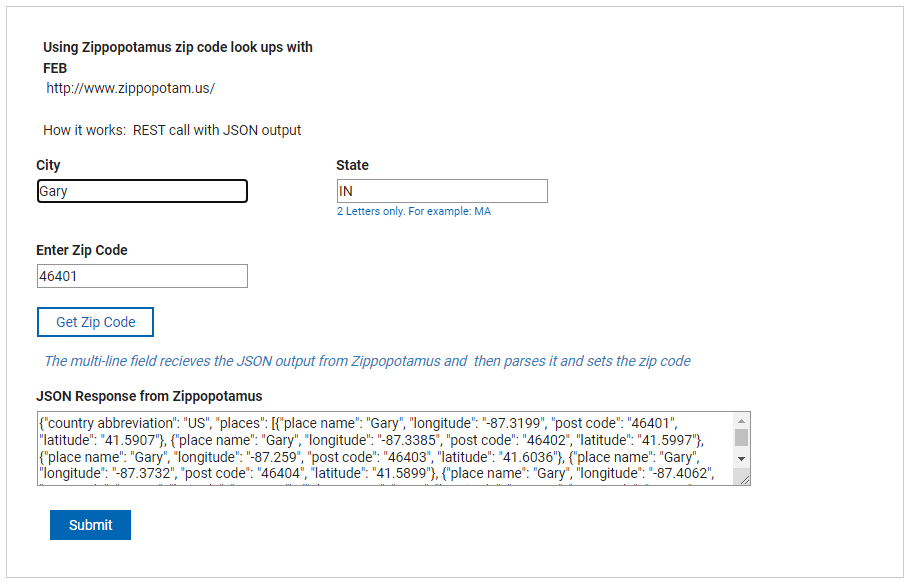
-> AutoFill Zip Code based on City and State (newly created as sample based on your concern).
Notes:
1. This is the idea based on the documentation:
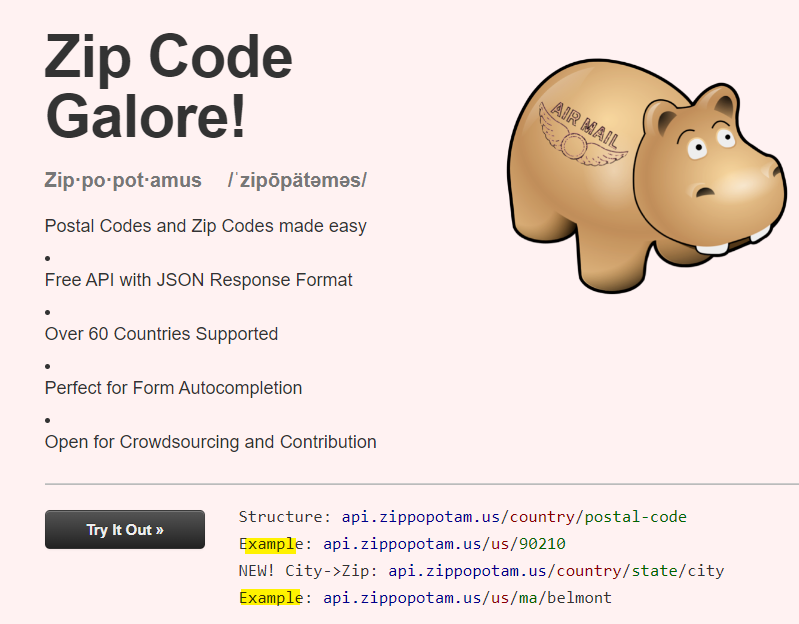
https://api.zippopotam.us/
2. To apply, this is the output of the sample app:
3. Ensure that secureJS is set to false in configuration settings. This setting is in VoltConfig.nsf on the server. It allows you from using JS full capability in your app.
Hope this helps.
Thanks,
Jayve
AutoFill_CityState_And_ZipCode.zip
Dear Jayve,
Thank you so much for your guidance and related links to know more.
I have downloaded the zip file provided. Now is my due to try it into the testing application.
You have provided me more information that I need as a newbie in Domino Leap 1.4 beside the resolution.
I hope, I could send you a direct message, in the near future for getting guidances in Forum for your help.
Best regards,
Frans.
You're most welcome Frans.
This forum is for HCL Leap. We have separate HCL Domino Leap Forum . Moving forward, I recommend to post your DLeap questions there.
If you think an answer answered your question after your testing, please accept it. It will benefit others having same problem query.
Kind regards,
Jayve
Dear Jayve,
I am sorry just today, I'am able to answer your suggestion, i.e., after I downloaded the zip file provided link update my Dleap to become 1.1.5 and tried to create the zip codes.
The first Laptop I used giving me Import Failed message such as:
"The application you are attempting to import is from a newer version of HCL Domino Leap. It cannot be imported into this version"
However my HCL Domino Leap supposed to be the latest version we have?
I.e., HCL Domino Leap version: 1.1.5?
The second Laptop used: Can pass the import stage and creating *.nsf, but when running it, I got error message: it can't execute link to access https://api.zippopotam.us/
It seems it cannot translate the command which needs to be used.
Thank you, and I am looking forward to hearing from you...
Best regards,
Frans
Hi Frans,
Thanks for your feedback.
In your first concern, yes, you need to update to the latest version (DLeap 1.1.5) in order for you to import apps successfully.
Regarding your second concern, may you please share the screenshot of the error via browser UI? and browser console?
Regards,
Jayve
Latest version that I have/can download and install.
Dear Jayve,
To answer your email questions, please find attached here the capture of the challenges I got.
Hopefully it can be resolved.
I am looking forward to hearing from you.
Best regards,
Frans.
Thanks for your response Frans. You need to set secureJS to false in configuration settings. This setting is in VoltConfig.nsf on the server. It allows you from using JavaScript full capability in your app to avoid that error.
Please follow the steps below to set secureJS to false.
1. Open HCL Domino Administrator and login
2. Go to Files tab and locate 'volt' folder
3. Find 'Volt Configuration Settings' or voltconfig.nsf'

4. Double-click to open
5. In the view, find secureJS setting, and ensure to enabled it and the value is set to false. For example:
6. Save and close
7. Restart http task in Domino console via command below:
tell http restart
OR
Restart server via command below:
res ser
8. Refresh the browser, redeploy app and retest.
For reference:
https://help.hcl-software.com/domino-leap/1.1.5/volt_config_settings.html
Hope this helps.
Thanks,
Jayve