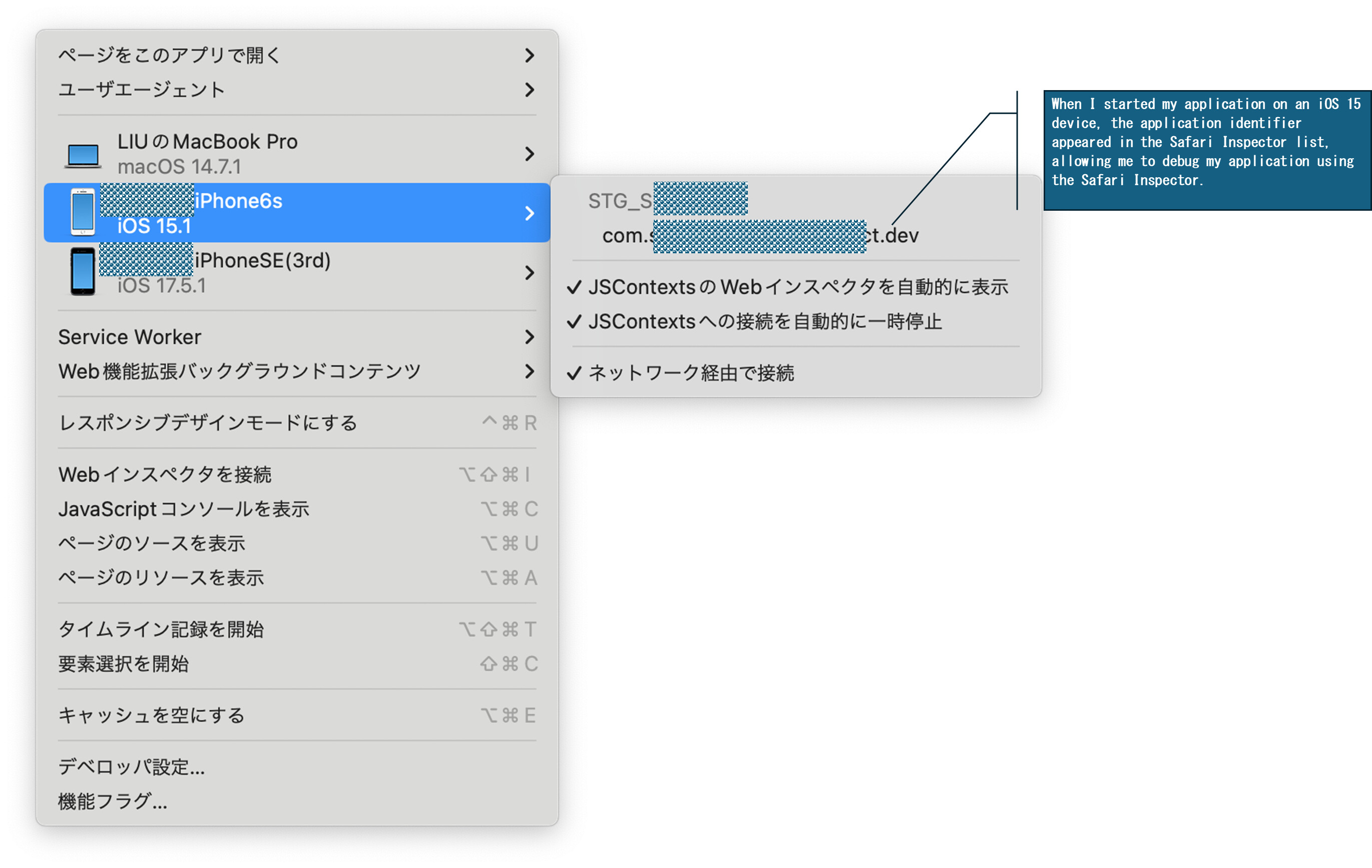
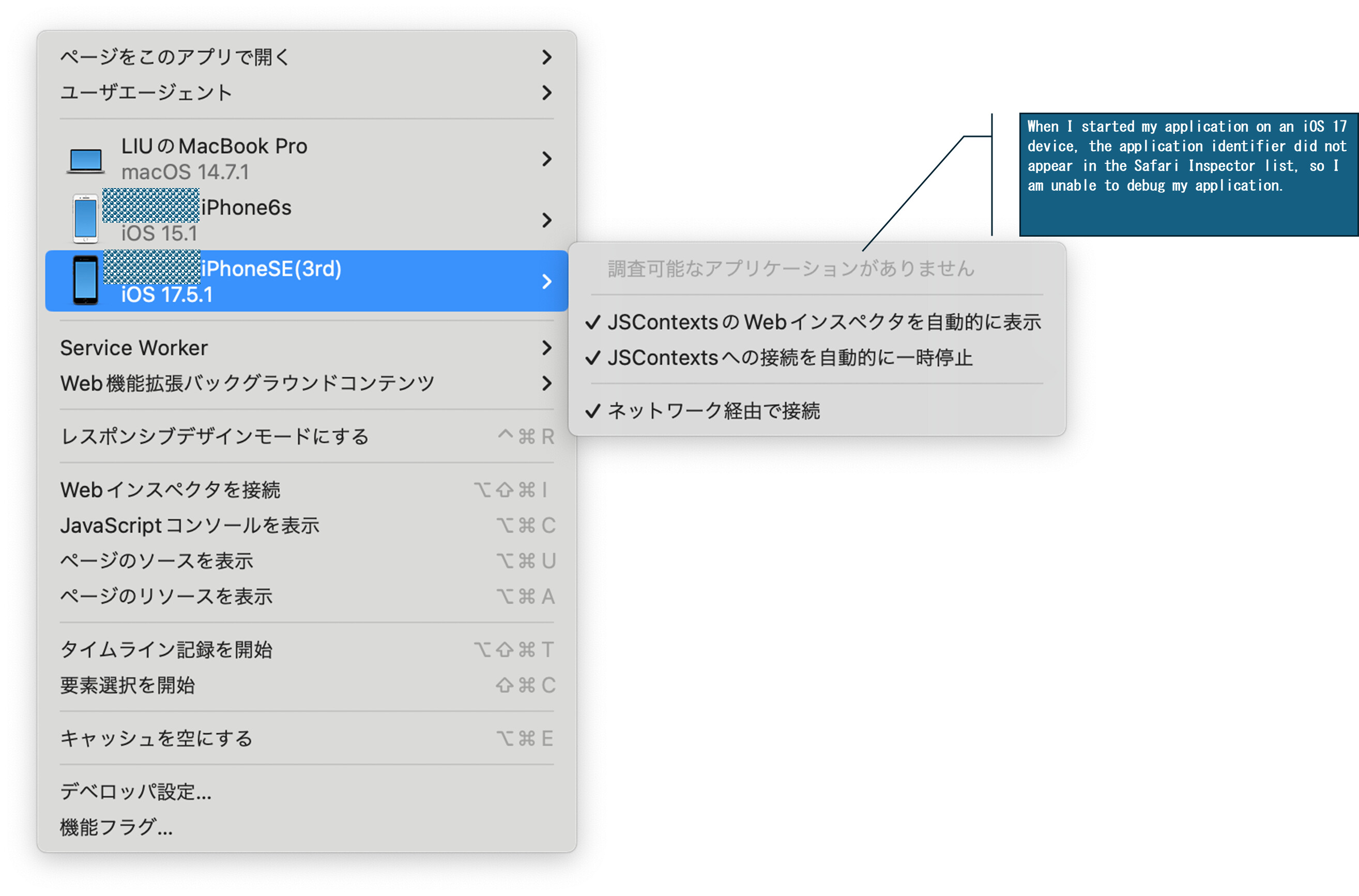
I can debug the app installed into iOS15.1 devices with Safari Inspector. But the same Application installed into iOS17 devices, the Application process did not show in the devices-list of Safari-Inspector after the application launched.
I am Using XCode15.1 and VoltMX Iris 9.5.22.
Does anyone can help me with this issue? Thank u in advance!
Hello @mingchuan liu,
Please check if the following article helps:
https://support.hcltechsw.com/csm?id=kb_article&sysparm_article=KB0106916
Thank you!
Hello @Melissa Chavez ,
Thanks for your reply , I tried as the following article contents , I failed at the Step to run application as Debug build configuration from XCode . I edit the KRelease build configuration from Release to Debug , But I can not start the application . It ended with "Command PhaseScriptExecution failed with a nonzero exit code" . Do you know how to resolve this issue ?
https://support.hcltechsw.com/csm?id=kb_article&sysparm_article=KB0106916
Hello @mingchuan liu ,
We have seen the referenced error when the automatic signing option is not working, due to having a couple developer certificates. Try manually selecting the development certificate in Xcode build settings and try again.
Thank you!
HI @mingchuan liu ,
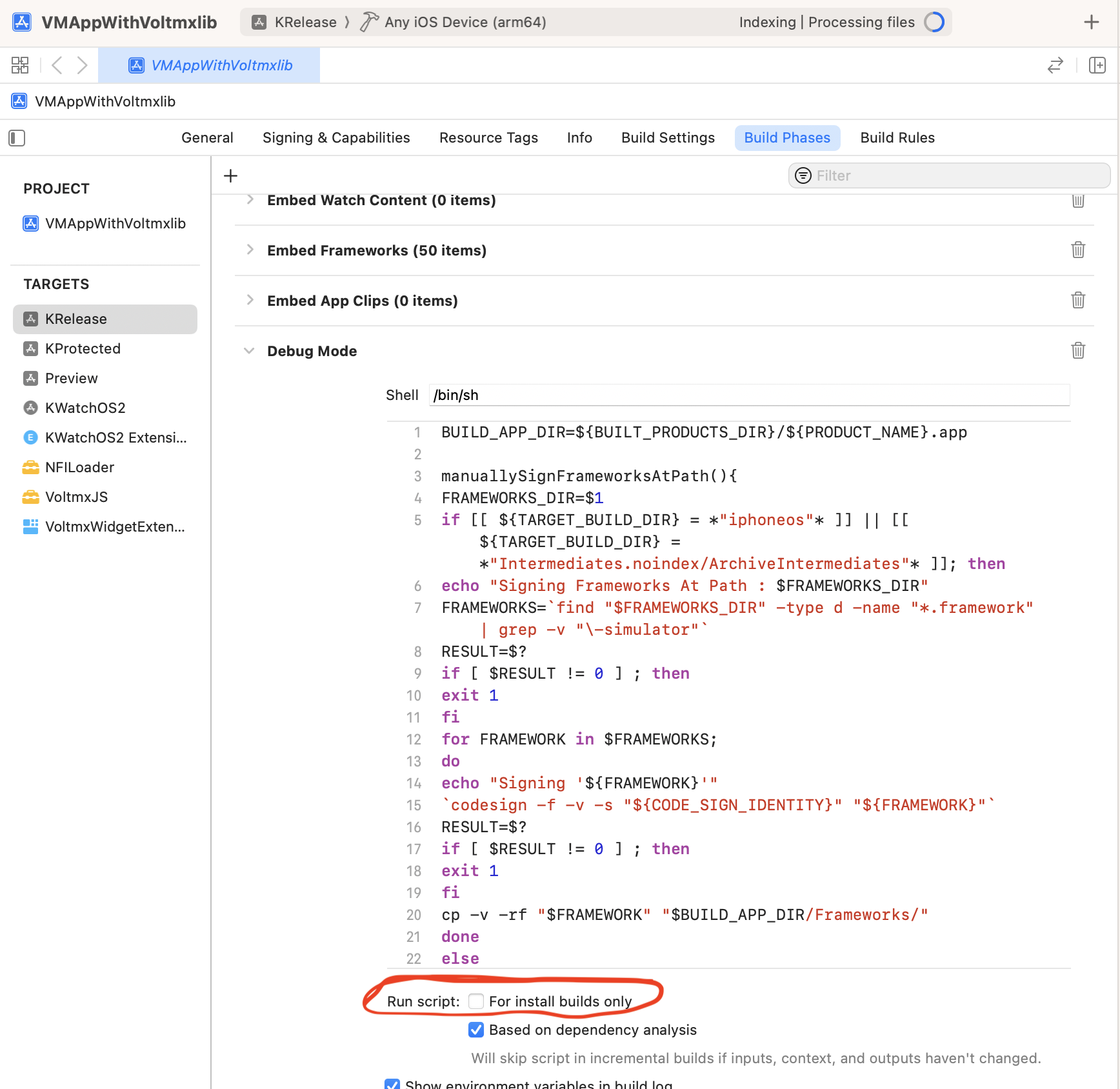
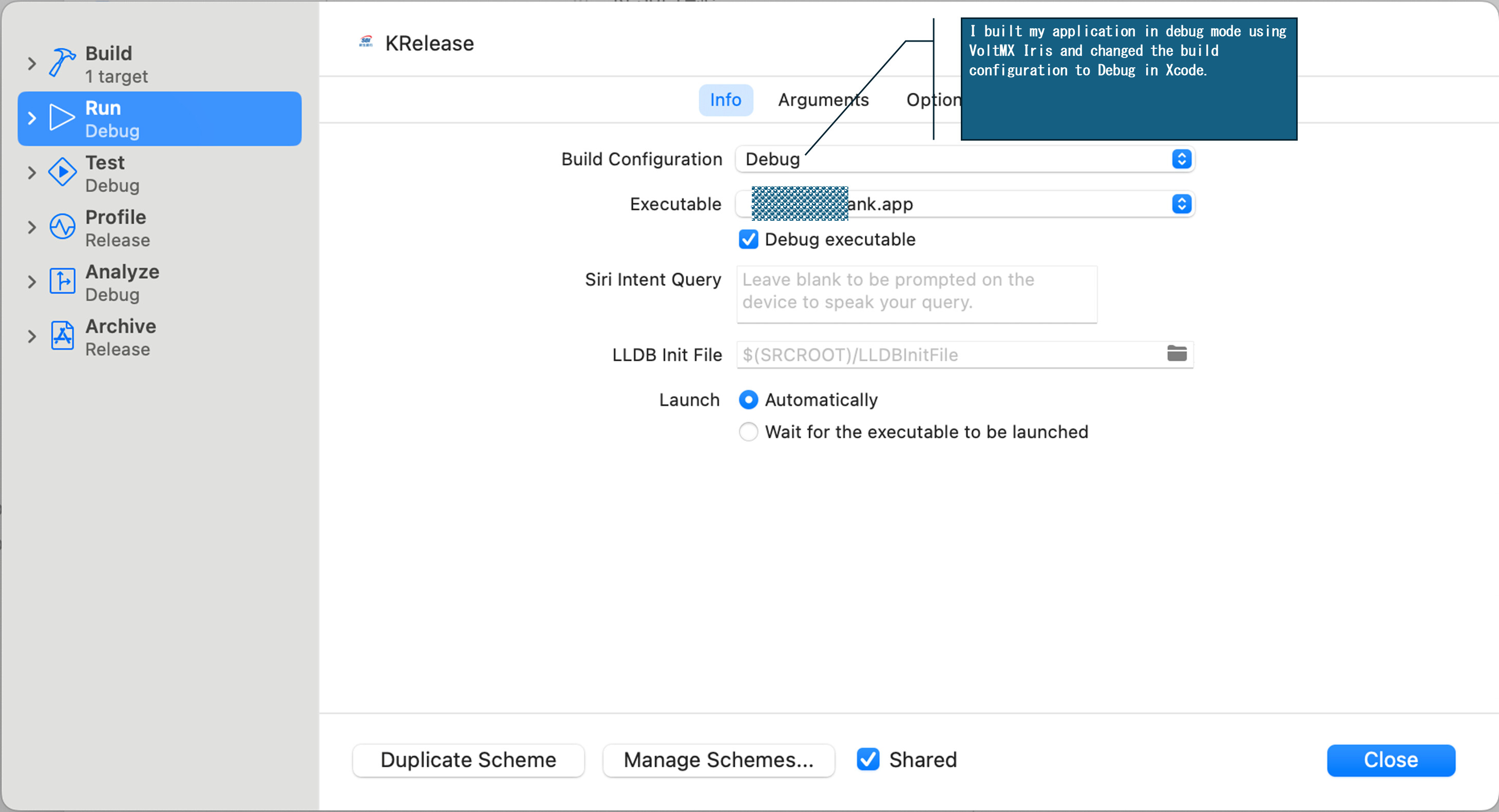
After changing the xcode -> edit scheme -> Release to Debug mode you are getting this "Command PhaseScriptExecution failed with a nonzero exit code". To resolve that error you need to do one more step in xcode
In KRelease -> Build Phases -> DebugMode -> Please enable the checkbox the Runscript for Install builds.
After doing the above step you are able to build the application successfully.
Regards,
Harish Kumar
HI @mingchuan liu ,
Can you mark this question has a solution provided
Please let me know if you have any queries.
Regards,
Harish Kumar
HI, @Harish Kumar Boyina
Thank you for your reply! Following your steps, I successfully built the debug mode application and installed it on my iPhone running iOS 17. However, the application's process is still not showing up in the Safari Inspector, so I am still unable to debug it using Safari. Do you know how to resolve this issue?
HI @mingchuan liu ,
Thanks for your update. Can you please refer to the below link and follow the steps.
https://support.hcl-software.com/now/nav/ui/classic/params/target/kb_view.do%3Fsysparm_article%3DKB0117582
Please let me know if you have any queries.
Regards,
Harish Kumar
HI, @Harish Kumar Boyina
As a developer using VoltMX Iris, I do not have the necessary access rights to view the URL you shared above.
Hi @mingchuan liu ,
Thanks for your update.
Please follow the below steps to resolve this issue.
-> In the Volt Iris installation folder in Mac machines
-> In that folder you will find the install_config.js file under the installation folder of iris.
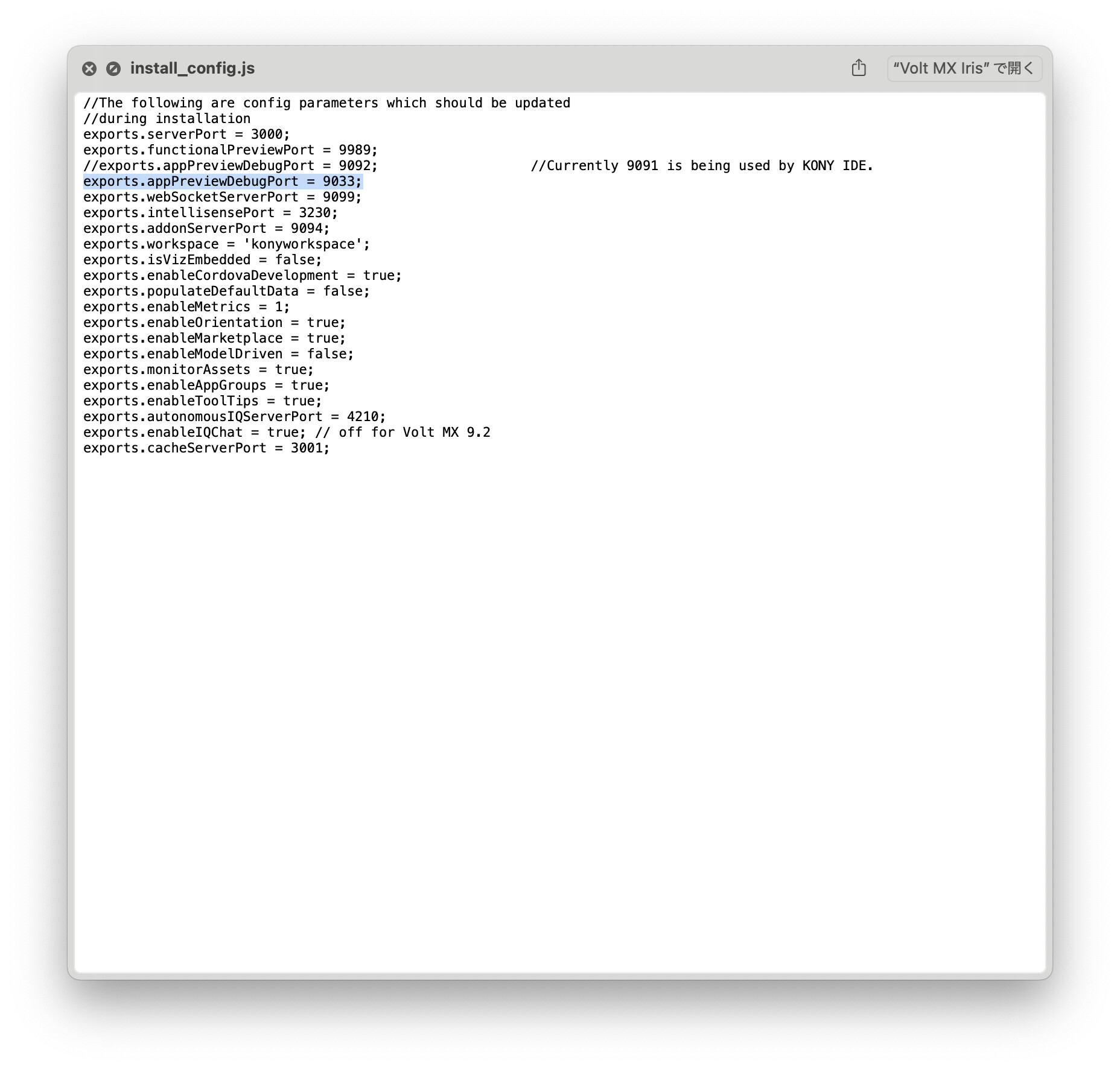
-> Open the install_config.js here you need to change the port number "exports.appPreviewDebugPort = 9033;"
-> Restart the Volt Iris application.
-> Build the application in debug mode.
-> Run the application from device, you will find safari debug editor opens.
Please let me know if you have any queries
Regards,
Harish Kumar
HI, @Harish Kumar Boyina
Thank you for your reply. I tried the steps you shared above, but it still does not work.
You can check the screenshot below.
①change the port number "exports.appPreviewDebugPort = 9033;"
②I built my application in debug mode using VoltMX Iris and changed the build configuration to Debug in Xcode.
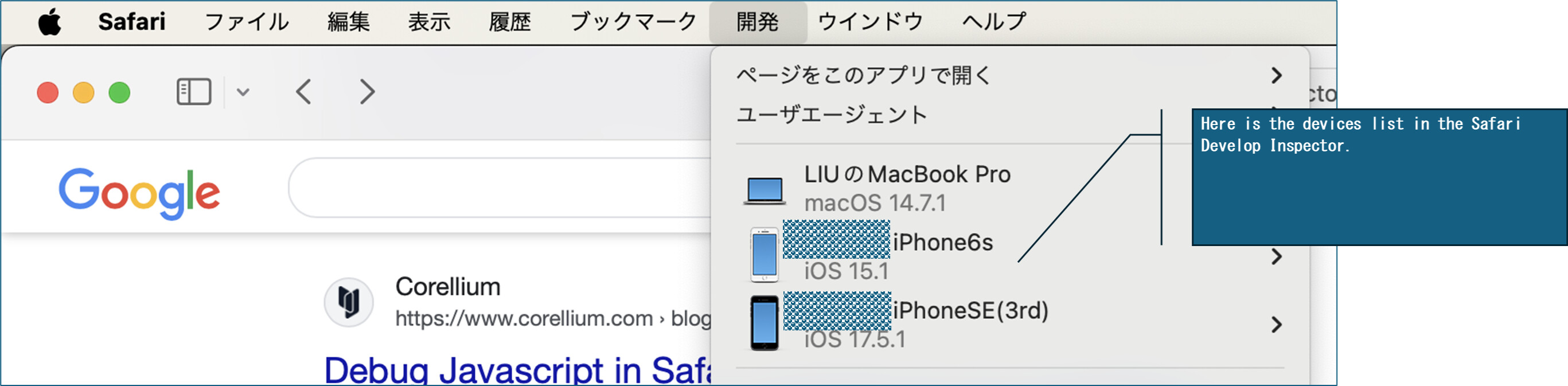
③Here is the devices list in the Safari Develop Inspector.
④When I started my application on an iOS 15 device, the application identifier appeared in the Safari Inspector list, allowing me to debug my application using the Safari Inspector.
⑤When I started my application on an iOS 17 device, the application identifier did not appear in the Safari Inspector list, so I am unable to debug my application.
HI @mingchuan liu,
Thanks for your update. Have you restarted the laptop & Volt MX IRIS ??
Please let me know if you have any queries.
Regards,
Harish Kumar
HI, @Harish Kumar Boyina
Thank you for your reply. Yes, I restarted my MacBook Pro as well as VoltMX Iris, but the result remains the same—it still does not work.