Could anyone please assist with the following ....
The sample app 'Page and Form Navigation' uses a HTML display atom to define a path to an image:
<img style="height:35px" src="/volt-apps/secure/1/content/0.2.0.7/6ed7ca3e-3b70-43d5-8252-ae6fb049ebd2/1588797738631-2/desktop/en/en/en/desktop/image/excellent.png">
How do I establish the path to my alternative uploaded image file?
Best regards
Stephen
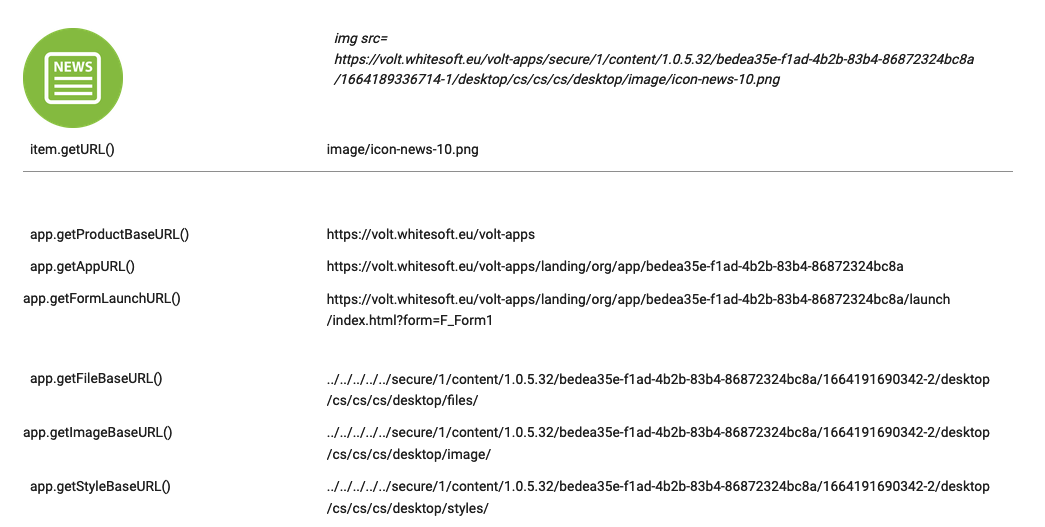
You can not do it easily as image.getURL() returns only a relative path (to what??) and app.getImageBaseURL() is also a relative path.
You have to use app.getProductBaseURL() and combine it with app.getImageBaseURL() and remove leading "../../../../../". Then you must remove extra "image/" and concatenate it with image.getURL().
Perhaps somebody from HCL can explain why they had implemented it in this way...
- Why image.getURL() returns the "image" folder too? Could it be something else?
- Why app.get...BaseURL() methods return ugly paths?
- Why app.get...BaseURL() methods return relative paths only?
Many thanks Jan, you've solved it!
My approach was erroneous; using your suggested syntax gives different results depending on whether the app is being executed as a 'Preview' or actually Launched. I was previewing and not launching.
var image = app.getFileBaseURL();
alert(image);
./secure/1/preview/1.0.4.10/6ed7ca3e-3b70-43d5-8252-ae6fb049ebd2/CN%3DStephen%20Doe__OU%3D**-**__O%3D***__C%3DDE/desktop/en/en/en_preview/desktop/files/
/secure/1/content/1.0.4.10/6ed7ca3e-3b70-43d5-8252-ae6fb049ebd2/1664200432393-2/desktop/en-GB/en/en/desktop/files/