First of all you need your list of paths in a variable. You could do that in different ways depending on how the list of paths looks. If e.g your list of databases to delete us a comma separated list like this:
Mail\deleteme1.nsf,Mail\deleteme2.nsf,Mail\deleteme3.nsf
then you can easily build an array from this with one line of code:
Dim filePaths as Variant
filePaths = Split("Mail\deleteme1.nsf,Mail\deleteme2.nsf,Mail\deleteme3.nsf", ",")
If you have the list e.g. in an excel file, then you could use excel formulas to construct something like this:
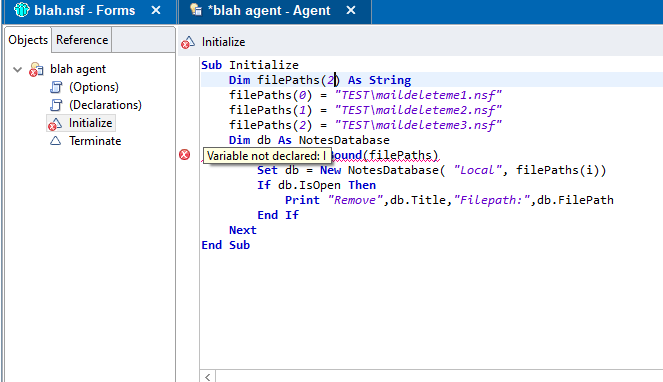
Dim filePaths(2) As String
filePaths(0) = “Mail\deleteme1.nsf”

filePaths(1) = “Mail\deleteme2.nsf”

filePaths(2) = “Mail\deleteme3.nsf”
In both cases you then run through all values in the array, open the database and remove it:
Dim db as NotesDatabase
Dim i as Integer
For i = 0 to Ubound(filePaths)
  Set db = New NotesDatabase( "YourServerName", filePaths(i))
  If db.IsOpen Then
    Call db.Remove
  End If
Next
Of course this is only the absolute minimum of the needed code, it does not contain any error handling, logging, or any other security measurment. You could replace the line
Call db.Remove
With
Print "Remove", db.Title, "FilePath:",db.FilePath
Then you could see on the console / in log.nsf which databases would be removed before really removing them…