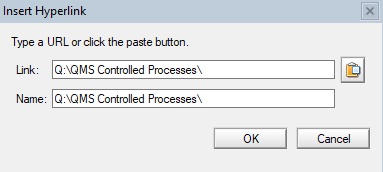
I have several network shared folder like:

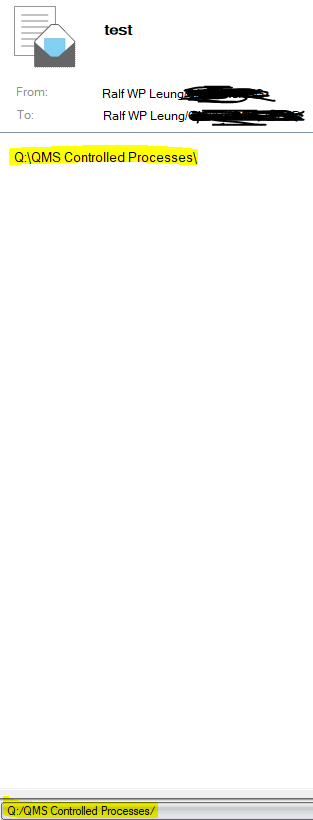
user will send the hotspot:
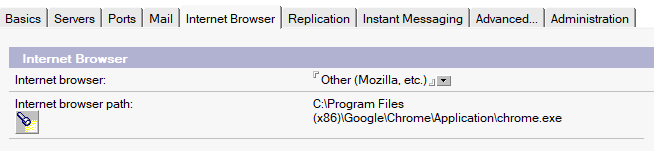
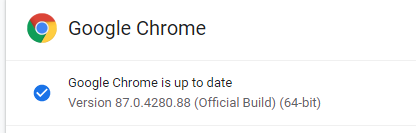
For the default Internet Browser, we are now using Google Chrome (with latest version):
============
Here is the screen that the hotspot link will separate into few tabs in Google Chrome:

============
However, I can normally access in Google Chrome when I enter the link "Q:\QMS Controlled Processes\" or "Q:/QMS Controlled Processes/"
============
I know there has a method which can access with opening file://:
However, we have difficulties to educate users to use this alternative.
============
I guess there has some conversion when clicking hotspot but I do not know what it do in background.
How can I achieve to using Chrome? Thank you.
Hello Ralf,
Hope you are well!!!.
Please try the below approach and let us know your thought.
Hotspot Link Formula is: "file:///D:/QMS%20Cotrolled%20Processes/"
You can either remove the space from a folder name or put '%20' character for space.
The output will be on:
Google Chrome is up to date
Version 87.0.4280.88 (Official Build) (64-bit)
Hi @Pravin Shelake , thank you for your advise.
However, I tried to use file:// and I know it is work:
As I mentioned, we have difficulties to educate users to use this alternative..
It will be more difficult to use Formula..
Hello @Ralf Leung
We can understand the concern regarding educating the end-users to use the correct formulas.
Probably below Hotspot Link Formula could help here
Formula with space: "file:///D:/QMS%20Cotrolled%20Processes/"
Formula without space: "file:///D:/QMSCotrolledProcesses/" (remove space from folder name at drive level only)
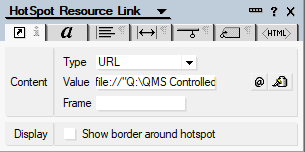
hello @Pravin Shelake, I tried to use below structure and I know it is work:
file://"Q:\QMS Controlled Processes"
But there are several mapped network share drive and our users will just copy the path and make as hotspot..
Please let me know if any misunderstanding, thank you:)
Hello Ralf,
Please refer the below document and see if it helps.
How to create a hotspot / hyperlink to a network share
https://support.hcltechsw.com/csm?id=kb_article&sysparm_article=KB0029417
Thank you.
Shrikant J
Hi @Shrikant Jamkhandi , thank you for your advise.
As the network drive is already mapped to all of our users, they will only make a hotspot with driver letter as:
Seems not able to use \\server\share\path to folder\
Hello all, what I tried is use:
- Lotus run as Standard Mode
- hotspot initial with "file://" run as Basic Mode
- hotspot will be separate into several tabs in Firefox / Chrome / Edge
However, we want the final result is no need to add any initial in hotspot and can run normally under Google Chrome.
Does anyone meet the same situation? or it is a well-known issue?
Thank you.