How do I set up a segment to get the designer below?
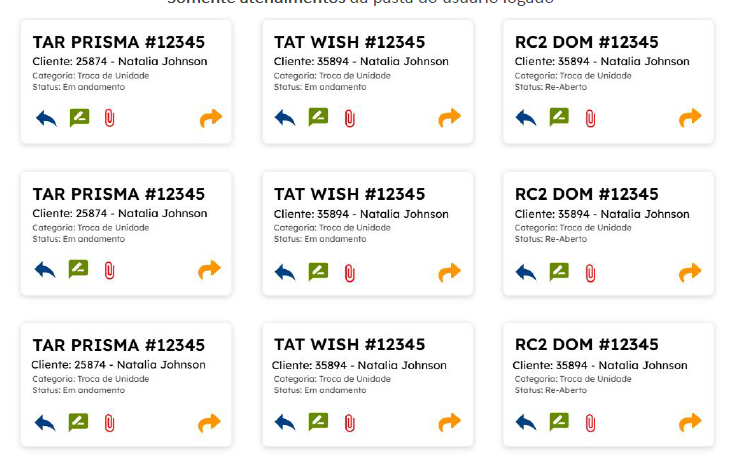
Hi Rubens,
I created a rough design to match what you asked for above:
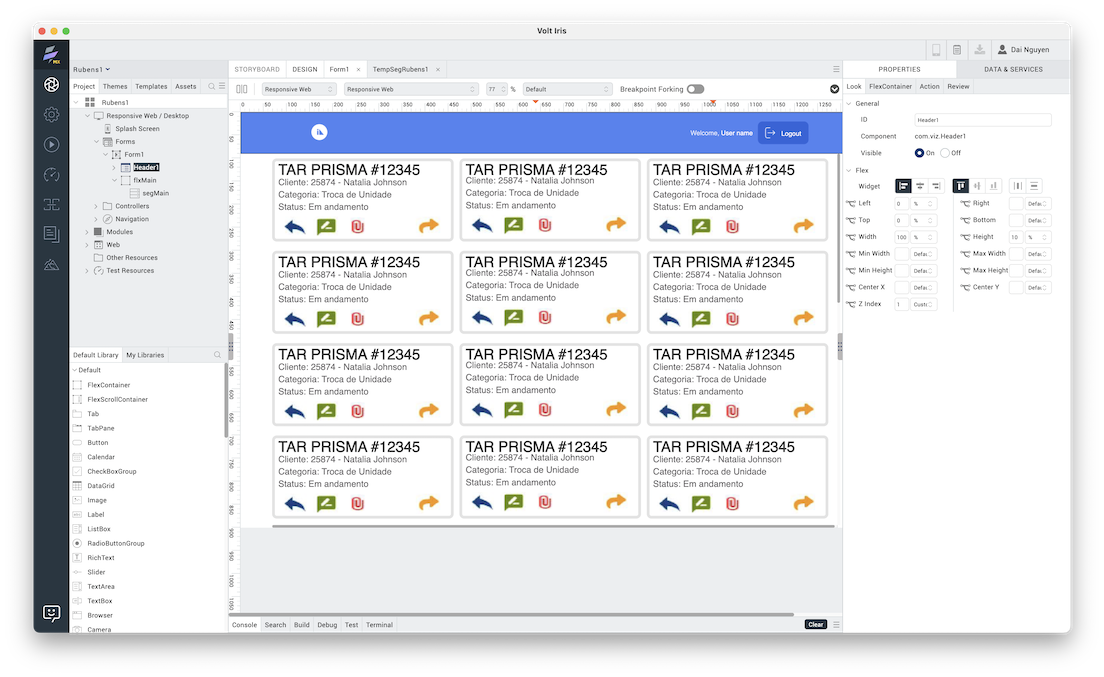
You can download the Volt Iris project below:
Sorry the above link is bad. This one should work:
Hi, thanks for your help, but I ended up creating a function for this:
function criaContainerSol2(Obra, Nome, Contrato, Status, Categoria, Email, Fone1, ID, CriadoEm, ModificadoEm, Detalhe) {
var paiFlex = new voltmx.ui.FlexContainer({
"id": "paiFlex"+ID,
responsiveConfig: {
"span": {"640": 12, "1024": 6, "1366": 3, "1920": 2},
"offset": {"640": 0, "1024": 0, "1366": 0, "1920": 0},
},
"height": "128dp",
"left": "2%",
"top": "4%",
"zIndex": 1,
"isVisible": true,
"clipBounds": true,
"layoutType": voltmx.flex.FREE_FORM
});
var childFlex = new voltmx.ui.FlexContainer({
"id": "childFlex"+ID,
"width": "90%",
"height": "90%",
"centerX": "50%",
"centerY": "50%",
"zIndex": 1,
"isVisible": true,
"clipBounds": true,
"layoutType": voltmx.flex.FLOW_VERTICAL,
"skin": "sknFlexSolicitacoes"
});
childFlex.onClick = function() {
AppData.solicitacao = new Solicitacao(Obra, Nome, Contrato, Categoria, Status, ID, Email, Fone1, CriadoEm, ModificadoEm, Detalhe);
var ntf = new voltmx.mvc.Navigation("AppGroup/ViewSolicitacao");
ntf.navigate();
};
// Adiciona um rótulo ao FlexContainer filho (opcional)
lblBasic = {
id: "linha1"+ID,
skin: "sknLabelGridLinha1",
text: Obra + " # " + ID,
"isVisible": true
};
lblLayout = {
containerWeight: 100,
padding: [3, 3, 0, 2],
margin: [3, 3, 0, 2],
hExpand: false,
vExpand: false,
contentAlignment: constants.CONTENT_ALIGN_MIDDLE_LEFT
};
pspConf = {
renderAsAnchor: false,
wrapping: constants.WIDGET_TEXT_WORD_WRAP
}
var childLabel1 = new voltmx.ui.Label(lblBasic, lblLayout, pspConf);
lblBasic = {
id: "linha2"+ID,
skin: "sknLabelGridLinha2",
text: "Cliente: " + Contrato + " - " + Nome,
isVisible: true
};
lblLayout = {
containerWeight: 100,
padding: [3, 1, 0, 1],
margin: [3, 1, 0, 1],
hExpand: false,
vExpand: false,
contentAlignment: constants.CONTENT_ALIGN_MIDDLE_LEFT
};
var childLabel2 = new voltmx.ui.Label(lblBasic, lblLayout, pspConf);
lblBasic = {
id: "linha3"+ID,
skin: "sknLabelGridLinha3",
text: "Categoria: " + Categoria,
isVisible: true
};
var childLabel3 = new voltmx.ui.Label(lblBasic, lblLayout, pspConf);
lblBasic = {
id: "linha4"+ID,
skin: "sknLabelGridLinha4",
text: "Status: " + Status,
isVisible: true
};
var childLabel4 = new voltmx.ui.Label(lblBasic, lblLayout, pspConf);
// Adiciona o rótulo ao FlexContainer filho
childFlex.add(childLabel1);
childFlex.add(childLabel2);
childFlex.add(childLabel3);
childFlex.add(childLabel4);
paiFlex.add(childFlex);
// Adiciona o FlexContainer filho ao FlexContainer pai
parentFlex.add(paiFlex);
}
Great work Rubens. You can develop advanced logic and UI using JS code.