GIF Image not working in bar code Scanning Component in HCL MarketPlace

Hi Team,

We are building bar code functionality for one of our apps.

We used the latest barcode component from HCL Market Place MLKIT BARCODE/QR SCANNER the link is below

MLKit Barcode/QR Scanner | HCL Marketplace

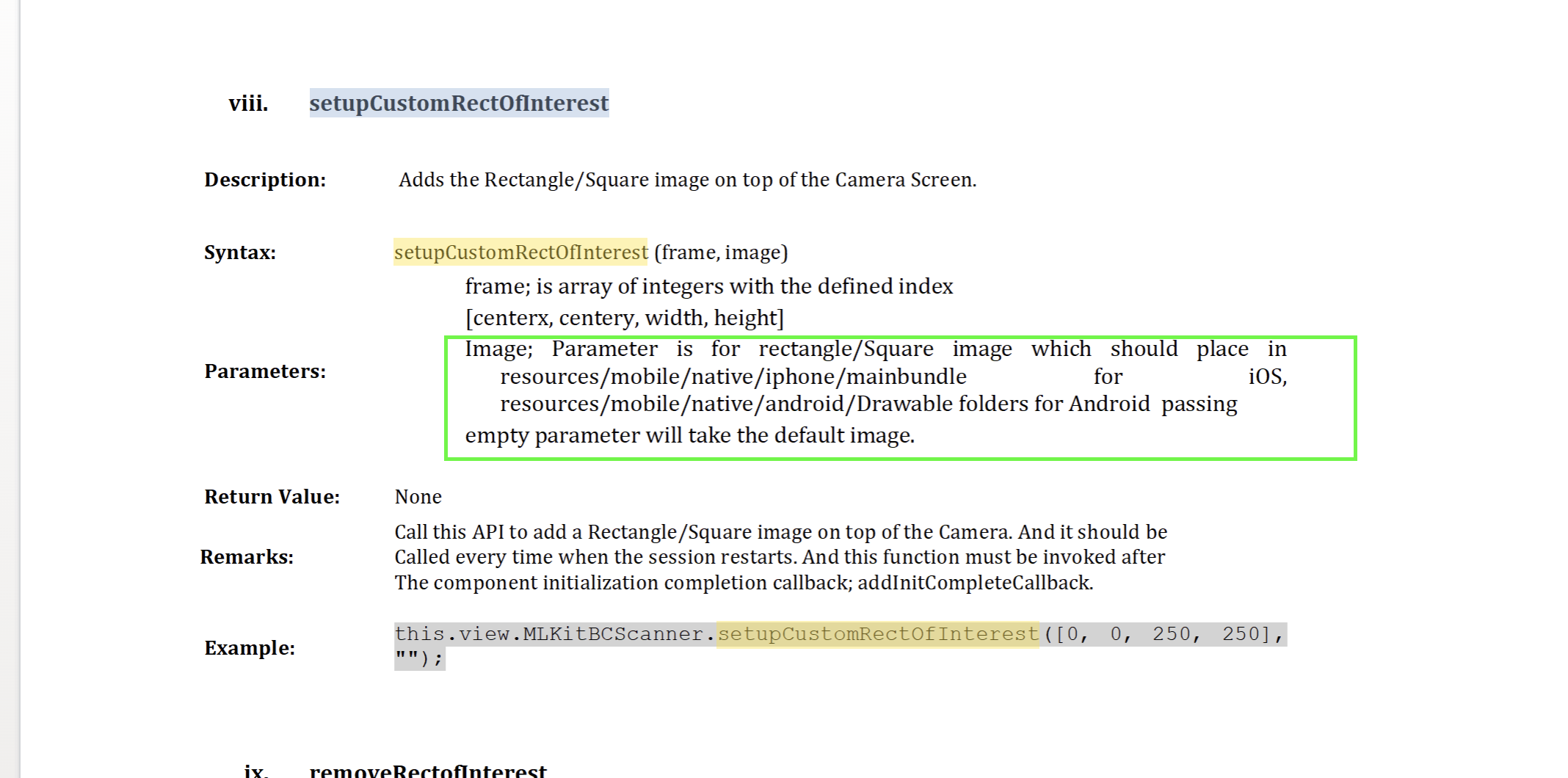
In this particular component there is option to add scanning frame with an image **setupCustomRectOfInterest (frame, image) **

If I give a gif image in this image argument, the image is not working

Kindly help us with this issue

Hi,

Is this issue occurring on Android or iOS?

Also, could you please confirm whether the GIF file has been placed in the correct location as specified in the How_to documentation? We’ve tried to reproduce the issue on our end but haven’t been able to.

Just to note:

  • For iOS, you need to provide the image with the extension (e.g., image.gif or image.png)
  • For Android, provide the image name without the extension (e.g., image) when referencing it in Iris.

Please verify these points and let us know if the issue persists.
Thanks!
Gaurab