There is a mail file with an active full-text index and indexed file attachments. The index is up to date. But the full-text search in file attachments does not work. The files to be searched are excel files. The search does not return any results.
The search for other entries (texts in emails) works. The index has already been recreated once.
2. Check if notes.ini file contains following parameter
FT_Index_Attachments
If this is set to '1' then attachments will be indexed. If this is set to '2' then attachments will not be indexed.
3. Check if notes.ini file contains the following parameter which overrules default behavior of indexing file formats so that no attachments can be full-text indexed until you define attachment types using further parameters. FT_USE_MY_ATTACHMENT_WHITE_LIST=1
The following parameters are used to define attachment types to be full-text indexed by the conversion filter. To configure attachment types to be indexed in all databases, you need to use any one or both parameters as needed:
FT_INDEX_FILTER_ATTACHMENT_TYPES=*.<format>,*.<format> Where <format> is a file format. Use a comma between formats.
FT_INDEX_FILTER_ATTACHMENT_TYPES_MAX_MB=<value> Where <value> is an optional maximum attachment size in MB to limit the size of files that can be searched. There is no limit if not specified.
NOTE: If *.xls/*.xslx are not mentioned here then excel files will not be indexed. Also, if attachment size in is limited and excel size which you are searching exceeds this size then you it will not search.
If you still face problem then please refer to this article for further troubleshooting steps.
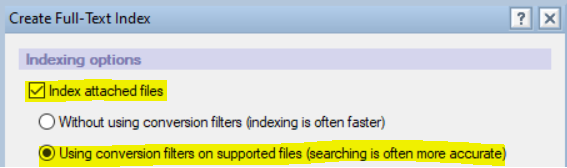
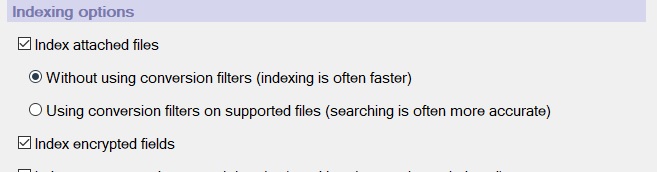
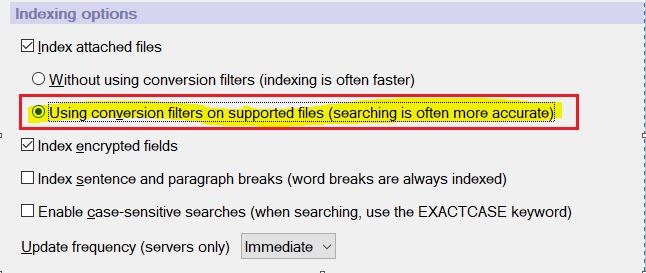
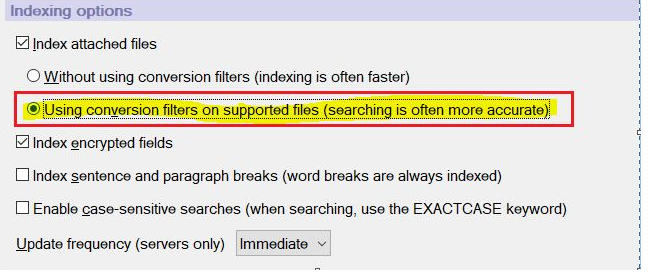
On the mentioned database, please check the options selected for full text. Please navigate to Database--> Properties -->Select Full text (Second last Tab( -- select update index and check if the below option is selected.
When conversion filters are used for attachment full-text indexing, the Domino server and Notes standard client use Apache Tika 2.4.1 open-source conversion filters to extract text for full-text searches of attachments.
Hence, please update or recreate the full-text index of the mentioned database using the above option and then check accordingly.
Also, please check if the below parameter was added to the server.
FT_INDEX_ATTACHMENTS=2
This parameter enforces not to full-text index attachments. If the parameter is added, we need to remove this parameter from the server and then perform a full-text index of the database and check accordingly.
I hope this is helpful to you. If this answer is beneficial, please accept it to benefit others with the same problem/query.