Hi,
in this environment
HTMO 3.0.3 with Office 2019
Mail server: 12.0.1
R&R server: 12.0.1
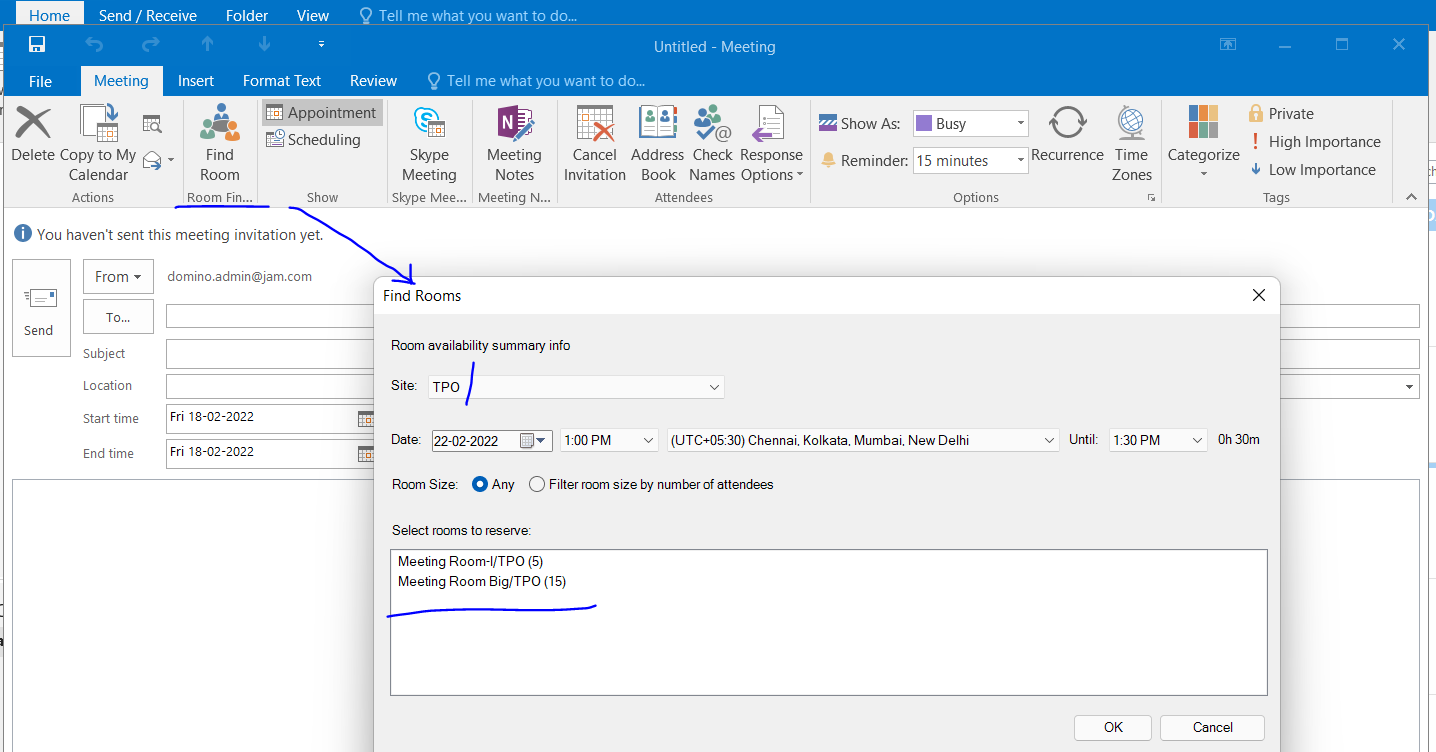
creating a new meeting, "Find room" button is disabled and user cannot book a room: does anybody else experience this?
Thanks
Hi,
in this environment
HTMO 3.0.3 with Office 2019
Mail server: 12.0.1
R&R server: 12.0.1
creating a new meeting, "Find room" button is disabled and user cannot book a room: does anybody else experience this?
Thanks
Hello Stefano,
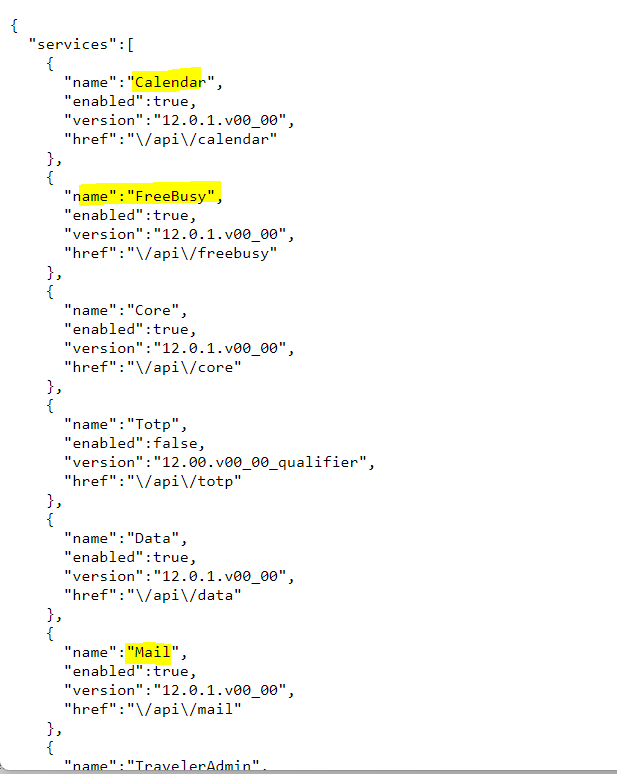
Do you see the required api services for HTMO on the Domino server ? Output to know api are enabled on the HTMO server as below. You can access the URL for your HTMO server.
https://mailserver.hclpnp.com/api
I can see it shows Find Room working when these api services enabled in the server document a below.
Internet Protocol->Domino Web Engine -> Domino Web Access Services - > Enabled services.
Thank you
Regards
Shrikant J
Stefano,
Please confirm your HTMO Outlook Plugin in Enabled - File -> Option -> Addins -> Manager to confirm its enabled. If not then select the Disabled option under Manager to enable. This could fix your issue. The mail will sync without the Addin enabled.
I have seen the HTMO addon being disabled from start of the setup. If you enable it, I have also seen issues where you will need to create the profile again.
Current Open Issues -
1) Addon Disable Issue (Random)
2) Registry Repair Option not working
3) Profile Repair under advanced will corrupt the profile causing Outlook to crash and not start. You may need to do a delete of the user and devices on the Traveler Server to get it resync. I have the exact same versions you mentioned above.
I had support confirm 2 and 3, they are having issues with duplicating #1.
Please open a Case for any and all issues with HTMO, I have been trying to help on making this product more stable. I heard they may release another version by the end of March to fix these issues, no official word yet.
Please share your challenges with using HTMO and Outlook.