Hello everyone,
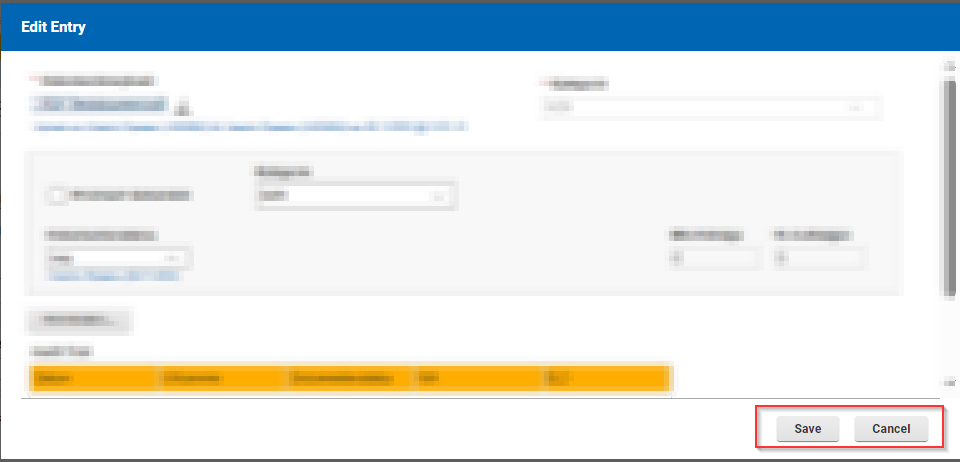
I would like to use a script to change certain fields on a table form when I open the table form and when I close the table form again.
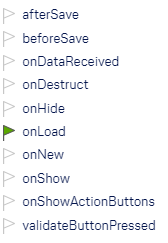
When I open the table form it works without any problems. With the "onLoad" event I can change the fields when I open a tab entry within the table form. And this is independent of whether I create a new entry in the table or whether I open an existing entry.
If I create a new table entry and close it with "Save", the code is executed in the "onHide" event.
However, if I open an existing record from the table, the code under "onHide" is no longer executed when I close the table form. In fact, I have not found any event that executes my code when closing an existing table row.
Where is my error in thinking about this?
Many thanks in advance
Vici
You do not have any error in your thinking. There is a gap in our table implementation, we need to add an event that you can use.
In 9.3.4 we actually hid all the events that are not implemented for a table, so at least it is more clear (but that doesn't help you).
You could try putting your code in the onAdd() event of the table object on the canvas. In my testing I can see that this event runs after clicking the "Add" button in the table dialog.
Can you give me a bit more detail about the use case? Why are you trying to do this?
Hello Christopher, thank you very much for your reply.
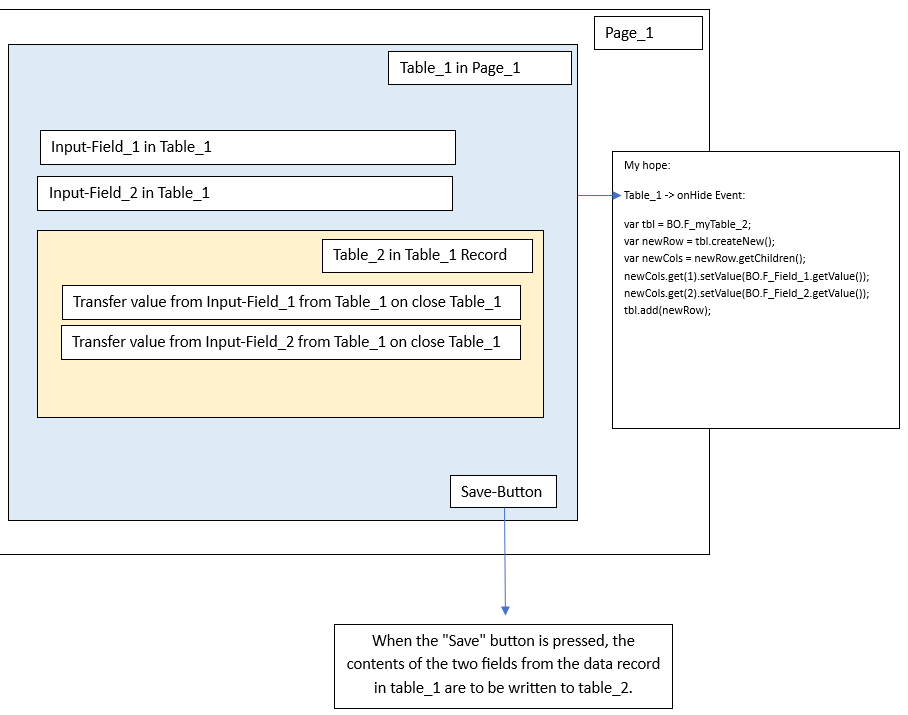
I have packed my use case into a graphic. Pictures say more than words :-) Specifically, it is about transferring the content of two fields to a table (Table_2) when leaving the table (Table_1). Table_2 is located in Table_1. The onHide method would be well suited for this. I can of course take a diversion and check all other fields when changing each field (onChange) and generate the table entry in Table_2 from this when Table_1 is open. It's more work, but maybe it would be a solution.
Unfortunately, the onAdd() method does not work because the window is already closed. I can no longer access my fields in the table:
(form.getPage('P_NewPage1').F_Input_Field1_in_Table_1.setValue("test");)
If you can't think of anything else, I would do it as described above. I look forward to your feedback.
Best regards
Vici
Given the current limitations I would just set the value in the main form in the onItemChange event of each field in the table. By doing this the value would stay up to date, it doesn't really matter if it happens every time the field changes or once when the table add is done.
Hi Christopher,
how can I write a data record in a table that is located in a table? 
Unfortunately it doesn't work like that:
for(var i = 0; i < table.getLength(); i++) {  // My Main-Table
  var row = table.get(i); var cols = row.getChildren();
cols.get(0).setValue(“any value”);
// cols.get(1) is my Table in the Main Table

var rowTable2 = cols.get(1).createNew();

var colsTable2 = rowTable2.getChildren();

colsTable2.get(0).setValue(“my Value for my little Table in the Main Table”);

cols.get(1).add(rowTable2);

}
Hello, i know i am a little late but since there is no accepted answer here i thought i would add a solution.
You are able to access the data added to a table in the onAdd() event with the provided parameter ‘itemBO’. With that you can access the newly inserted Row.
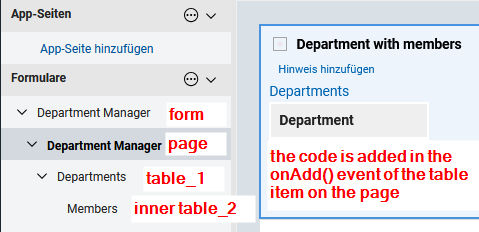
i created a small demonstration to demonstrate how to modify a the ‘inner table’ of a newly added row:
// onAdd() event Code for the "Department with members" element
// using itemBO you can access everything added to the table "Department with members"
// "itemBO.F_T_Members" returns the table object for the members table
// Note that the autocomplete will not suggest table items. either search for the ID by hand or with the 'ctrl + space' menu
let table = itemBO.F_T_Members;
let newRow = table.createNew(); // create a new Row for the "inner table"

// just to demonstrate with this code i will always add myself as Head of the department i added
newRow.F_Name.setValue(app.getCurrentUserDisplayName());
newRow.F_Position.setValue("Head of "+ itemBO.F_Department.getValue());

// add the newly craeted row to the "inner table"
table.add(newRow);
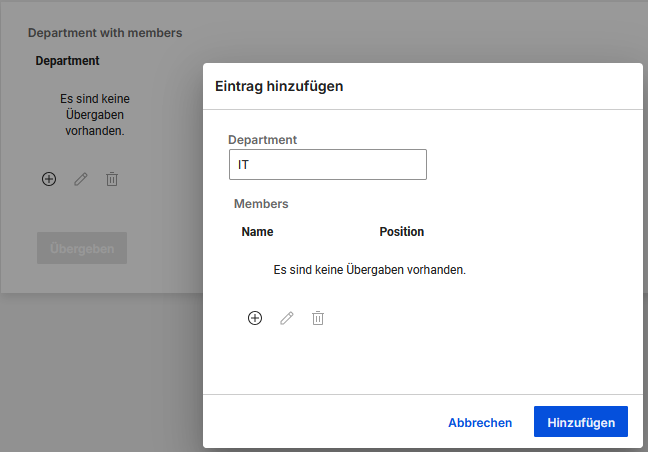
Before submitting the row:
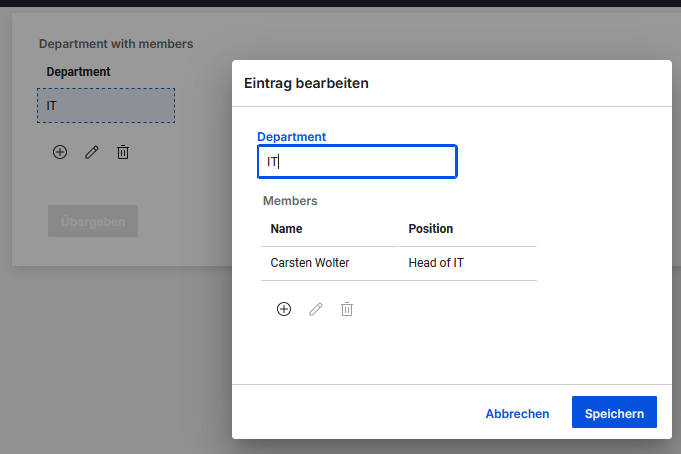
After submitting the row and opening the entry again:
The same can be done inside the onHide() event of the ‘inner table’ item on the table_1 form (here ‘Departments"‘).
For the onHide to work you dont need the itemBO, which is also not available at that time, instead use the ‘item’ variable. So if you take the existing code from above and change the itemBO to item it will work in the onHide event as desired.
Make sure that the item is not already hidden, when closing the form. And remember that this will be executed every time the table entry is opened, so you might create many rows depending on your usecase.
Hope this helps