In my Notes Client, a "State" field, which is an "Editable Combobox field" allows the User to type any letter, and it will cycle through the list of States that start with that Letter.
In Nomad, it does not work the same way. By clicking in the field, I can see the entire list of values, but I need to scroll to the value I want and select it.
Is there a way of making the Nomad version work the same as the Notes Client?
Which Nomad client(s)? iOS and Android generally don't have the keyboard, so typing a key doesn't necessarily make sense to pick something in the list. But web browsers should have the key selection (or multiple keys) working to skip you to that item. If it is the web browsers client and it isn't working, you should open a support case so that we can get a sample database with exactly the field you have (exact match on the field settings) to see what is not working.
Thx Rob... I created Case # CS0705345
https://support.hcltechsw.com/csm?id=ticket&is_new_order=true&table=sn_customerservice_case&sys_id=431fb6bd1bd34214ddcd75d4cc4bcba4
Hi Paul,
Sorry, in Nomad this is not possible. The Editable combo boxes do work in Notes Client but not in Nomad.
Thank you.
Hi Sandeep... plse see my response above. As per Rob's request, I have created a Case, which is being looked into now.
Hello,
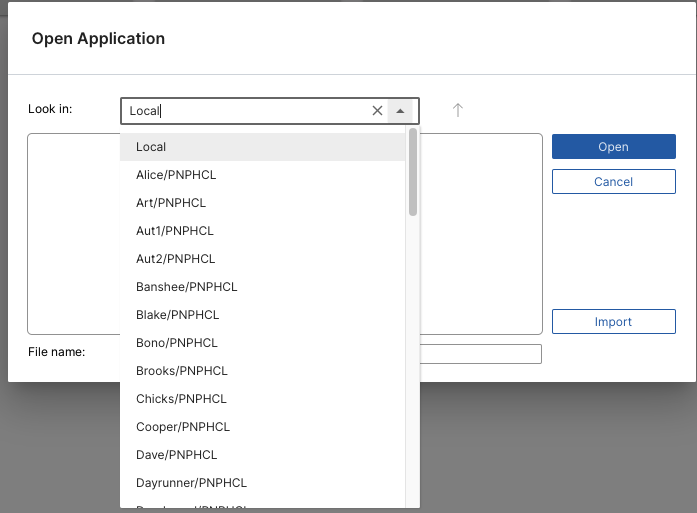
I looked this over more and the case (CS0705345) refers to Nomad Web. I just tried the steps outlined using the Open Application dialog. This dialog has an editable combo box with several servers in my network configuration. For example:
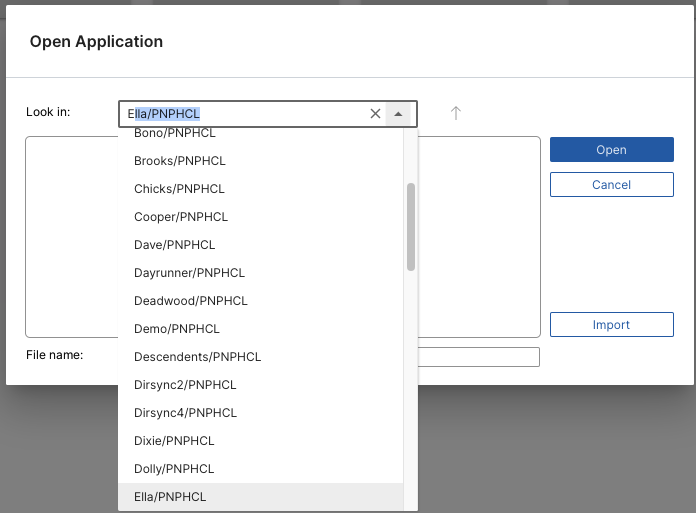
Notice the servers starting with the letter 'E' are out of view in the combo box. When I type the letter 'E' in the edit field of the combo box the selection scrolls to the first item beginning with the letter 'E'. For example:
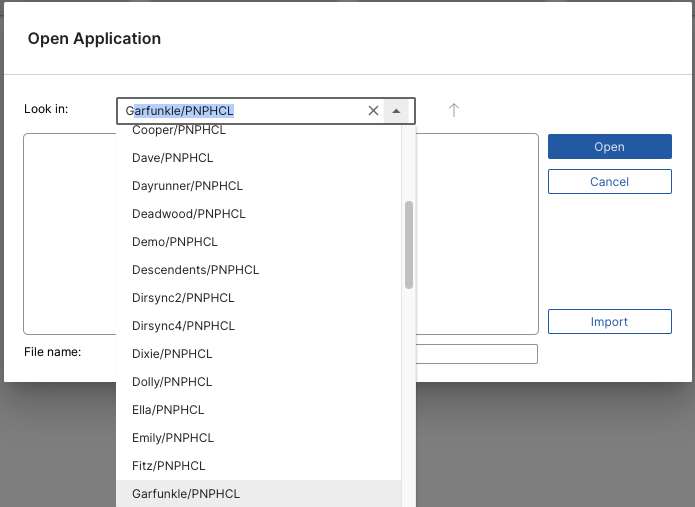
Again, but pressing the letter 'G':
Perhaps I'm missing the actual issue here, but it seems to be working as expected. Please clarify.
I also attempted to use the inspect.nsf application, however I'm having a difficult time getting it to work. When I attempt to edit and Establishment there are several error message boxes that popup and I'm not able to use it.
Thank you.
Thx for your efforts, Scott. Rather than dealing with both entries... in the Forum and the Case, it might be easier to just deal thru the Case, where I just requested that we jump on a Zoom call to review the issue.
Rgds
Paul