Problem/Query:
According to the Help the following actions should be available in the Notes client in the mail based on 14.5 template:
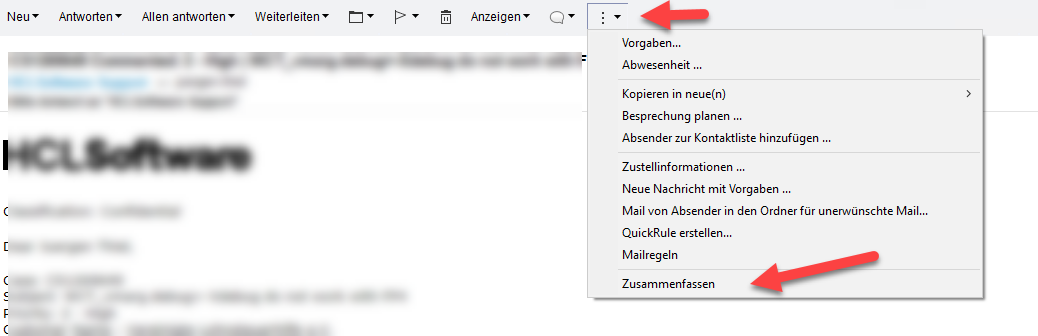
Summarize (under More icon)
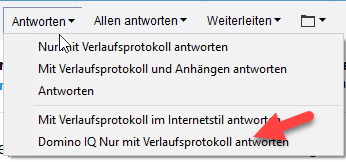
DominoIQ Reply/Reply to All with History Only
I do not see these actions in the menus.
I checked the following:
Client is v 14.5FP1
Template version is: StdR145Mail (13/03/2025)
Domino IQ is setup on the server with Remote mode, verified by running lotusscript code and getting response via lotusscript classes NotesLLMRequest and NotesLLMReponse.
Is there a setting somewhere that I missed to enable these menus?
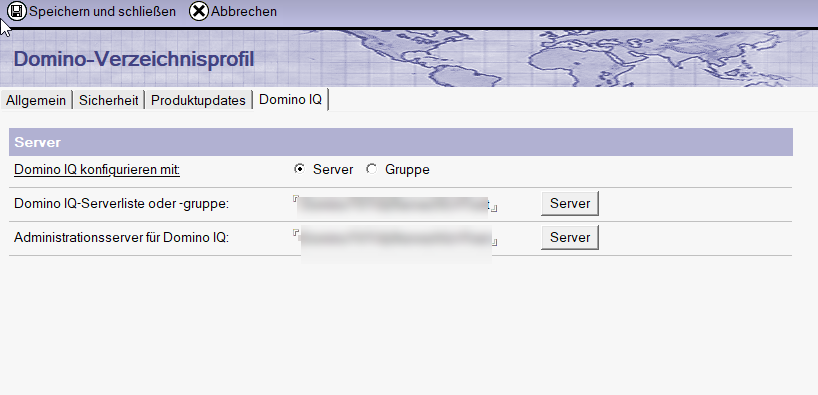
I confirm the settings that you mentioned were set in the Directory profile.
The important bit that was missing from the post was that I was accessing it as different user, not as the mail file owner. When I accessed it as mail owner from 14.5 client (no fixpack), I could see the actions and they worked.
Is there a setting that prevents other people apart from the mailfile owner to see these menus?
The user (User1/DOMAIN_A/CC) that can see the menus is has this server A as their main mail server.
The user (User2/DOMAIN_B) (no third part in their name) that cannot see the menus is cross certified (No userID on the server A) and in a different domain.
I do not know whether it makes any difference. I did not look into the code.
On my Test Environment, the user has an ID on the Test-Server/Test-Domain, for testing I used a copy of my personal Mailfile on the Testserver . The Test-User has another own mailfile what I not used.
Maby, only users with ID can see the Menu
It appears to be installation specific. On ComputerA no users were able to see the Domino IQ menus. On ComputerB the same users were able to see the Domino IQ menus.
ComputerA was originally v12.0.2FP5, which was removed prior to the installation of v14.5FP1, but the notes data directory was carried over. ComputerB was a fresh install of v14.5FP1.
There appears to be some kind of caching issue because when I switched locations and users on Computer B, suddenly my workspace refreshed and then on opening the mail files, I could see the Domino IQ menus on the Computer A as well.
The discussion on discord about DominoIQ led me to try changing the location on client.
I quote “Also on the client side there is a cache for commands you need to be aware of.
Some of the cache is only cleared when you change your location or restart your client.
So new commands might not show up immediately.”