I run our environment with Domino v12.0.1 HF11 and Trend Micro Scanmail for Domino v5.8 HF1090
Last week I did a upgrade of one testmachine to Domino v12.0.2 and run into issues:
- Trend Micro didn't load any more
- mail.box changed any droped email immediately to held status and didn't send in any case, also forced delivery won't work.
- also the LSI_Info from LotusScript stopped working....even it is an undocumented and unsupported feature.
- Deinstalling Trend Micro Scanmail for Domino didn't fix the held messages issue.
- I had to downgrade Domino to v12.0.1 plus HF11 and reinstall Trend Micro Scanmail for Domino. After that the router immediately delivered all held messages.
Any experiences out there to get Domino v12.0.2 working with Trend Micro Scanmail for Domino v5.8 HF1090
Thanks in advance
Klaus
We upgraded our Domino server from 12.0 to 12.0.2 over the weekend and I was worried about our installation of Scanmail. It's working fine. I haven't upgraded our version of Scanmail in a while so I'm not sure how out of date we are. Here are the specs:
Windows Server 2016
Domino 12.0.2
Scanmail 5.8 Build 1024 (no hot fixes installed)
Hi.
Interesting.
I haven't upgraded my Domino boxes yet. I'll definitely try on Test environments first.
Just a couple of questions:
Windows or Linux?
As SMID is not loading, it won't detect it's service. You probably have setup to don't deliver messages if SMID is not running. I would deactivate it in the meantime, gather some debug logs, or at least support files and submit a support case to Trend Micro.
In your console, you may run the following:
load SMDSupp
Once finished, it will provide you the name and path of a zip file containing support files in order to send to TM. Please mention your versions, just as described here, as well as the backend Operating System.
Hope this helps. I'll try to upgrade during the week on the test environment and I'll post my findings.
Sincerely,
Elvis
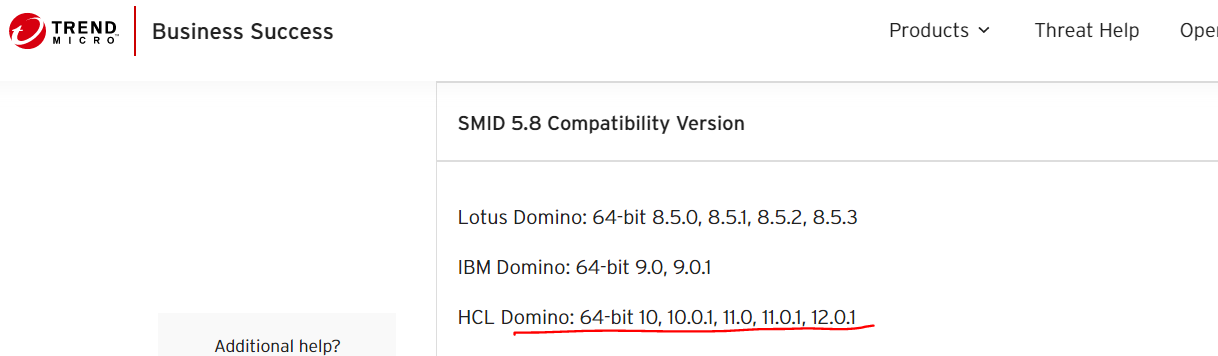
Looking at the below system requirement from TrendMicro for version 5.8. It looks like it is not certified for HCL Domino release 12.0.2.
https://success.trendmicro.com/dcx/s/solution/1056583-compatibility-list-for-scanmail-for-ibm-domino-smid?language=en_US
You may log a case with TrendMicro to know if it is tested to work with HCL Domino release 12.0.2. Thank you.
Regards
Shrikant J
I ended up having the same problem you had/have and worked with Trend Micro to fix the issue before the new hotfix gets rolled out.
I upgraded to patch 1090 like your version and these entries needed to be added to the Notes.ini and then restarted the server and all worked as expected.
Make sure this line is pointing to the folder BEFORE the "program" folder
ScanMailInstallPath=C:\Program Files\Trend Micro\ScanMail for Domino
And maybe someone from HCL can answer this, but I saw two articles about adding this line, one displayed the line with quote marks and one showed it without quote marks, so I added both :-)
OSLL_1="C:\Program Files\Trend Micro\ScanMail for Domino\program\V5.8.0.1090"
OSLL_2=C:\Program Files\Trend Micro\ScanMail for Domino\program\V5.8.0.1090
Once the server was restarted, it all worked. A big shout out to Jenny Placido (Trend Micro) for helping me figure this out. Hope this helps, Quin
Windows Server 2016
HCL Domino 12.0.2
Trend Micro Scan Mail 58.0 Build 1090