You can create HCL Digital Experience Script Applications that may be customized by your business users. This allows you to create fewer applications and have your users use them in different ways.
For example, you want to allow them to select what columns to show of a table.
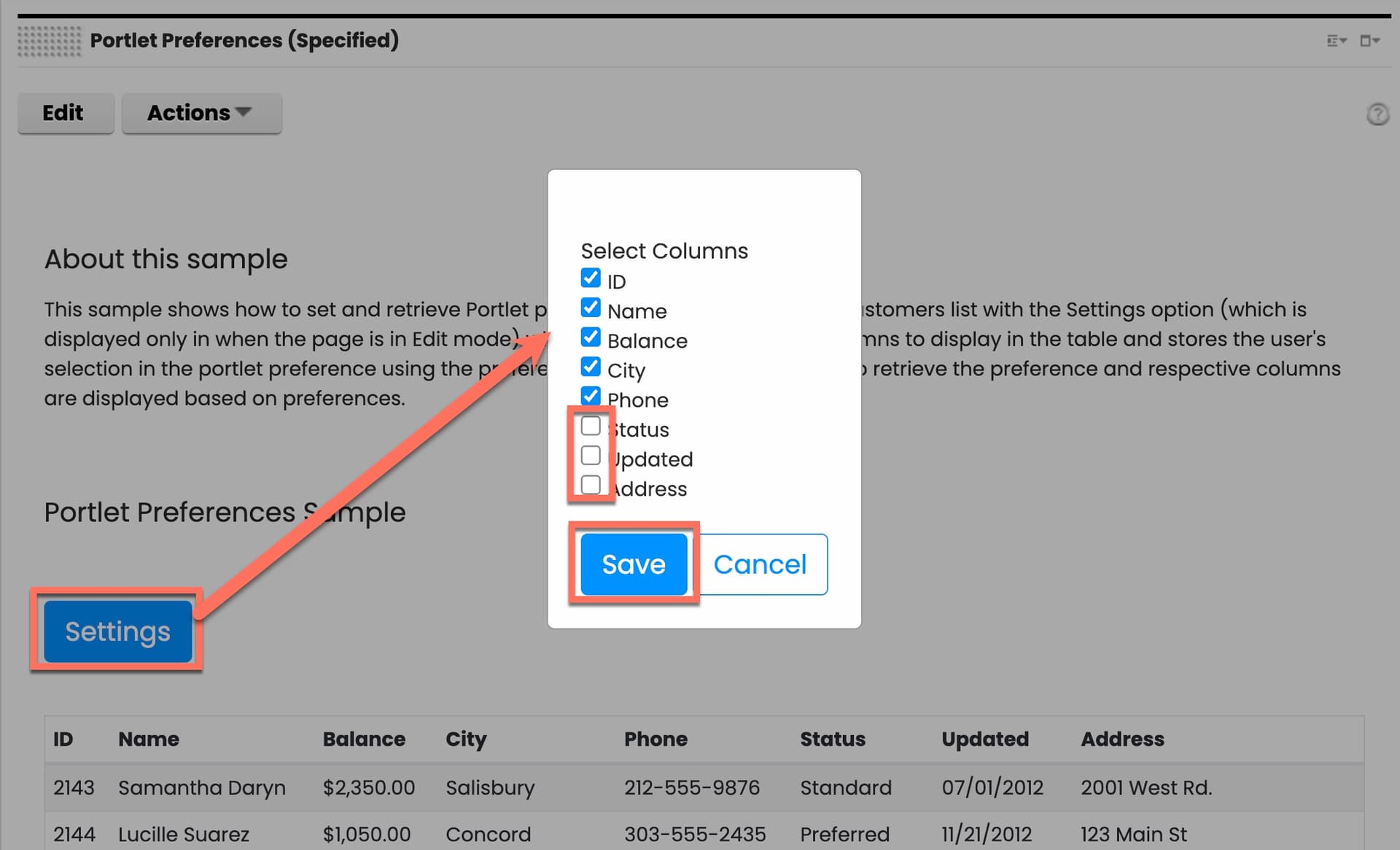
You use Portlet Preferences to set and get these preferences.
A sample Script Application that uses this is provided in the DX Marketplace. Its resources is also available on the HCLSoftware Resource Github.
Use the HCLSoftware U HDX-DEV-200 Script Application lesson to learn how to use this. This is part of the free HCLSoftware U HDX-DEV-200 HCL Digital Experience Development Intermediate course.