Domino/Notes Version: 12 FP 7
Add-on Product (if appropriate, e.g. Verse / Traveler / Nomad / Domino REST API):
Its Version:
Operating System: Windows 11
Client (Notes, Nomad Web, Nomad Mobile, Android/iOS, browser version):
Problem/Query:
In HCL Notes the setting Preferences → Spell checking → Correct common typing errors is greyed out and cannot be selected. I cannot find any policy nor any
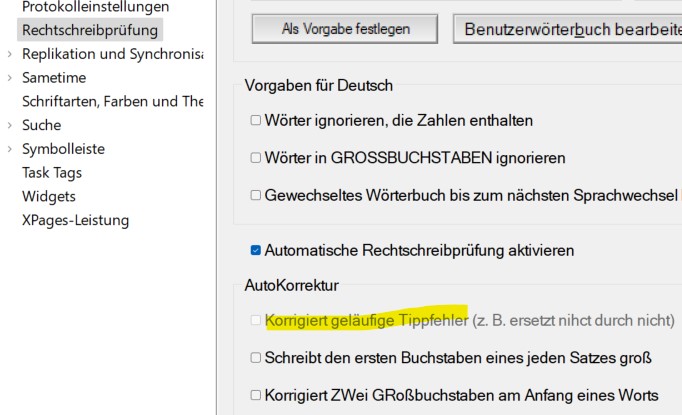
Marvel Client setting which relates to this setting. Is there any ther reason which could cause this option to be greyed out?